187
Polyend Play+ Manual Rev 2
NOTES
MIDI
10
10.2 Basic MIDI concepts for Play+.
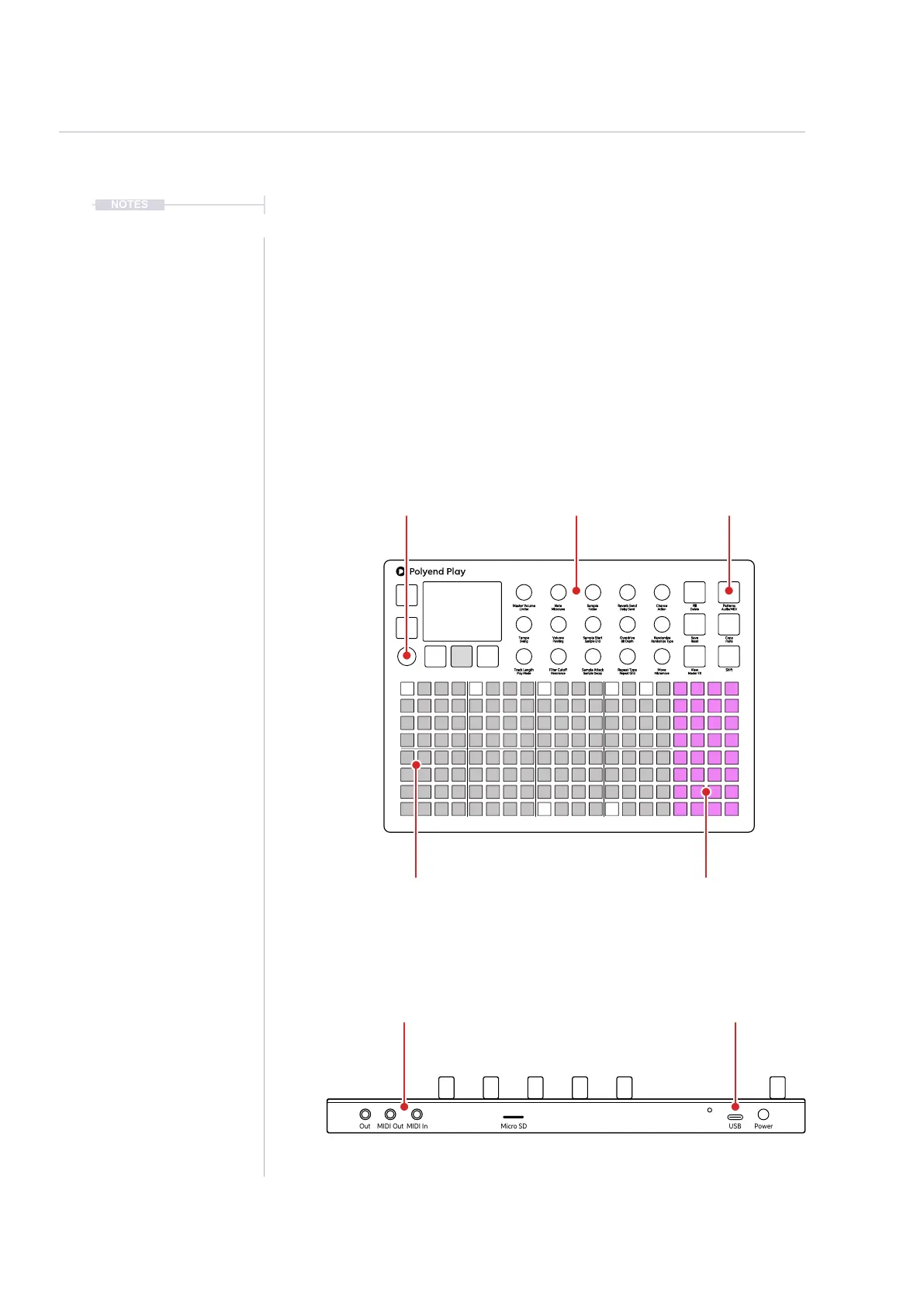
Play+ can be switched to MIDI mode when controlling external gear. MIDI
mode is selected using [Shift] + [Audio/MIDI]. MIDI / Synth mode is
indicated by the 4 column function pads being lit purple. A pre-requisite to
working with MIDI is to ensure that the conguration settings are applied for
the desired MIDI gear setup and a MIDI device selected using (Sample).
MIDI Mode operates at a per step level. The parameter knob switches
functionality from their faceplate labelled audio parameters to the unlabelled
MIDI functions. The display will show the MIDI Parameter. Play+ can assign
note data and specic channel settings at a step level to send MIDI out
from the sequencer pattern.
Fill
Delete
Reverb Send
Delay Send
Note
Microtune
Master Volume
Limiter
Save
Reset
Overdrive
Bit Depth
Volume
Panning
Tempo
Swing
View
Master FX
Repeat Type
Repeat Grid
Filter Cutoff
Resonance
Track Length
Play Mode
Patterns
Audio/MIDI
Chance
Action
Sample
Folder
Copy
Paste
Randomize
Randomize Type
Sample Start
Sample End
ShiftMove
Micromove
Sample Attack
Sample Decay
[Shift] + [Audio/MIDI]
Toggle between audio
and MIDI / Synth mode
(Knobs)
Switch to MIDI options.
These are not labelled
Function [Pads]
Illuminate purple when in
MIDI / Synth Mode.
USB
Play+ is powered via the USB-C,
also communicates MIDI.
(Screen)
Press to access setting
including MIDI Options
Grid [Pads]
8 Tracks of MIDI sequencing
Note and Channel per Step.
MIDI Out / In
Connect to MIDI DIN gear using the
Type B, TRS to 5 Pin adapter
Out MIDI Out MIDI In Micro SD
USB Power



 To Next Page