44
Polyend Play+ Manual Rev 2
Projects & Tracks
3
NOTES
3.11 Swing.
Swing introduces slight off grid adjustments to some steps to create a
shufe feel in an audio or MIDI pattern. This introduces interest and a more
human like groove rather than a rigid on grid structure. Swing can only be
added at track level. One or more tracks would need to be selected or
select all tracks to add a global swing setting.
▌ SETTING A TRACK SWING
1. Ensure at least one track is selected, ie Column 20 [Select] will be lit
bright green for selected tracks. Select all tracks to set a global swing to
all tracks if required.
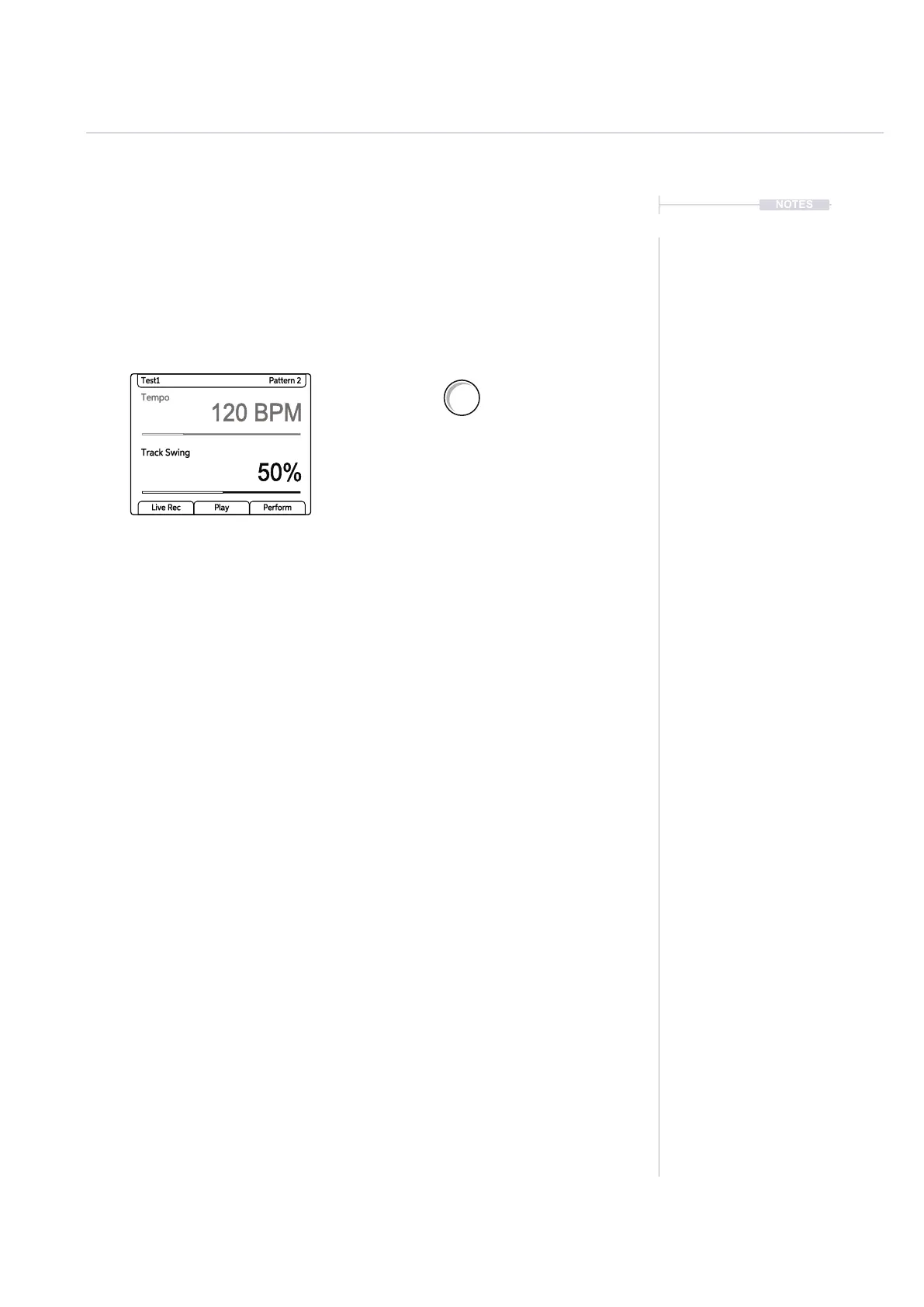
2. Tap (Tempo) to view the current tempo and swing.
3. Double tap (Swing) to select the swing parameter in focus. Also
pressing the left screen buttons will switch between tempo and swing
parameter selection.
4. Turn (Swing). Also turning (Screen) encoder knob will change the swing
value when the swing parameter is selected in view.
• Swing can be adjusted between 25% - 75%.
• The default is 50% i.e. no swing applied.
• 25% will push steps forward / early.
• 75% will pull steps delay / late.
• The playhead cursor will indicate the swing applied in its visual
behaviour.
Double tap to select, then Turn (Swing) to
adjust the track swing %. Ensure at least
one track is selected. A dash ‘-’ will indicate
no track is selected in the parameter value.
Tempo
120 BPM
50%
Test1 Pattern 2
Track Swing
Live Rec Play Perform
Tempo
Swing



 To Next Page