148
Polyend Play+ Manual Rev 2
NOTES
Arrangements & Variations
7
7.1 Pattern Mode.
Pattern mode is used to manage the pattern selection including chaining
and playing selected pattern sequences. Pattern mode offers control over
the entire set of 128 patterns, where each of the 8 x 16 grid buttons
represent an individual pattern in a project. The [Patterns] button toggles
between Pattern mode and the default Sequencing mode.
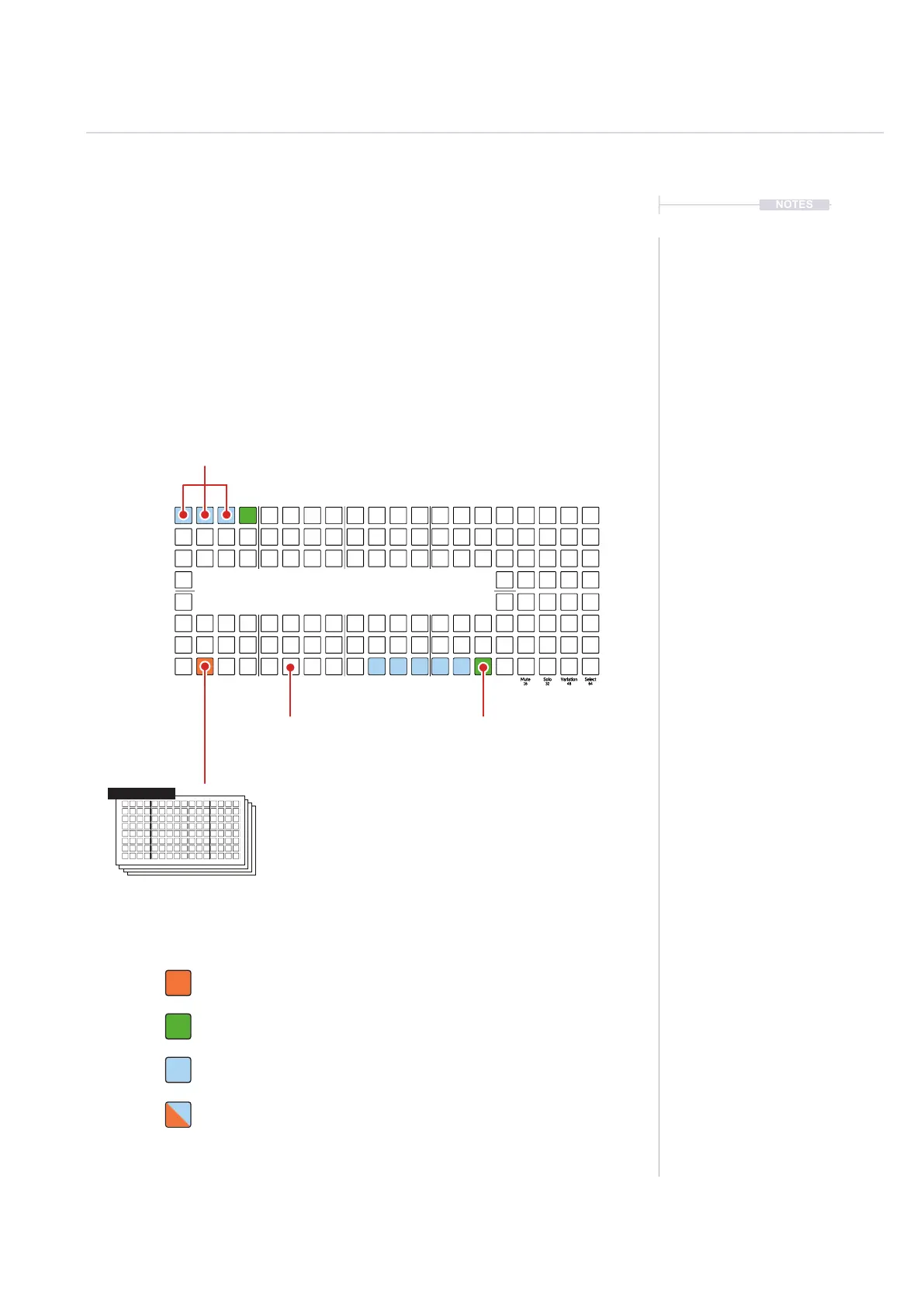
Orange. Currently active / loaded pattern.
Pattern Mode - 8x16 Grid Pad Colors
Dim Green. Empty Pattern.
Blue. Available Patterns.
Flash Orange / Blue. Pattern pending to play next when manually triggered.
Press [Patterns] to access the Pattern Mode.
Each [Pad] Represents an individual pattern. A
maximum of 128 patterns are available per project
Tap [Pad] to select or
create a new pattern
16
17
128113
97
Leave a blank pad to
signal end of a chain
Press [Play] to play and
loop the current pattern
Press [Shift] + [Play] to play
a pattern sequence
Playback of a pattern sequence will start on the
selected pattern, play through adjacent patterns
until no more patterns are in the sequence and
then restart from the rst pattern in the sequence.
Pattern 114



 To Next Page