174
Polyend Play+ Manual Rev 2
Effects
9
NOTES
9.2 Master FX Presets.
The delay, reverb, sound, limiter and saturation as controlled by one of
several dened presets. The parameters are therefore hidden under the
hood for most functions and the preset itself denes the style and sound
generated. The presets are selectable with the Master FX section.
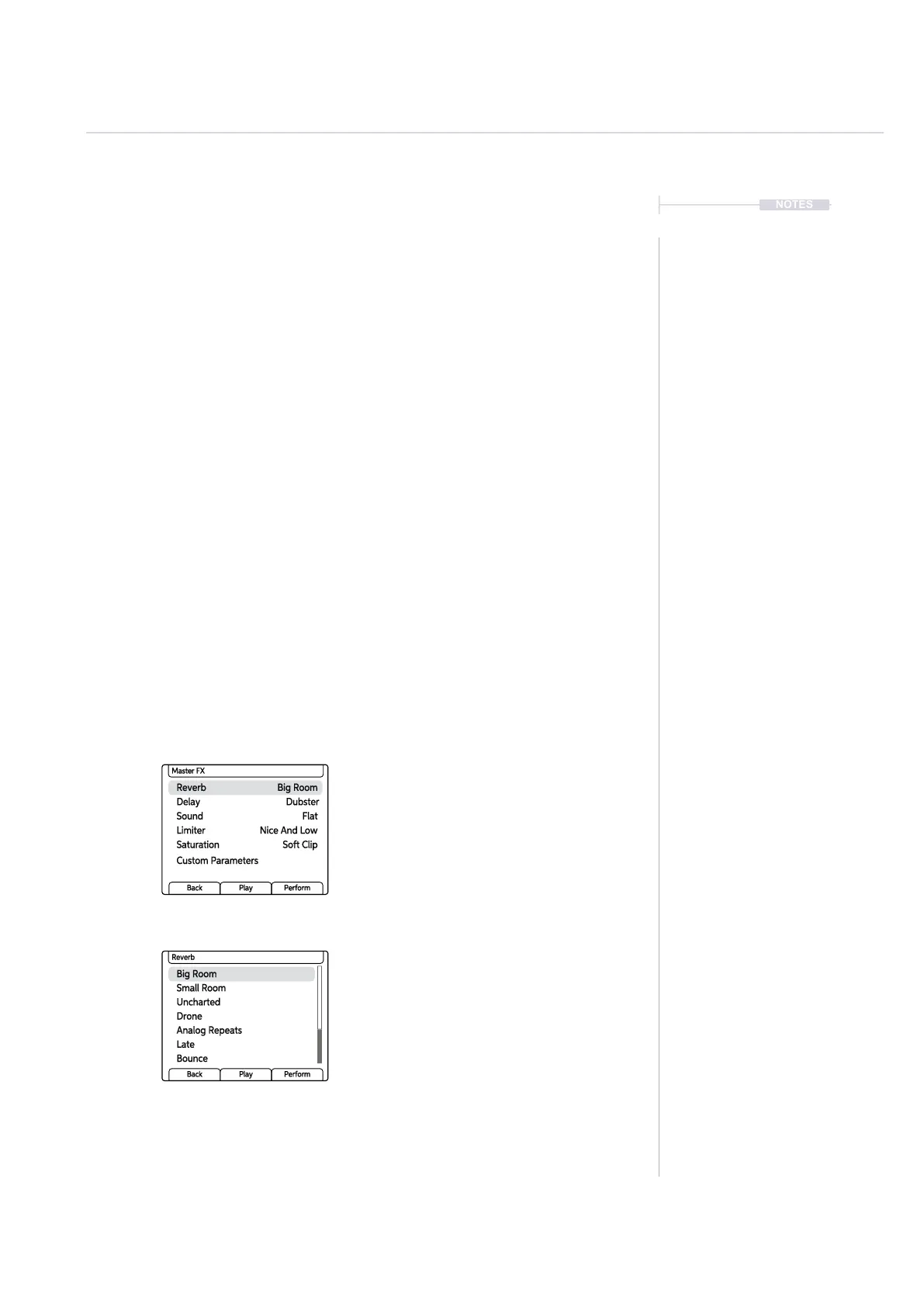
▌ SELECTING A MASTER FX PRESET
1. Hold [Shift] + Press [Master FX]. The Master FX option is the secondary
function on the ‘View’ Button.
2. Turn (Screen) knob to scroll through the effects; Reverb, Delay, Sound,
Limiter, Saturation. The currently active preset will also be displayed for
each effect. Highlight the effect to change.
3. Press (Screen) knob to select and open the preset list for the
highlighted effect. The preset names are designed to give an indication
of the type of sound to expect.
4. Turn (Screen) knob to scroll through and highlight the preset to select.
Press (Screen) to select the preset. It is good practice to listen to the
impact of the effect to help chose the best option.
5. Press [Back] to backup and then exit the menu.
Currently loaded Master FX preset
is displayed alongside each effect.
Hold [Shift] + [Master FX].
A collection of effect presets are
available for each effect.
Reverb Big Room
Sound Flat
Saturation
Custom Parameters
Soft Clip
Delay Dubster
Limiter Nice And Low
Master FX
Back Play Perform
Big Room
Uncharted
Analog Repeats
Bounce
Small Room
Drone
Late
Reverb
Back Play Perform



 To Next Page