151
Polyend Play+ Manual Rev 2
NOTES
▌ PLAYING A SINGLE PATTERN
1. Press [Play] from any mode.
2. The current pattern, which is indicated in pattern mode with a pad lit
Orange, will play. The pattern will loop playback continuously.
3. Press [Play] to stop playback. The playhead is reset to the pattern start.
▌ CHAINING A SERIES OF PATTERNS
1. Patterns are chained in pattern mode. Sometimes chaining of patterns
is called Song mode. Press [Patterns] to toggle to pattern mode.
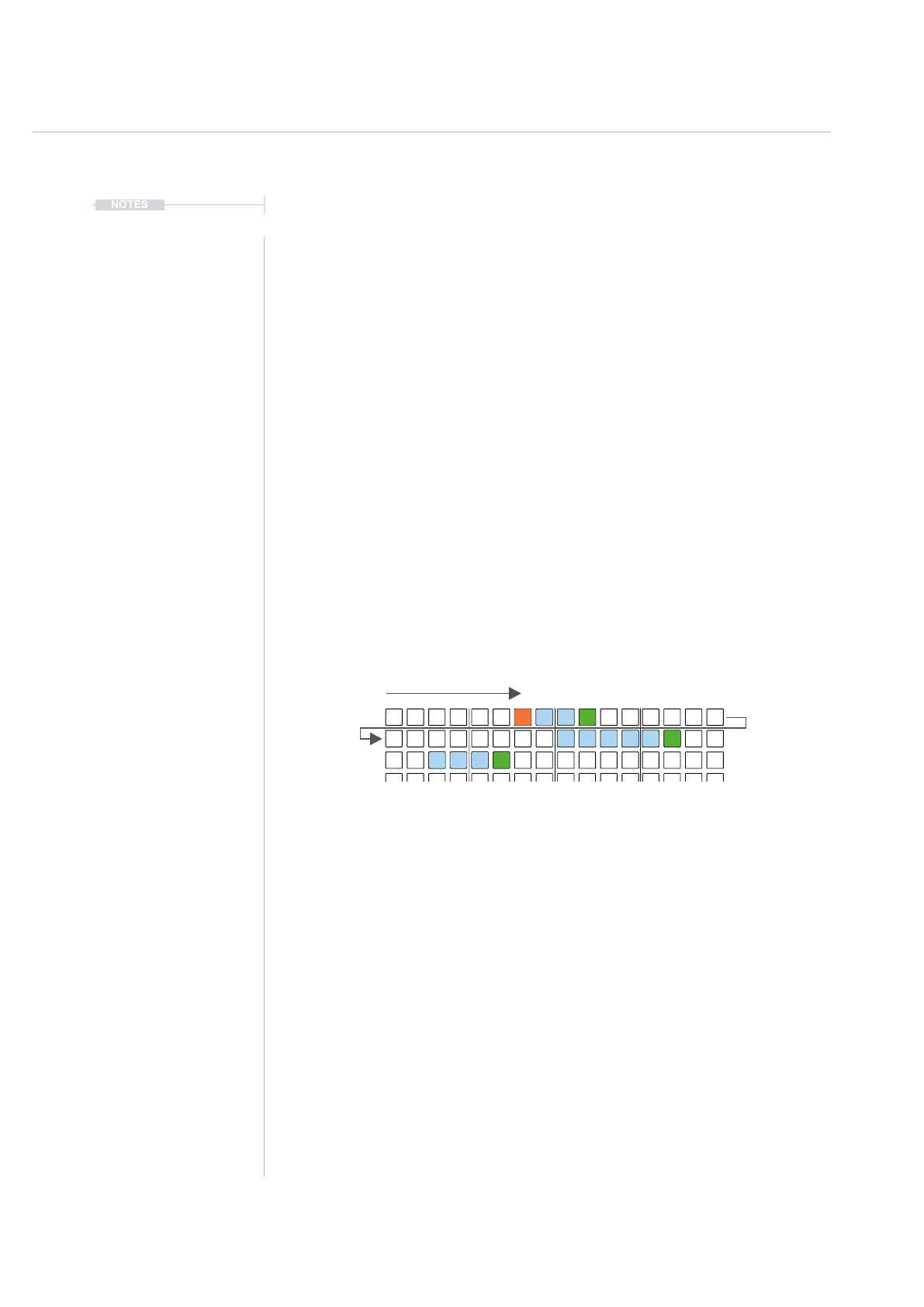
2. Patterns should be created in sequence horizontally across the grid.
This will require patterns to be created from new or copy / pasted in
sequential order. The order runs in grid order i.e. left to right - top to
bottom, starting top left corner of the 8x16 grid.
3. Ensure an empty pattern slot pad is placed at the end of the chain. A
sequence will recognise the loop point once the empty pad is reached.
▌ PLAYING A CHAINED SERIES OF PATTERNS
1. Press [Shift] + [Play] in any mode.
2. Patterns will play, starting with the currently selected pattern. Once
each pattern completes playback, the next available pattern in the
sequence will play. The sequence of patterns will play until an empty
pad is reached at which point the chain will restart and loop playback.
3. To switch to another pattern / chain during playback, Press [Pad]. The
next pattern will be cued and will play once the existing pattern
completes playback.
4. To immediately switch to another pattern / chain during playback, Press
[Shift] + [Pad]. The next pattern will instantly start to play.
5. Press [Play] to stop and reset playback.
16
17 18
1 42 53 6
Arrangements & Variations
7



 To Next Page