183
Polyend Play+ Manual Rev 2
NOTES
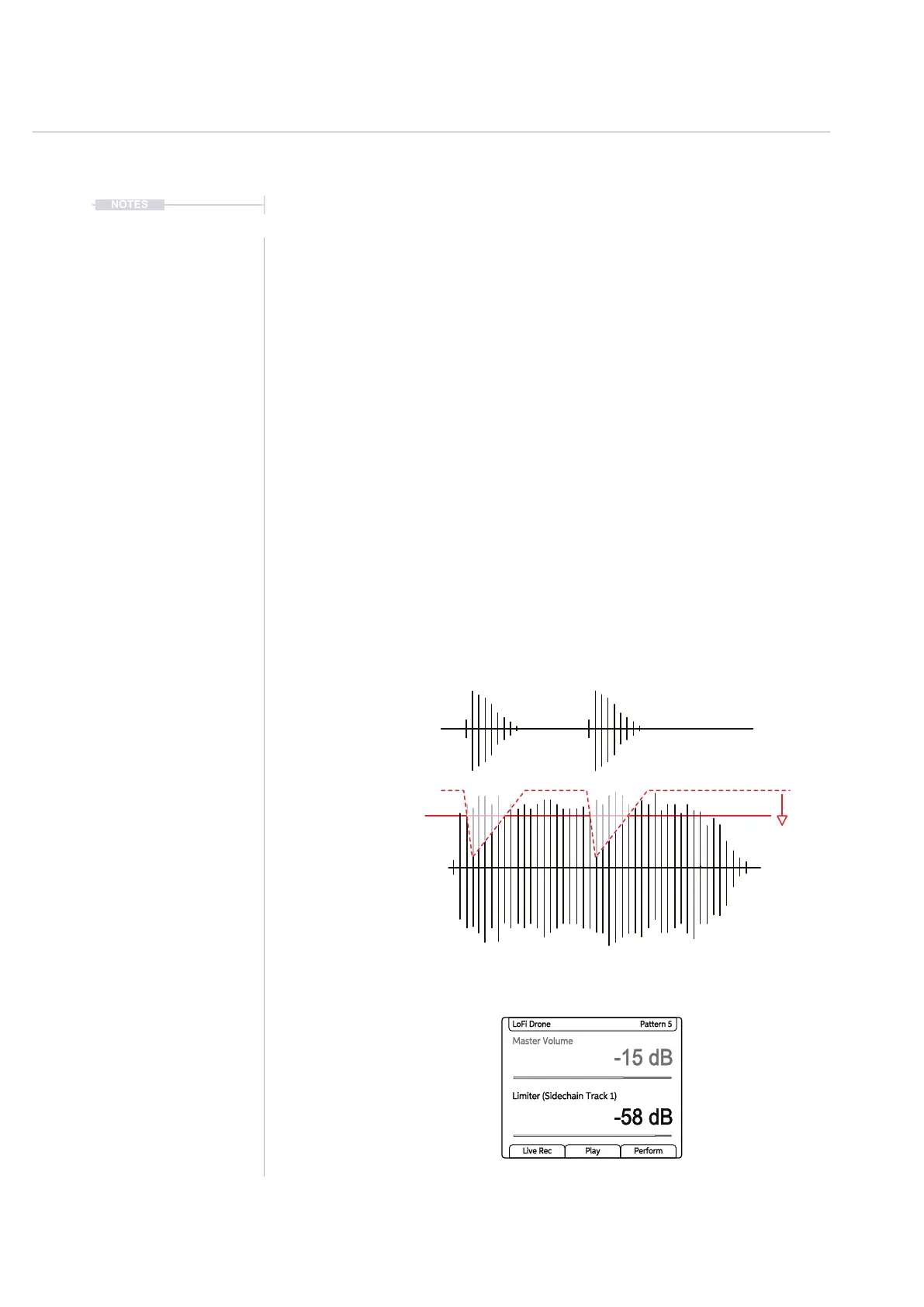
▌ CREATING A SIDECHAIN FOR THE LIMITER
1. To change the limiter preset, Press [Shift] + [Master FX] to open the
Master FX menu options.
2. Turn (Screen) to scroll the menu and to highlight the ‘Limiter’ option.
3. Press (Screen) to open the limiter preset options list.
4. Turn (Screen) to scroll the preset options. Highlight one of the
‘Sidechain Track X’ options. The Track X must be a Play+ track that will
be used as the sidechain audio source. Typically a beat orientated
sound works well to rhythmically duck the limiter audio level.
5. Press (Screen) to select. The selected preset is displayed in the limiter
display in brackets after the limiter title.
6. Press [Back] to exit the Master FX menu.
7. Playing the limiter source track will now be applied to drive gain
reduction in sync with the musical rhythm of the source track. Turn to
adjust the (Limiter) parameter to apply the amount of sidechain ducking.
Master Volume
-15 dB
-58 dB
LoFi Drone Pattern 5
Limiter (Sidechain Track 1)
Live Rec Play Perform
Threshold
Track 1
Audio over Time
Gain
Reduction
Example sidechain
source. Will drive the
limiter to attenuate.
Effects
9



 To Next Page