3-15
PFC-6006 • 5403559 • REV D • 11/17
DACT Connection
Phone lines are high voltage and should be run in a separate conduit from other circuits. The wire conductors connecting the
DACT to the phone system should be 26 AWG or larger.
The Digital Alarm Communicator Transmitter (DACT) provides connections for two (2) phone lines for communication to a
monitoring station. The DACT communicates using the SIA-DCS or Ademco Contact ID protocols. The DACT is selectable and
fully programmable.
The PFC-6006 automatically monitors each phone line for voltage and has the ability to seize the line and connect with a remote
receiver. Once the communication is complete, the DACT will hang up the phone line.
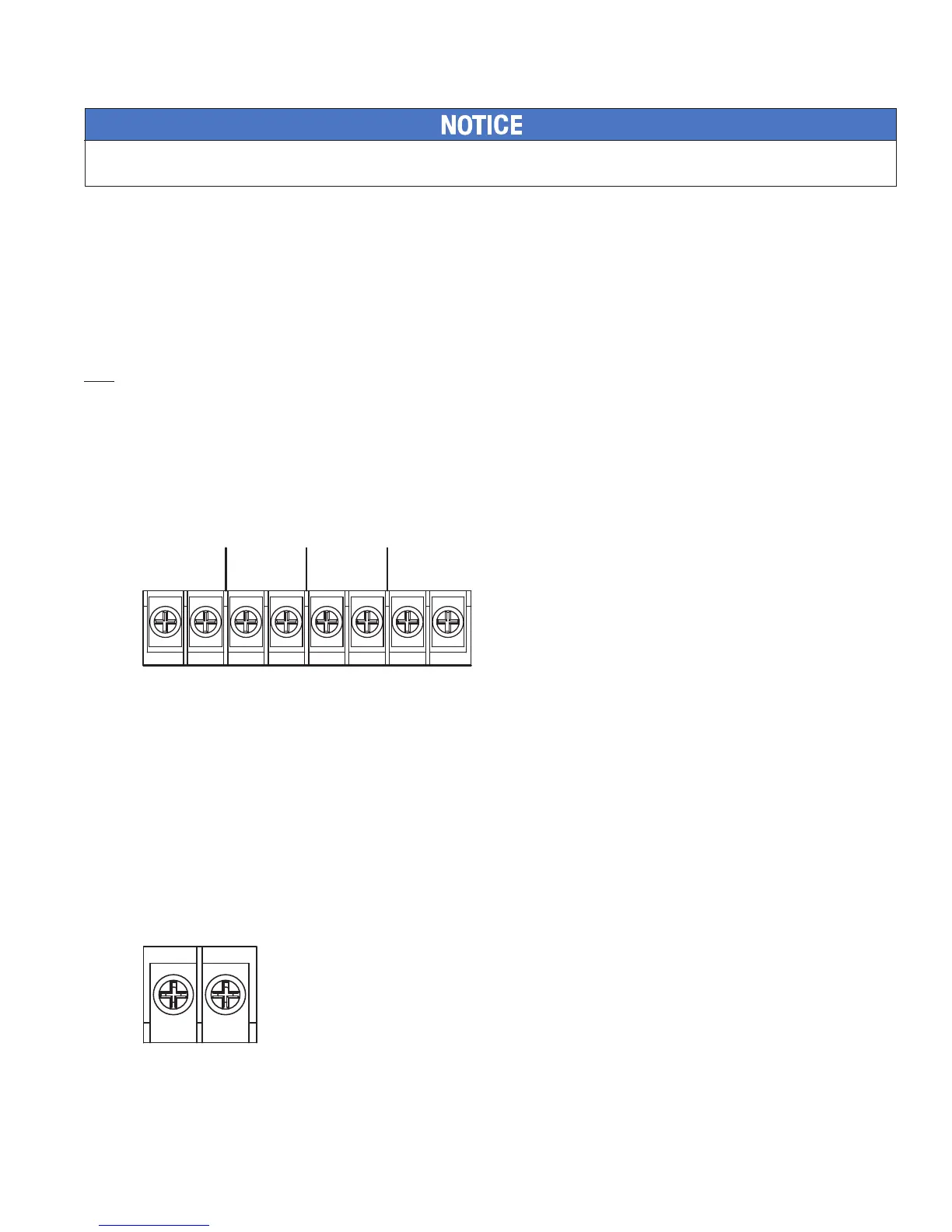
The DACT is provided with terminals block for each phone line (see Figure 12). In order for the DACT to work properly, it must
be installed on a plain old telephone service (POTS) or equivalent as deemed by the authority having jurisdiction. The DACT
must be installed before any other equipment to ensure it can seize the line and disconnect any other lines.
When the phone lines are connected to the control panel, the phone lines are supervised. The phone lines are non-power limited
and should be routed accordingly.
In order for the system to comply with building and re codes, the DACT is to be connected between the telephone company
connection and other appliances serving the building. Failure of the DACT to be the rst device on the line will prevent it from
seizing the phone line and acquiring dial tone.
Figure 12. DACT Connections
Auxiliary Power
The Auxiliary Power is a 24 VDC output rated at a maximum of 0.5 Amps that is shared with the P-Link power. The total
combined power between the two auxiliary power connections is 0.5 Amps. The auxiliary power may be programmed as
continuous or resettable with a System Reset for use with 4-wire smoke detectors.
Aux Power Characteristics
• The impedance to ground for ground fault detection is 0 ohms.
• Supervised and power-limited.
• Circuit is provided with battery back-up.
• Special Application
Figure 13. Auxiliary Connections Example
DWG #559-16
TIP
RING
TIP
RING
TIP
RING
TIP
RING
LINE 2 OUTLINE 2 IN LINE 1 OUTLINE 1 IN
DWG #559-17
AUX
- +


 To Next Page