4-17
PFC-6006 • 5403559 • REV D • 11/17
Menu Navigation Keys
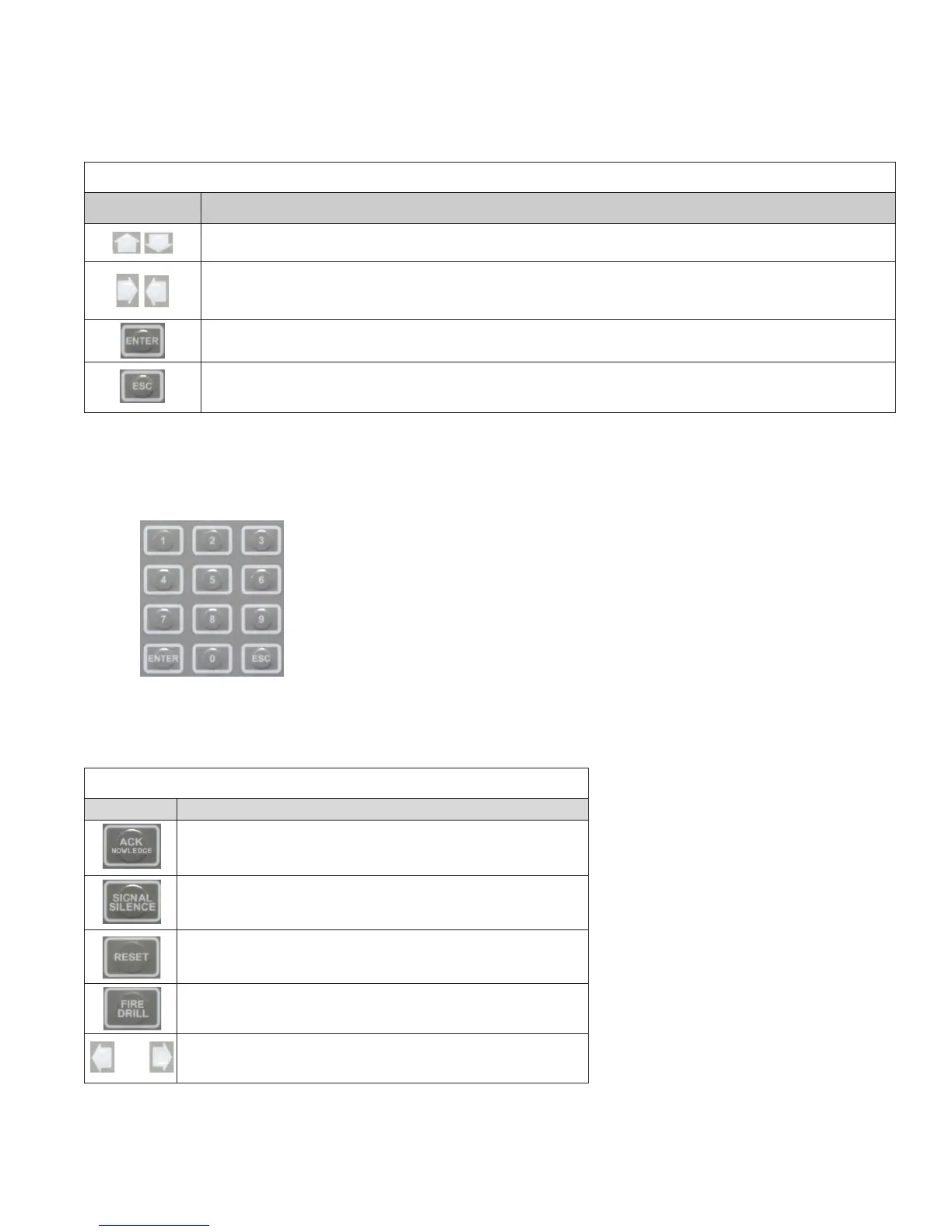
The arrow keys allow you to scroll or move through the control panel menus. The Enter and Esc keys may also be used to
navigate through menus; they are located on the numeric keypad. The table shown below provides a summary of the navigation
keys.
Table 6: Menu Navigation Keys
Push button Description
Moves/scrolls up or down through menus.
Scrolls to the left or right to display details, if any, of current menu item.
Note: When the LCD panel displays a LEFT and/or RIGHT arrow, this indicates more information may be viewed.
Displays the Main Menu or selects the current menu option.
Note: The blinking “” indicates the current menu option.
Returns to previous menu or backs up to previous screen.
Numeric Keypad
The numeric keypad allows you to enter user codes when required to access restricted functions. Alternatively, the numbers may
be used to quickly select menu options vs. using the arrow and Enter keys to select a function.
Figure 16. Control Panel Numeric Keypad
Function Pushbuttons
The four (4) function pushbuttons are used when system alarm / trouble conditions occur or to perform a re drill. Refer to the
table below for a brief summary of the pushbuttons:
Table 7: Control Panel Pushbuttons
Pushbutton Description
Press to acknowledge the currently displayed condition.
Press to silence all outputs programmed as silenceable and buzzer.
Press to reset panel to normal condition.
Press to begin a re drill.
and
Press Left & Right Arrows at the same time for Alarm Signal
Activation



 To Next Page