7-65
PFC-6006 • 5403559 • REV D • 11/17
Appendix B – Modem Connectivity Setup
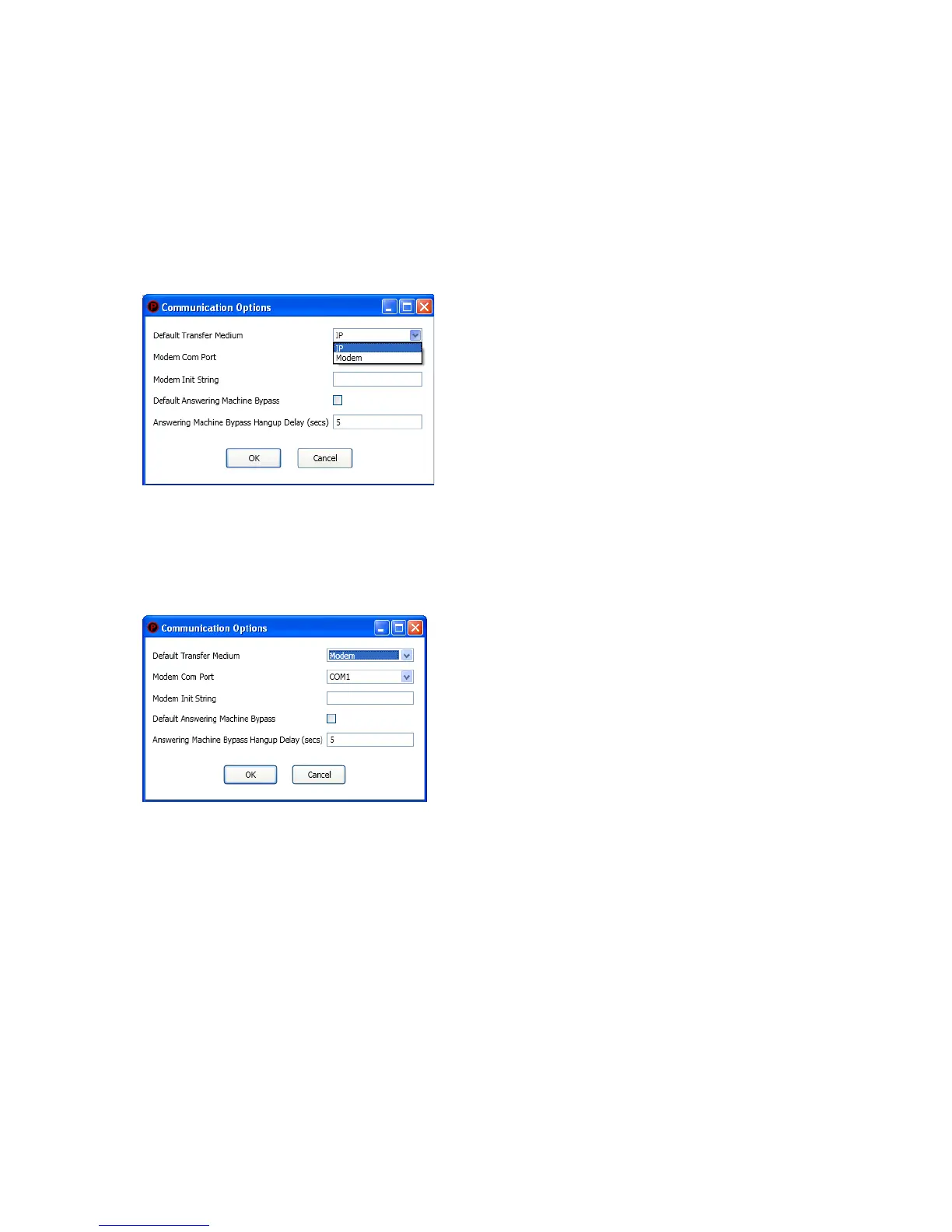
If your computer uses a modem for connectivity to the panel, choose the Options – Communications menu option. Next, select
“Modem” as the transfer medium, and specify the modem com port. In rare instances, a modem may also require an initialization
string. Refer to your manufacturer’s instructions for this information.
To setup a modem:
1. Select Options – Communication. The "Communication – Options" dialog box displays.
Figure 74. Example of Modem Communication Setup
2. Click in “Default Transfer Medium” eld and select “modem”.
3. Click in “Modem Com Port” eld to select the applicable com port. If required, enter the initialization string.
Figure 75. Example of Com Port Modem Setup
4. Click OK to save changes.



 To Next Page