5-26
PFC-6006 • 5403559 • REV D • 11/17
Transferring Data
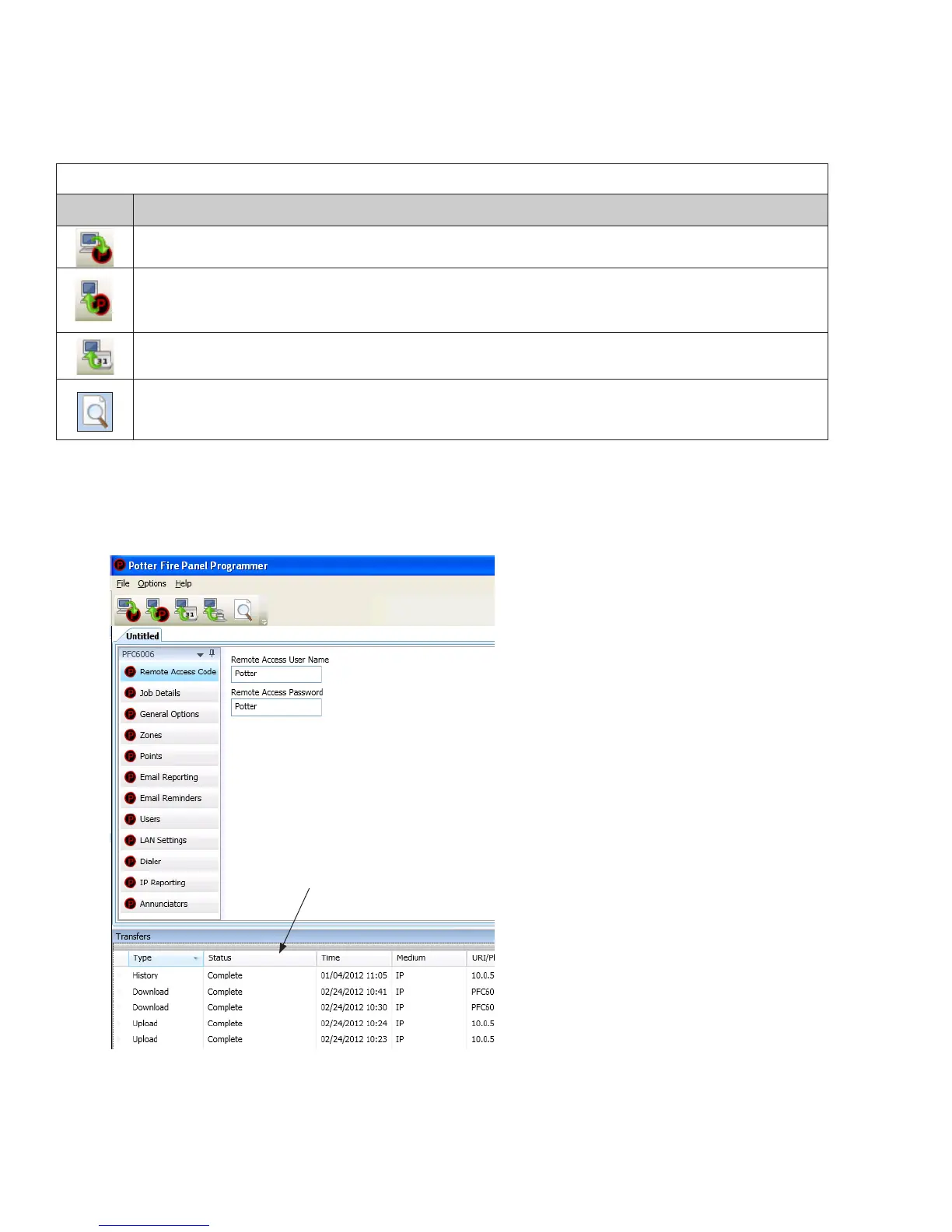
This section provides step-by-step instructions for completing uploading and downloading data transfers. The "Transfer" icons
are located at the top of the Programmer window and are briey described below.
Table 11: Transfer Functions
Icons Description
Downloads conguration le from computer to panel.
Uploads conguration le from panel to computer.
Uploads history events le from panel to computer.
Prints selected le.
The Transfers region is located at the bottom of the Programmer window and lists all completed transfers. This area displays
transfer details, including their date and time. You may also access the “Transfer” shortcut menu from this location to select any
of the transfer functions.
Figure 19. Example of Programming Window Showing Transfer Icons and Transfer Section
Note: Double-click anywhere on the transfer record to view details.
The "Transfer" window displays all
completed transfers.



 To Next Page