5-48
PFC-6006 • 5403559 • REV D • 11/17
Zone Attributes
Zone attributes are the settings that control the overall behavior of points within the zone. The zone may be congured as latching
or non-latching, silenceable vs. non-silenceable, among other attributes.
Tips: Double-click in a eld to modify an applicable eld, i.e., zone name or alarm count. Click in elds with a
selection box to select or deselect the option, i.e., silenceable or latching.
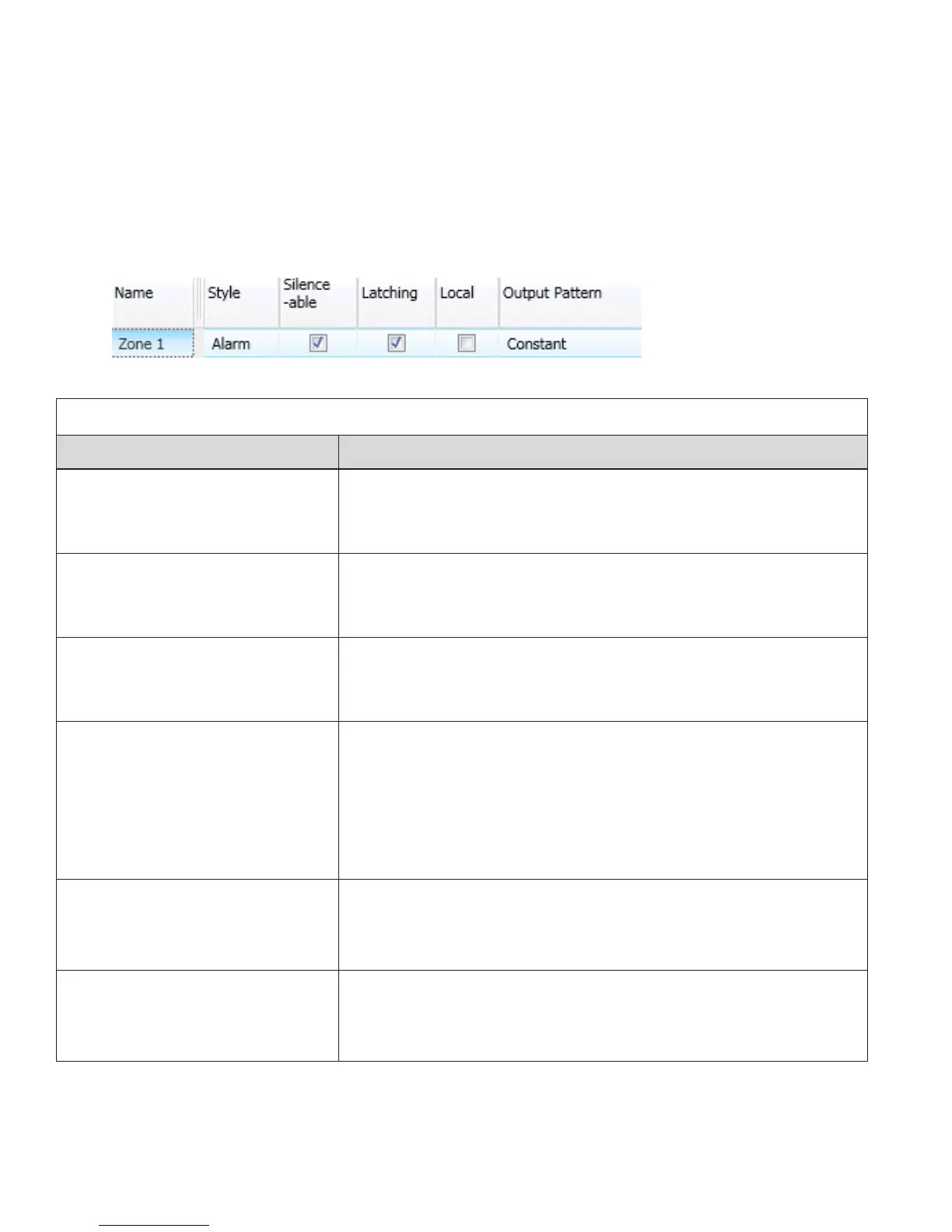
All zones default to an “Alarm” style or type when rst created. The gure shown below is an example of the default attributes of
a "Alarm" zone.
Figure 53. Example of Zone Attributes (Fields 1-5)
Refer to the table below for a brief explanation of zone attributes:
Table 18: Zone Attributes
Attribute Description
Zone Name
Default = Zone “x”
(where “x” is a sequential number)
•y Zone name may be up to sixteen (16) alphanumeric characters.
Latching / Non-Latching
Default = Latching
•y Available for one (1) count zones only.
•y Latching zone requires operator to press Reset.
•y Non-latching zone will automatically turn off outputs when condition clears.
Local / Non-Local
Default = Non-Local
•y Used only for “Report by Zone” option.
•y Allows a zone to be specied as a non-reporting zone.
Output Pattern
Default = Constant
•y Denes the output pattern of general-purpose NAC circuit in the zone that
occurs during alarm conditions.
•y Click on drop-down arrow to display and select an option:
Constant 24VDC
ANSI Temp 3 .5 sec on, .5 sec off, .5 sec on, .5 sec off, 5 sec on, 1.5 sec off
March Code 60 signals per minute
Double Time 120 signals per minute
Auto-Silence Timer
Default = 0 minutes
Range = 0 – 360 minutes
Denes the amount of time before silenceable NAC is automatically shut down.
Auto-Unsilence Timer
Default = 0 minutes
Range = 0 – 60 minutes
Denes the amount of time before any silenced NAC is reactivated; output only
reactivate if panel is still in alarm.



 To Next Page