5-49
PFC-6006 • 5403559 • REV D • 11/17
Table 18: Zone Attributes
Attribute Description
Silence-Inhibit Timer
Default = 0 minutes
Range = 0 – 60 minutes
Denes the amount of time you may not silence an output when in alarm.
Restore Delay
Default = 0 seconds
Range = 0 – 300 seconds
Denes the amount of time before deactivating an output when the panel is reset.
Creating Zones
When creating zones, you may create one or more at a time. This section explains this process and includes examples for your
convenience.
To create a zone:
1. In the Zones window, right click on any zone name. The shortcut menu displays.
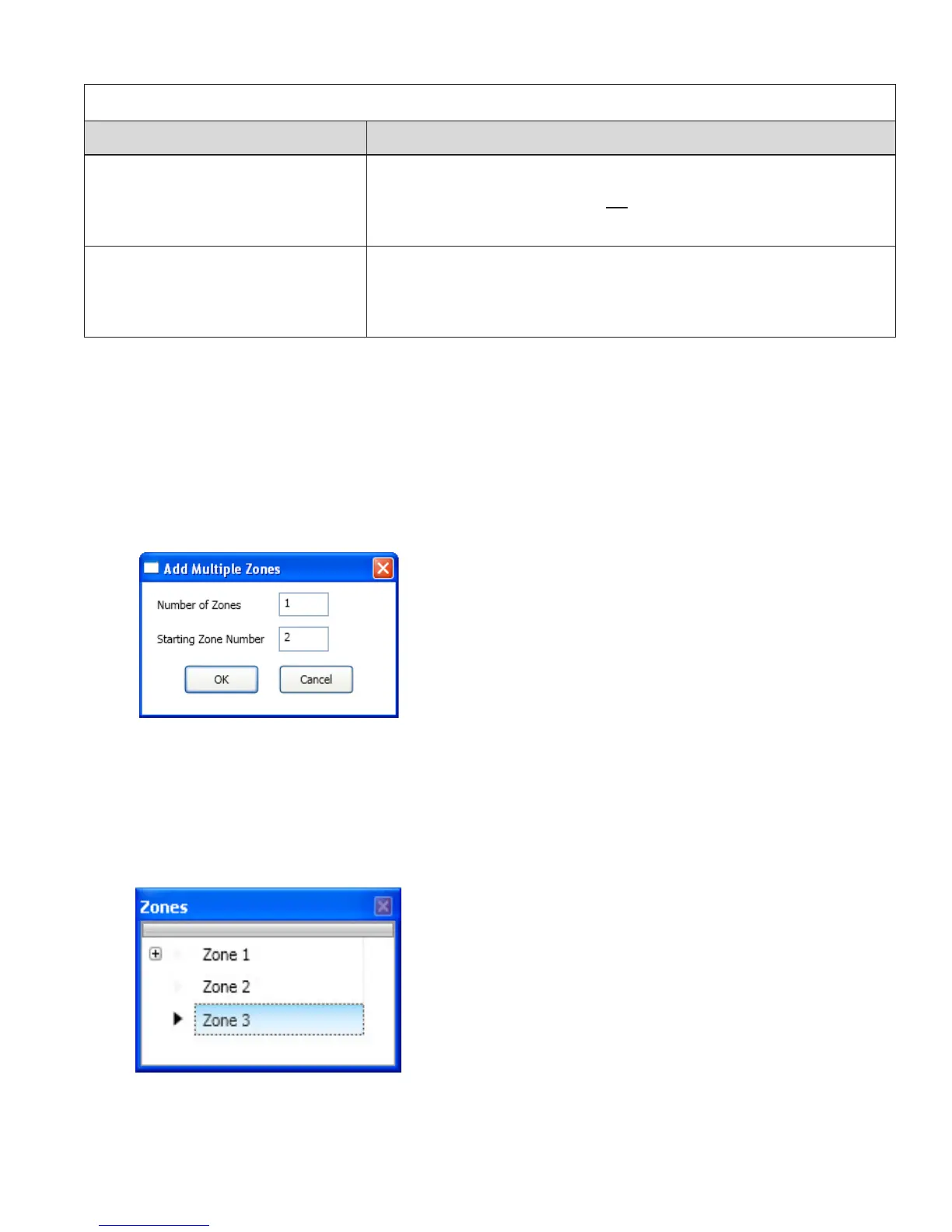
2. Click on “Add Zones”. The Add Multiple Zones dialog box displays.
Figure 54. Examples of Adding Multiple Zones Dialog Box
3. In “Number of Zones” eld, enter the number of zones to create.
Note: You may enter up to 30 zones.
4. In “Starting Zone Number” eld, enter the zone number to begin numbering zones, if different from default.
5. Click OK or Cancel to exit dialog box. The Zones window lists all new zones.
Figure 55. Zones Window



 To Next Page