6-62
PFC-6006 • 5403559 • REV D • 11/17
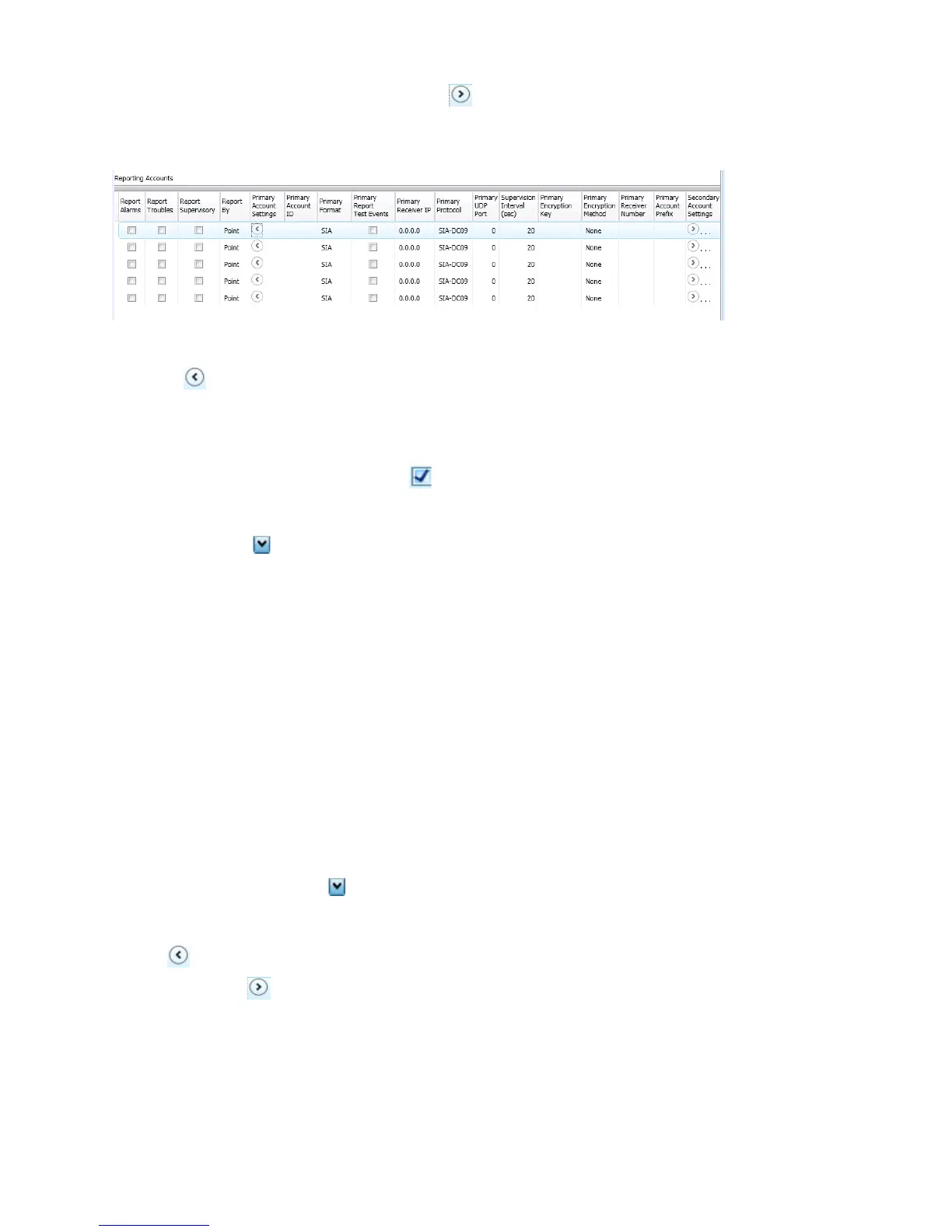
Click on the Primary / Secondary Account Settings expand ellipsis icon to display additional setup options, as
shown below:
Figure 73. Example of Primary Account Settings "Expanded" Window
Notes:
– Use the scroll bar to display additional elds if not shown on right.
– Click the collapse icon at any time to hide the account setting elds.
Enter the Account ID.
Select the applicable Primary Format option: CID / SIA
Click in the Report Test Events selection box to send Test signals to this account.
Double-click in the Receiver IP eld and enter the IP address provided by the remote monitoring station.
Click on the Protocol drop-down arrow to select Fibro.
Note: Fibro communications is used with the Sur-Guard receiver.
Double-click in the UDP port eld to enter the Primary/Secondary port number as provided by the remote
monitoring station.
Note: The UDP port number is the pathway for data which the receiver receives from the system panel and sends to the
system panel.
Double-click in the Supervision Interval eld to adjust the amount of time (in seconds) that the panel's IP
Communicator will send a supervision signal to the remote monitoring receiver.
– Default setting is 20 seconds.
– Contact the remote monitoring station to verify the correct setting. The receiver is programmed with a specic window
of time to "see" the supervision signal. If the supervision signal is not seen within the programmed time, the receiver
generates a Trouble signal after six (6) failed communication attempts.
Double-click in Encryption Key to enter an applicable number as provided by the remote monitoring station.
Click on the Encryption Method drop-down arrow to select 128 bit, if applicable.
Note: If the Encryption Method is set to "None", then an Encryption Key is not needed.
5. Click on the collapse icon to hide the account setting eld when nished.
Reminder: Click the expand ellipsis icon to review or modify the account settings at any time.
6. Repeat steps for each Primary / Secondary reporting account or to edit an account.



 To Next Page