MAX™ Operator Manual
©
Original Printed In English
SECTION 2 - SETUP & ADJUSTMENTS
LOADING BAG FILM - VFD BOX POWER UNWIND
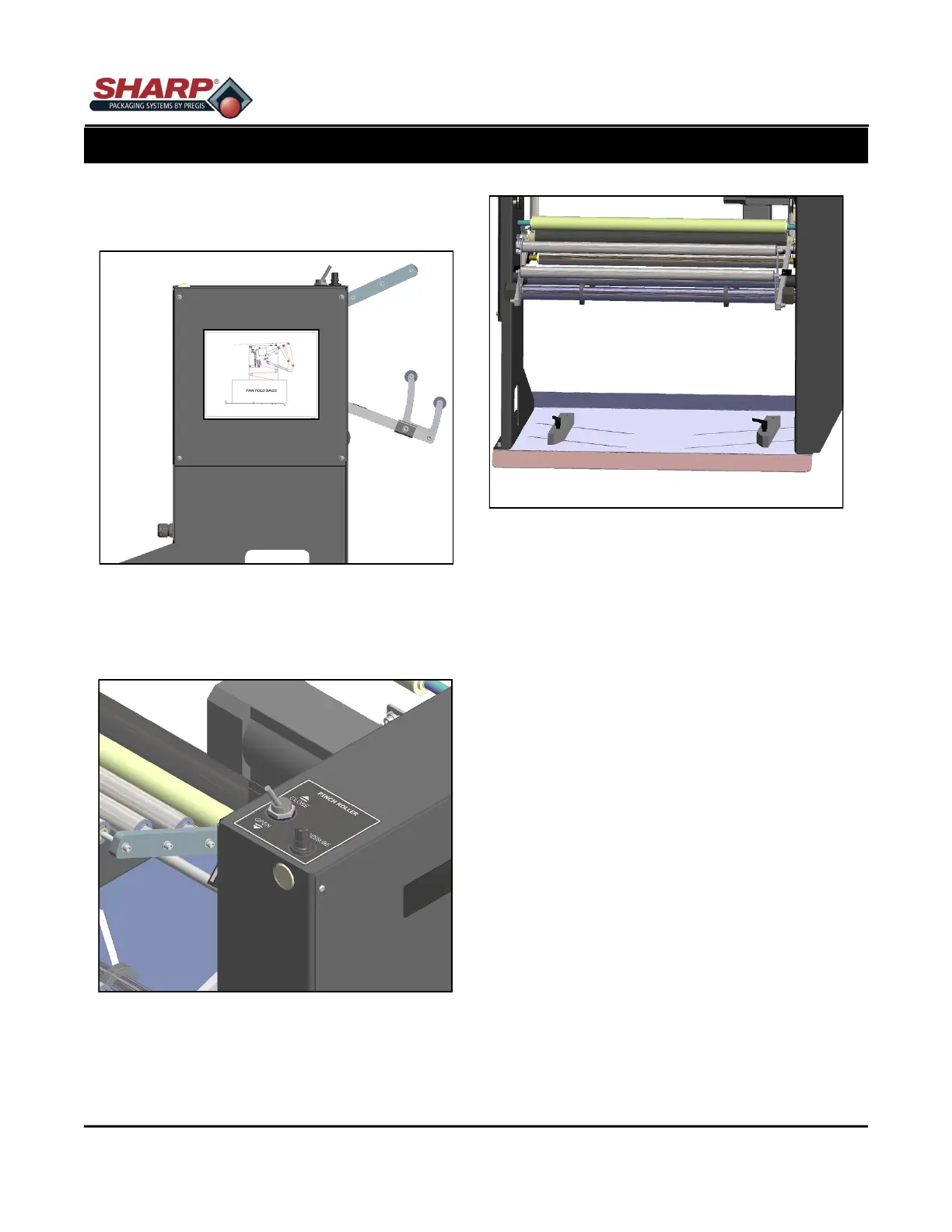
A diagram showing the film threading path through
the machine is located on the side of the Power Un-
wind. Figure 2-6A.
1. To begin threading the bags through the MAX
bagger, push the Toggle Switch to the OPEN po-
sition. Figure 2-6B.
2. Open the box of fan fold bags.
3. Loosen the Box Guides and open the guides to
allow room for box of bags. Figure 2-6C.
NOTE: Position the box in tray so the perforation of
first bag opens toward you when standing behind
the box.
4. Slide the box between the Box Guides. Center the
box on the tray. Slide both guides the against
box .
5. Tighten both knobs.
6. Thread the web according to the web threading
diagram.
7. Flip the Spool Valve Switch to the CLOSE posi-
tion. This will “pinch” the web between the Pinch
Roller and Drive Roller.
8. Slowly pull on the web until you have enough
slack to reach the front of the bagger. Figure 2-
5A. As you pull on the web, the Power Unwind will
advance web from the fan fold box. The harder
the web is pulled the faster the web will be ad-
vanced.
9. Push the Jog Button and slowly feed the web into
the Drive Roller until the bagger stops advancing
the film, making sure the web is centered. Figure
2-5B.
2-6
Figure 2-6A. Web Threading Diagram.
Figure 2-6B. Toggle Switch.
Figure 2-6C. Box Guides.



 To Next Page