EasyManua.ls Logo

Preproofer 770 - Page 124

Preproofer 770
126 pages
Print Icon
To Next Page IconTo Next Page
To Previous Page IconTo Previous Page
Loading...
15
Calibrate Paper Movement Printer Back
Paper Traction Calibration
15-2 Preproofer x700 / x900 HW Installation Manual
PP x700/x900 v1.7
2) Run the PaperLoad process to get the paper
correctly loaded between the two printers (see
the instruction “HowTo - Paper Load x700
English.pdf”).
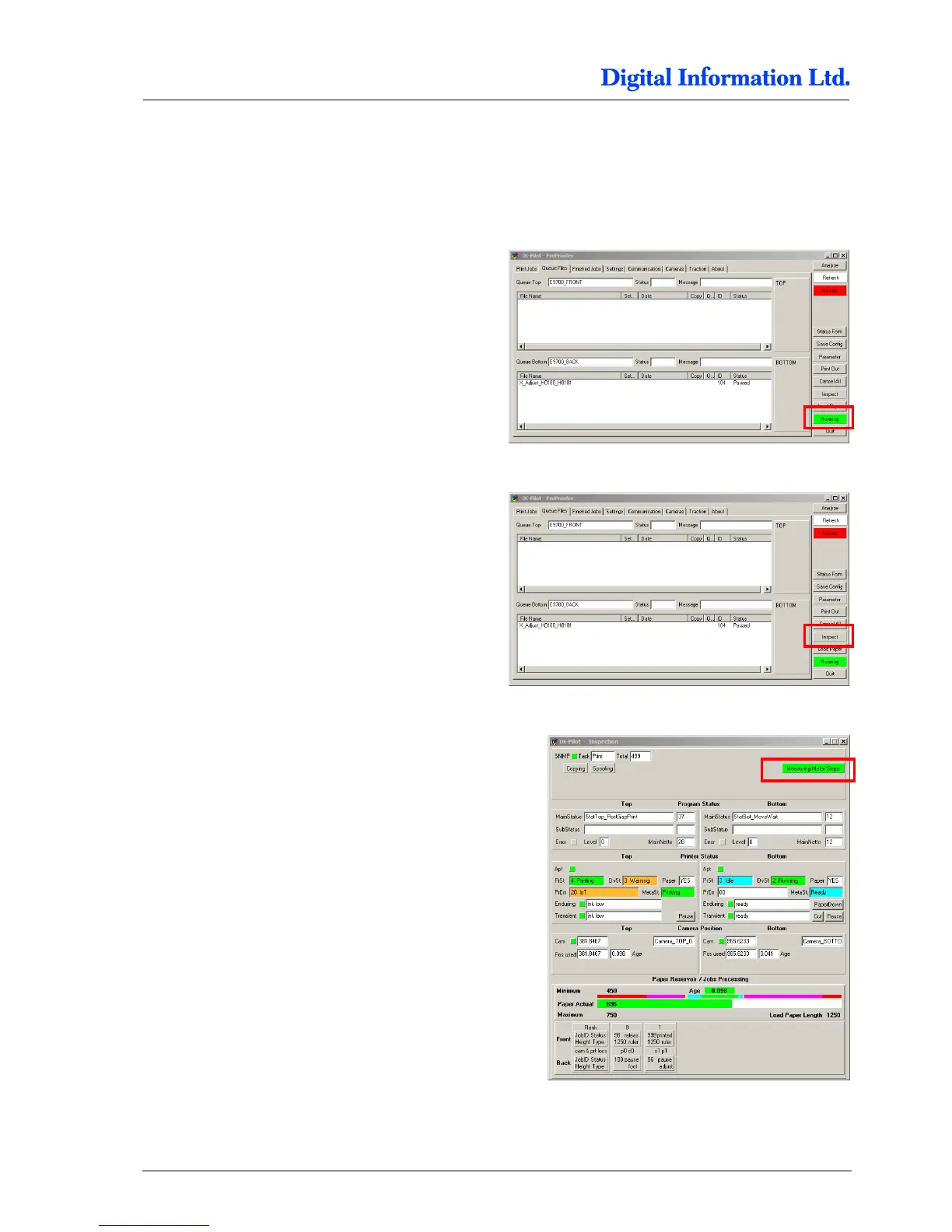
3) Press the Start button to get DI-Pilot running.
4) Press the Inspect button.
5) Press the MeasuringMotorSteps button.


Table of Contents