EasyManua.ls Logo

Preproofer 770 - Set the Wires and Connections

Preproofer 770
126 pages
Print Icon
To Next Page IconTo Next Page
To Previous Page IconTo Previous Page
Loading...
Prepare the BACK Printer
Set the Wires
6
Preproofer x700 / x900 HW Installation Manual 6-5
PP x700/x900 v1.7
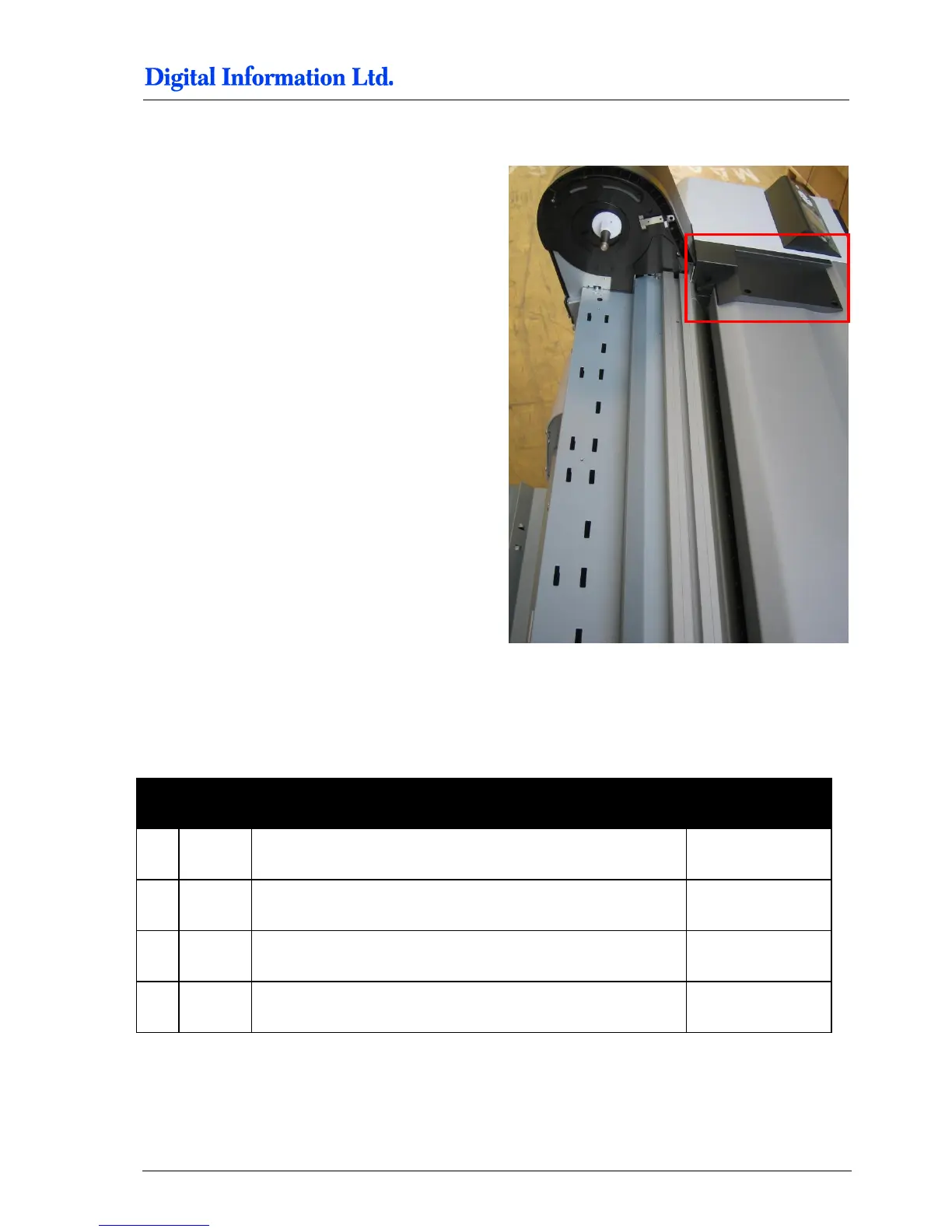
6.4.3 Optional: Take off the Black Side Cover
The Epson technician might need access to the
print head system when doing maintenance on the
Epson printer.
For the accessing the print head, the right cover
needs be taken off. The cover is locked with several
screws on the printer side and the black side cover
shown in the image to the left.
Taking the black side cover off, reduces the
disassembling of the Preproofer paper feed system
during an Epson service.
6.5 Set the Wires
6.5.1 Additional Parts

Pos
Amount
Name
Dimension in mm
101
1
Electronic Box
102
1
Cable to connect the FRONT printer panel, approx. 2 meter
103
1
Cable to connect the BACK printer panel, approx. 4 meter
104
2
Velcro for fixing the electronic box to the printer, 8cm

Table of Contents