EasyManua.ls Logo

Preproofer 770 - Wire Control Panel Back Printer

Preproofer 770
126 pages
Print Icon
To Next Page IconTo Next Page
To Previous Page IconTo Previous Page
Loading...
Prepare the BACK Printer
Wire the Control Panel Back Printer
6
Preproofer x700 / x900 HW Installation Manual 6-13
PP x700/x900 v1.7
6.10 Wire the Control Panel Back Printer
6.10.1 Remove the Control Panel
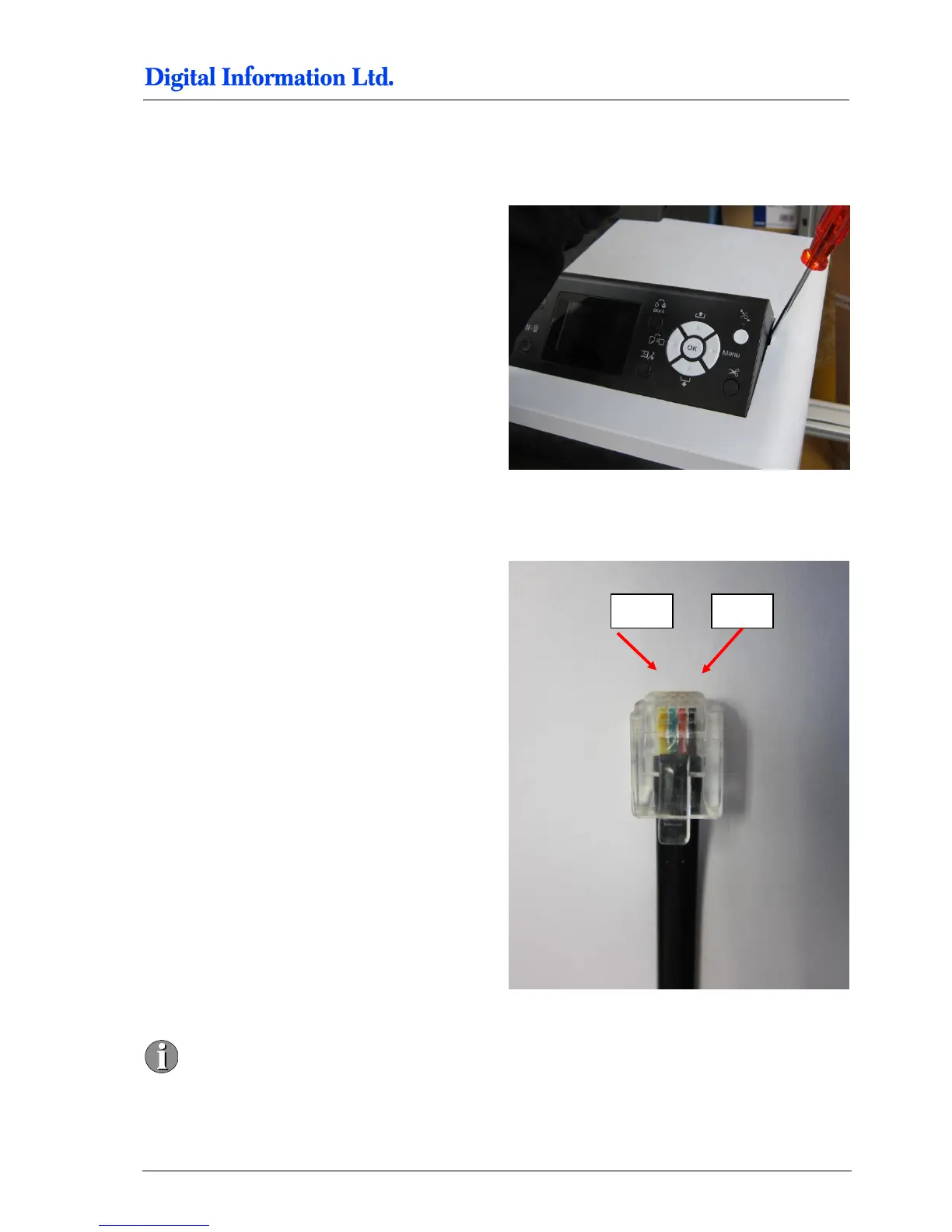
Remove the control panel like shown.
Unplug the panel from the flat ribbon cable.
Take off the metal cover.
6.10.2 Solder the Wires to the Panel
Cable layout is shown on the right.

Pin 1 and Pin6 are empty. The first cable on
the right is Pin2!
Pin 5
Pin 2

Table of Contents