6.8 CUT MOTOR ENCODER Setup - Electronic Box - HW Release 2
In November 2011, a new designed Electronic box
for the Preproofer has been released. The new
Electronic box is recognized by having three RJ11
connectors on the opposite side of the power
connector.
Beside internal hardware changes, the electronic
allows to control the cutter system on the Epson
printer through the cut motor encoder.
6.9 Take Off the End Switch and Encoder Cable
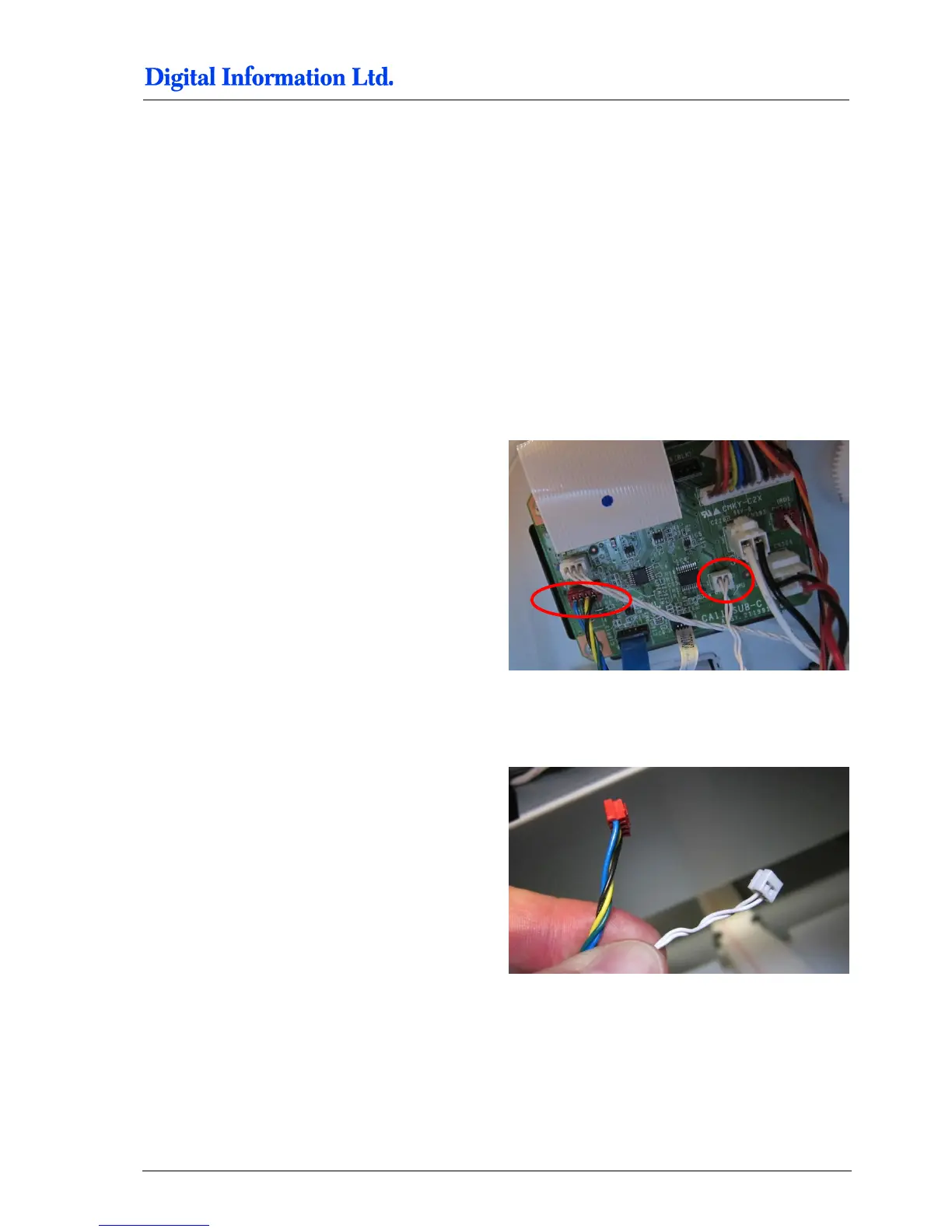
Locate on the PCB board the Cutter End Switch
cable pair (connector with the two white cables) and
the Cut Motor Encoder cable (connector with blue,
green, yellow and black cable).
6.9.1 Take Off and Reconnect the End Switch and Encoder Cable
Plug out the two cables.



 To Next Page