6.7 PAPER FEED Motor Setup
6.7.1 Take Off the Paper Feed Motor Cable
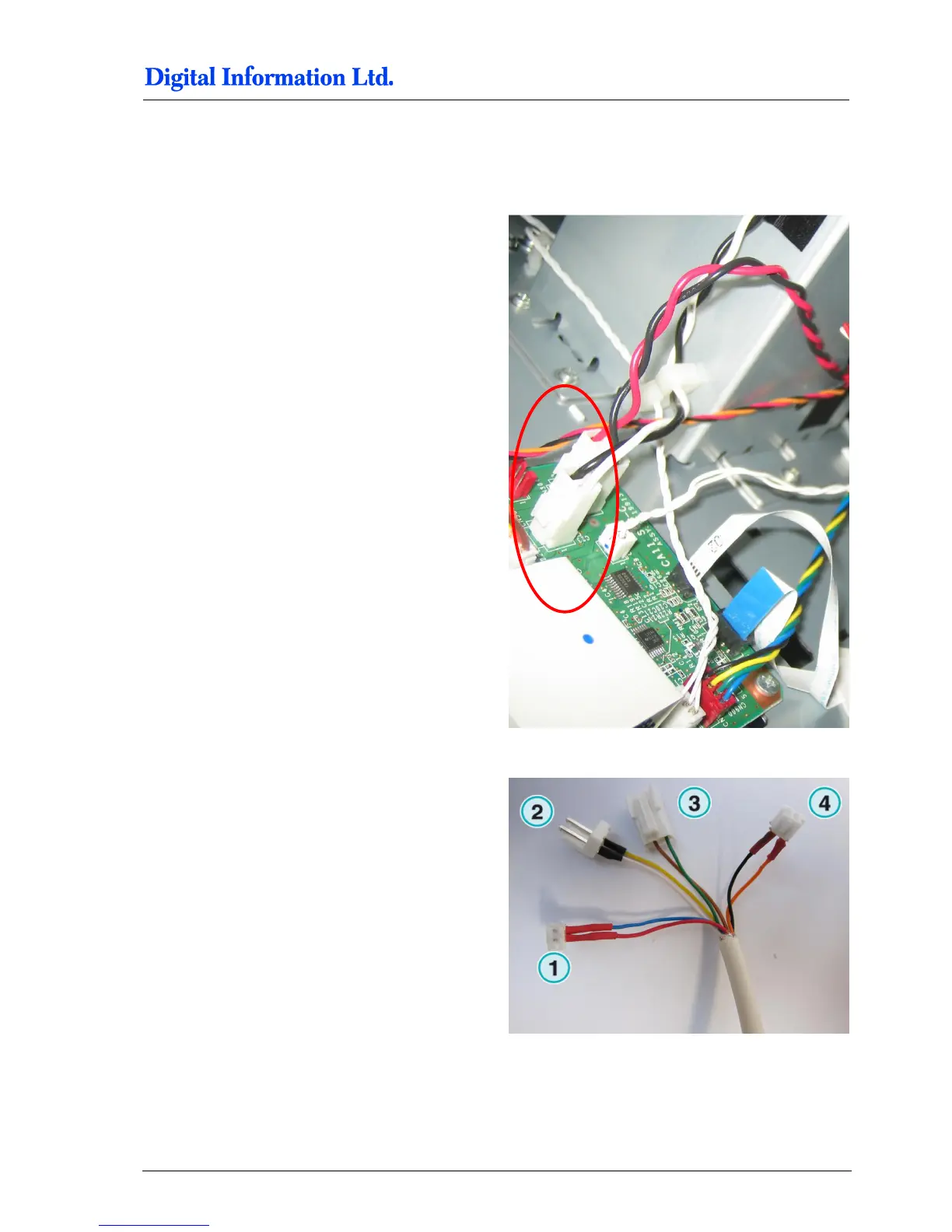
Take off the cable pair with the black and white
cables (thick cables).
Plug the Paper Feed Motor cable to the connector 2
from the Electronic Box.
Plug the connector 3 from the Electronic Box into
the PCB board where previously the original Paper
Feed Motor cable has been connected.



 To Next Page