EasyManua.ls Logo

Preproofer 770 - Page 58

Preproofer 770
126 pages
Print Icon
To Next Page IconTo Next Page
To Previous Page IconTo Previous Page
Loading...
7
Prepare the FRONT Printer
Wire the Control Panel Front Printer
7-2 Preproofer x700 / x900 HW Installation Manual
PP x700/x900 v1.7
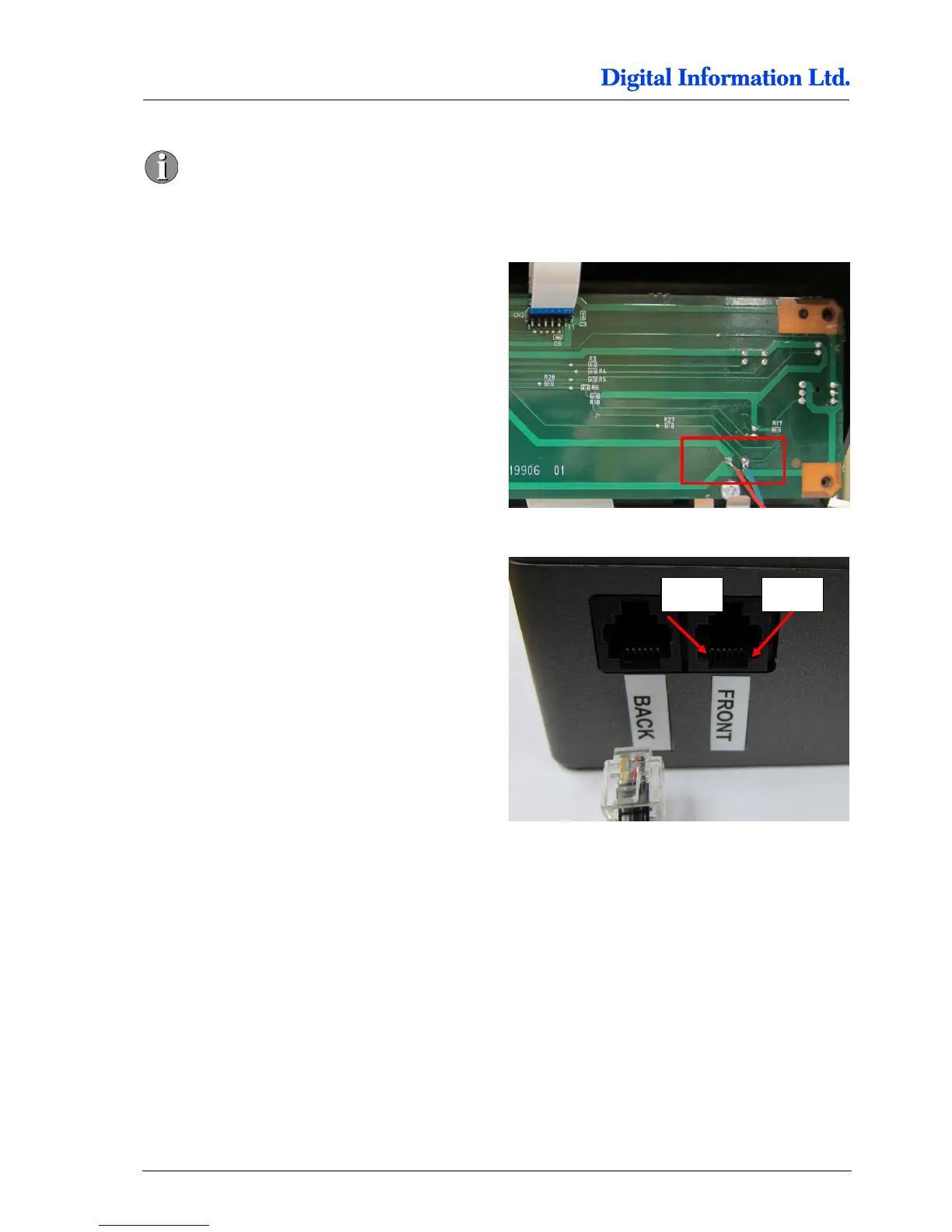
Pin 1 and Pin 6 are empty. The first cable
on the right is Pin 2!
Locate the solder points for GROUND and PAUSE.
On the picture to the right, the cables are:
GREEN = PAUSE
RED = GROUND
Check with the delivered cable (RJ11 connector at
one end) the correct cable assignment and solder
the wires to the panel.
For the FRONT Printer, the pins are located like
Pin 3 = GROUND
Pin 4 = PAUSE

Pin 6
Pin 1

Table of Contents