ProntoNetLC User Manual
66
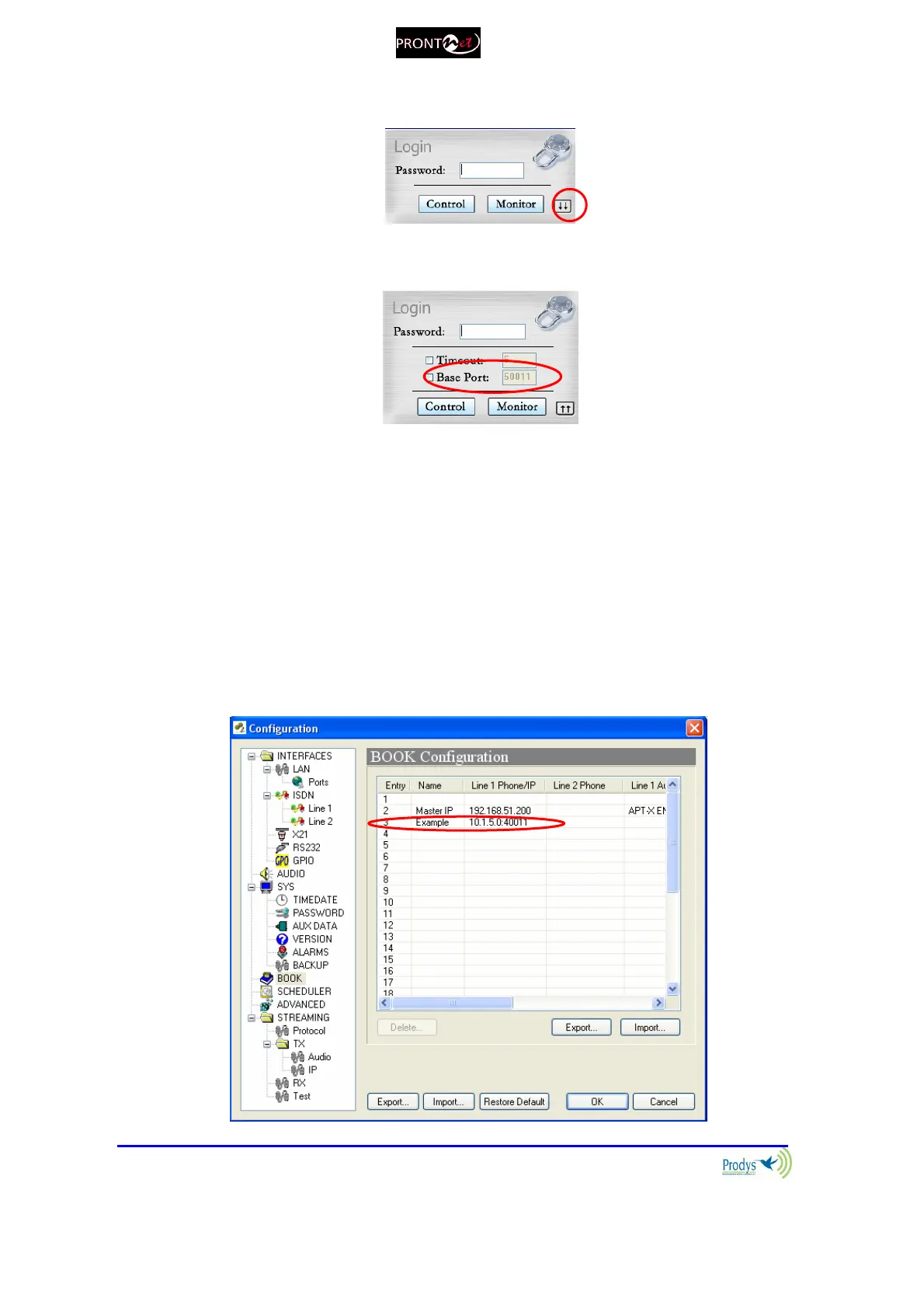
2. To log into the unit, click on the advance features button of the login
window:
and specify the base port which we want to connect to:
3. When establishing a call, the new base port must be entered after the IP
address, separated by a colon. Example: When calling to a unit which IP
address is 192.168.1.2, and base port 40011, the following call destination
should be entered into the ‘Dial’ window: 192.168.1.2:40011.
4. When establishing a bidirectional call with Prodys IP codecs, two
connections are made automatically, one for each direction. For the
receiver to call properly to the caller (
only
in case the base port in the
caller is not the default one
), it should have an entry on its phone book
with the IP address of the caller and the base port of the caller. Example:
if the caller has the IP address 10.1.5.0 and its base port is 40011, in the
receiver, the following entry should be configured in its phone book:



 To Next Page