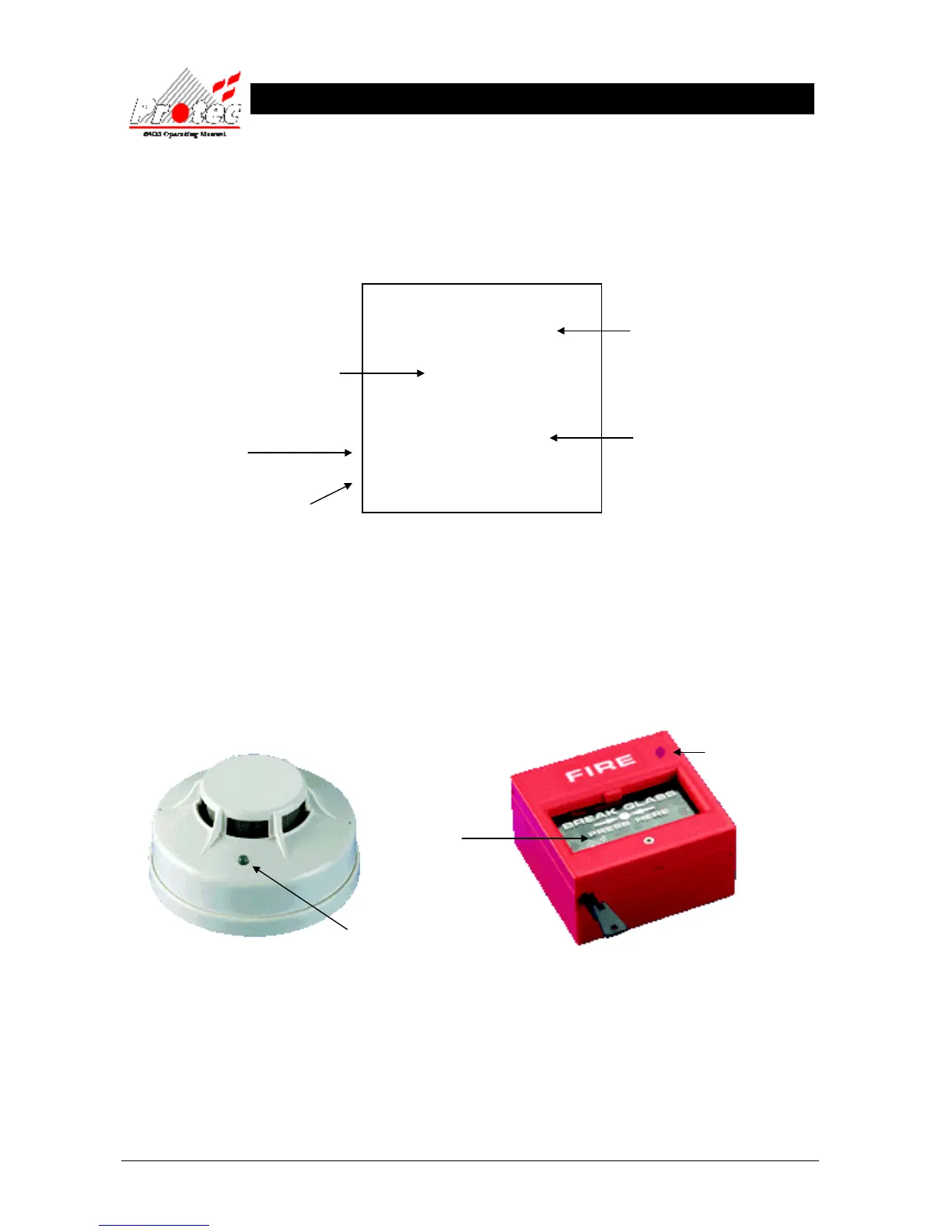
2.3 PRINTING FIRE EVENTS
The 6400 control panel will NOT print ‘Fire’ events automatically, they are printed on demand. If the panel has any
events pending, the ‘Print Pending Icon’ will be shown on the top right corner of the LCD Display (see section 2.1).
To print these events press and hold the ‘ Fn’ key and then press the ‘p’ key on the QWERTY keypad. This will print
any fire events which have occurred in the following format :-
On the completion of printing all the events, the ‘PRINT’ Icon will extinguish and the printer will stop printing.
To cancel printing at any time, press and hold the ‘Fn’ key and then press the ‘c’ key on the QWERTY keypad.
This will stop the print-out.
2.4 SILENCING FIRE EVENTS
Pressing the ‘SILENCE’ key after any FIRE event will cause the ‘ALARMS SILENCED’ lamp to illuminate and the
alarms to silence. The fast pip is an indication that the external alarm outputs are activated. DO NOT at this stage
attempt to ‘RESET’ the system until the cause of the fire has been established.
SMOKE / HEAT SENSOR BREAK GLASS UNIT
The Alarms can be resounded at any time by pressing the ‘Sound alarms’ button (refer to section 2.5 for details).
Manual call points must be physically reset. Automatic sensors must be visually checked to determine the operated
sensor. Further fire signals from other addresses will automatically re-sound the alarms (according to the cause &
effects of the site).
Location of device
The Date & time the ‘List of
pending fires’ was printed
The fire ZONE where the device has
activated
Up to 60 characters of location text &
up to 60 characters of alarm text
(optional)
The time & date the fire event occurred
****************************
List of pending fires / alarms
22 Jan 2007, 10:05:22
****************************
Location text
Alarm text
Time 22 Jan 2007, 09:17:15
Fire in zone 1
If the Red LED (Light) is
illuminated on the break
glass, the glass is most likely
to have been smashed.
If the Red LED (Light) is
illuminated constantly on the
smoke sensor, it means that



 To Next Page