9.3 VIEW ANALOGUE VALUES
• Function : This allows the operator to select a specific loop to display the Analogue data for each
device currently on the Loop, on the LCD display in the form of a graph.
• Select Option : To select this option press the ‘2’ key while in the ‘Test options’ menu.
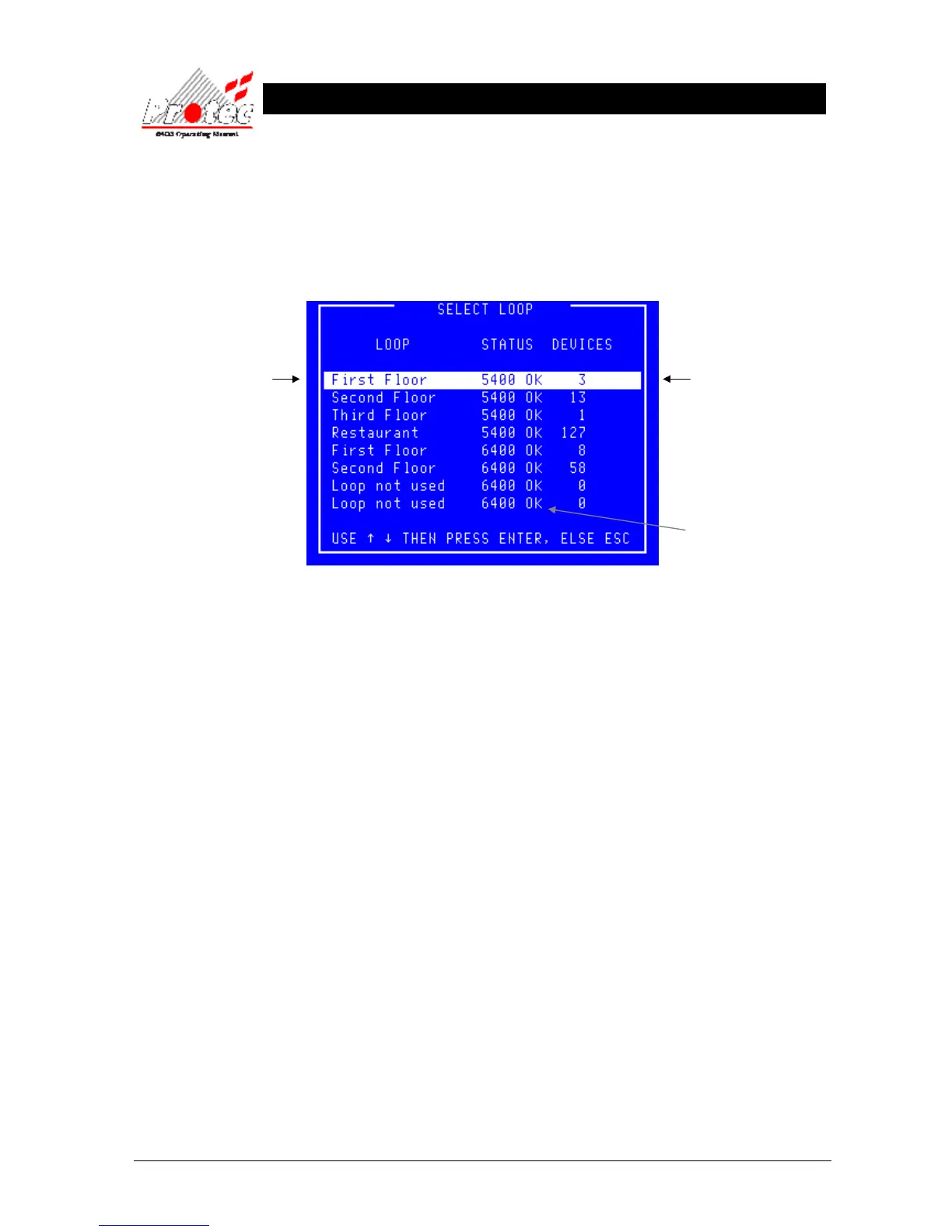
Once selected the LCD will display the ‘Select Loop’ sub-menu as shown below :-
• Selecting Loop : Use the High-light bar to select the Node & Loop number of the devices to display their
‘Analogue data’ on the LCD in the form of a graph. Once selected press the ‘ENTER’ key.
Displays the Node and
Loop Number or a text
description if the option
has been specified.
Displays the number of
devices on each loop.
Indicates the Loop status.
6400 ok = Loop healthy.



 To Next Page