8.6 CHANGE TO ADDRESS DISABLE
• Function : This option allows the user to alter the display of devices in the ‘Disablement menu’.
Devices can be displayed by their ‘character text’ location or by their ‘address
number’.
• Selecting Option : To select this option , press the number ‘5’ key while in the ‘Disablement menu’.
When the option has been selected, the sub-menu display will toggle between :-
5 Change to Address Disable
&
5 Change to Location Disable
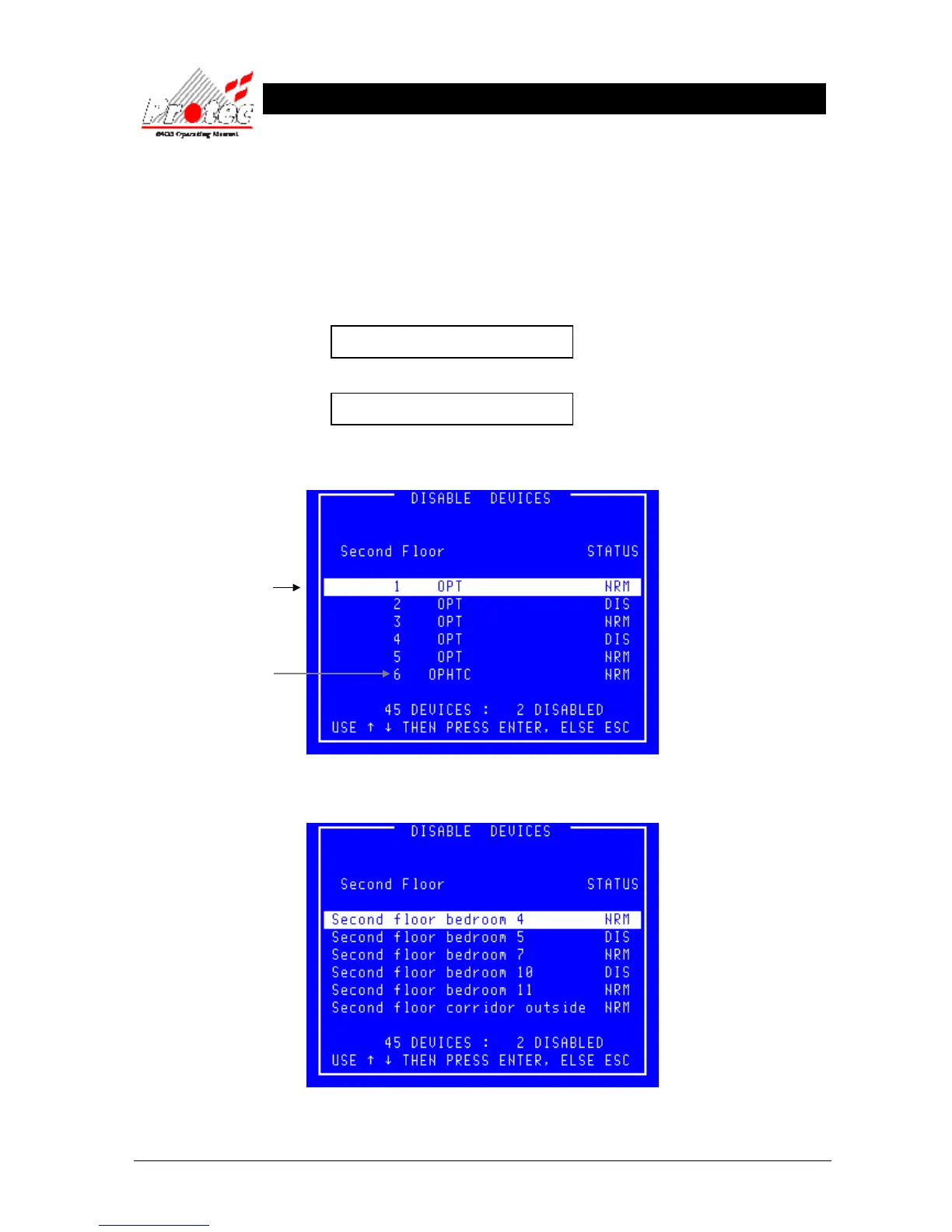
• Device by address : The following is an example of the display if selected to ‘Address’ :-
• Device by Location : The following is an example of the display if selected to ‘Location’ :-
Address number
This option also displays
the type of each device
MCP = Manual Call point
OPT = Optical smoke
ION = Ionisation Smoke
HEAT = Heat Sensor



 To Next Page