8.5 OUTPUT DISABLEMENT MENU
• Function : This option allows the operator to disable output devices or the ‘fire station link’.
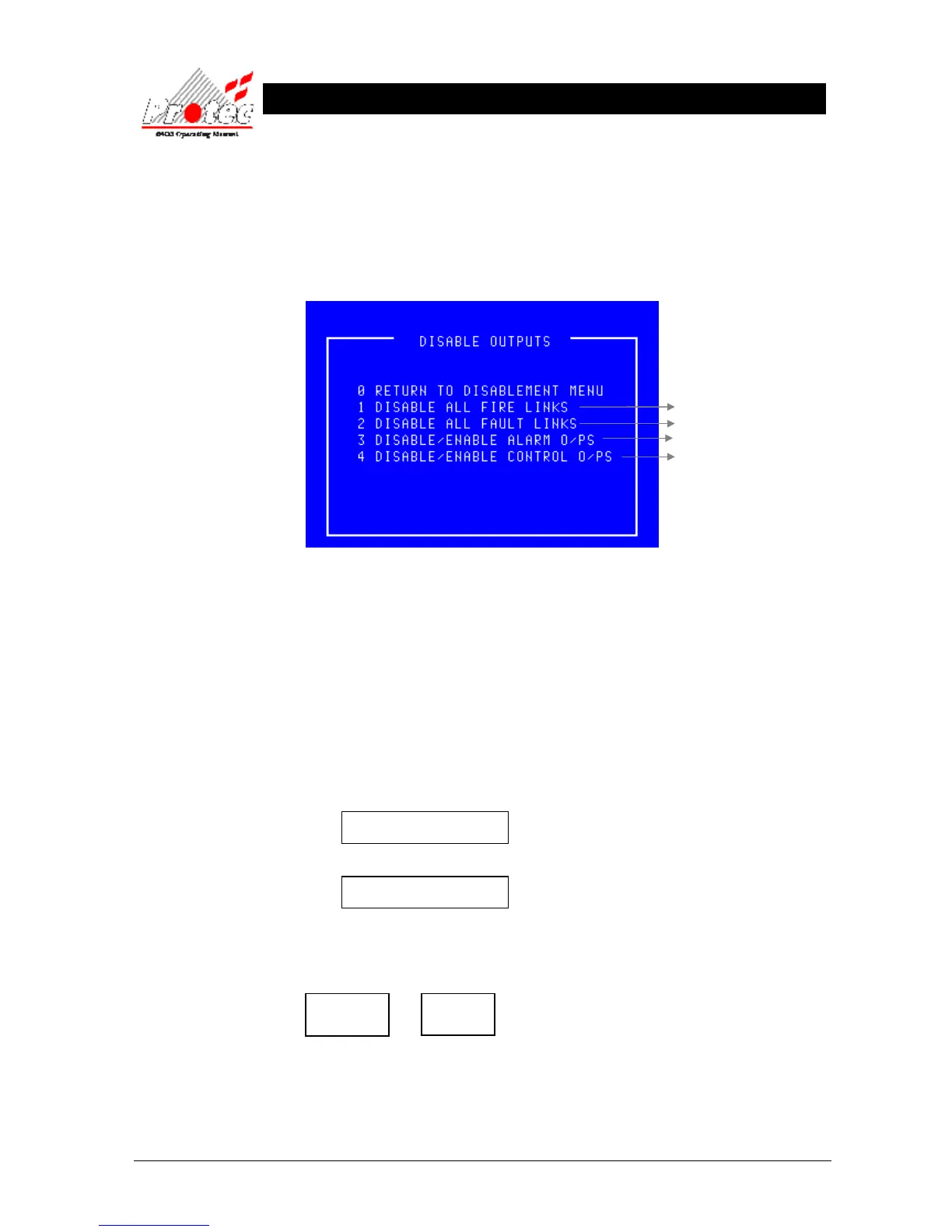
• Selecting option : To select the ‘Output disablement menu’ option , select the number ‘4’ key from the
‘Disablement menu’. Once selected the LCD will display the following output disablement
options :-
• Exiting Option : To EXIT the ‘Disable outputs menu’ and return to the ‘Disablement Menu’, press the ‘0’
or ‘Esc’ key.
• General Alarm : A General Alarm panel is not intended to summon the fire brigade therefore option ‘1’ is
not relevant to a General Alarm system.
8.5.1 DISABLE / ENABLE FIRE LINK
• Function : This option allows the disablement and enablement of the Fire brigade link.
Note - This option is able to disable the signal that is sent to the fire brigade via a
manned centre only if the signal is connected to the dedicated ‘Fire link’ output terminals.
• Selecting Option : To select this option , press the number ‘1’ key from the ‘Disable outputs menu’ .
When this option is selected, the menu option will toggle between :-
1 Disable all Fire Links
and
1 Enable all Fire Links
• Disable all fire Links :To disable ‘All fire links’ press ‘1’ while the display is showing ‘Disable all fire
links’ , the panel buzzer will sound intermittently and the following disablement LEDs will
illuminate :-
• Buzzer mute : The panel buzzer can be muted by pressing ‘Accept’.
• Enable all fire Links : To enable ‘All fire links’ press ‘1’ while the display is showing ‘Enable all fire
links’ . This will extinguish the ‘Disablement’ & ‘Fire link disabled’ LEDs.
For further details



 To Next Page