8.2 DEVICE DISABLE / NORMALISE
• Function : This option allows the disablement / normalisation of any Loop device on the system.
When a device is disabled then it is the input that is actually disabled hence it will be prevented
from producing a Fire or Fault condition at the control panel.
If the device being disabled is an output device then the device will no longer be able to report a
fault however the output is not disabled and will activate if told to do so by the panel.
If the device was in fault when it was disabled then the fault is not removed by disabling the device.
• Selecting option : To select this option press the ‘1’ key while in the ‘Disablement menu’.
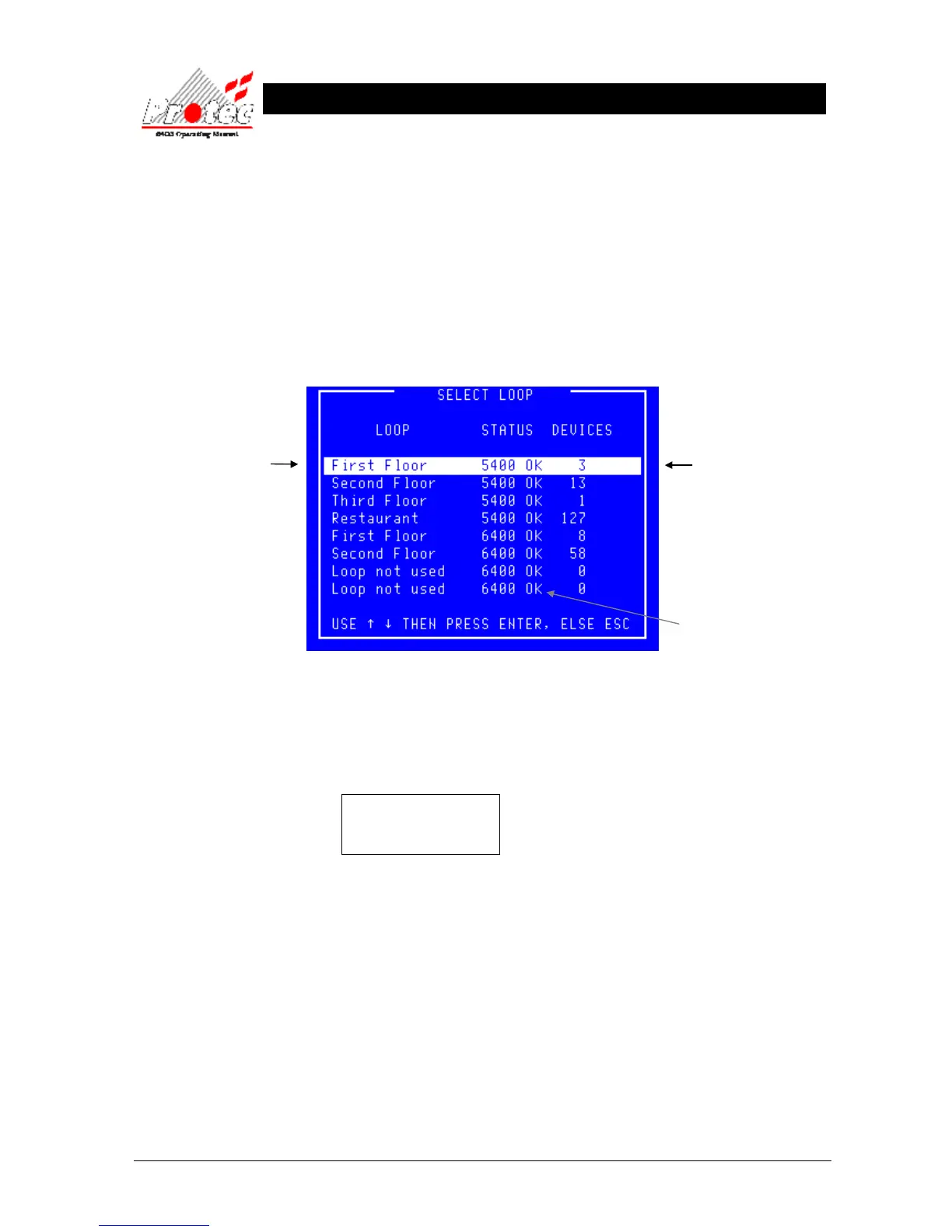
Once selected the panel will display the ‘Select Loop’ menu :-
• Selecting Loop : Use the High-light bar to select the Node & Loop number of the device to be Disabled
/ Normalised and then press the ENTER key.
Once selected the panel will request data from the ‘Node’ selected. While the data is being
requested, the LCD displays the following message :-
Data Requested
Please Wait
Displays the Node and
Loop Number or a text
description if the option
has been specified.
Displays the number of
devices on each loop.
Indicates the Loop status.
6400 OK = Loop healthy.



 To Next Page