8.3 DISABLEMENTS TO VIEW
• Function : This option allows the operator to view any devices on the network that have been
disabled, and will also allow each of those devices to be normalised .
• Selecting option : To select this option press the number ‘2’ key while in the ‘Disablement Menu’ .
The ‘Disablements to view’ option will indicates how many devices can be viewed
ie If 5 devices are currently disabled the ‘Disablements to view’ option will be displayed as
the following :-
2 5 Disablements to View
If NO disablements are on the system, the ‘Disablements to view’ option will display the
following :-
2 NO Disablements to View
Selecting the ‘Disablements to view’ option will have NO effect if NO devices are
currently disabled on the network.
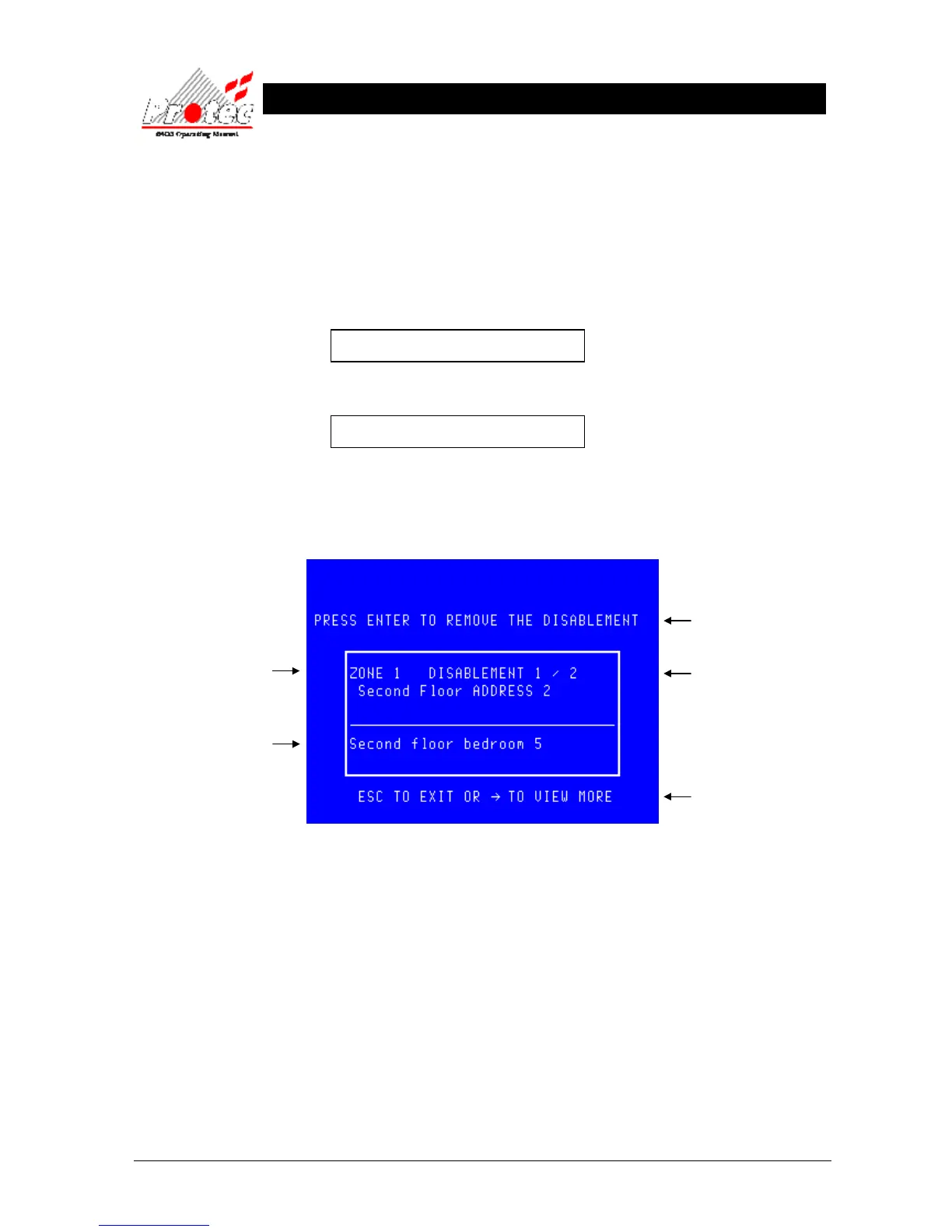
• Viewing disablements : Selecting the ‘Disablements to view’ option will display any devices which are currently
disabled in the following format :-
The location text will only be
displayed if text has been
specified for each device.
Details of the disabled



 To Next Page