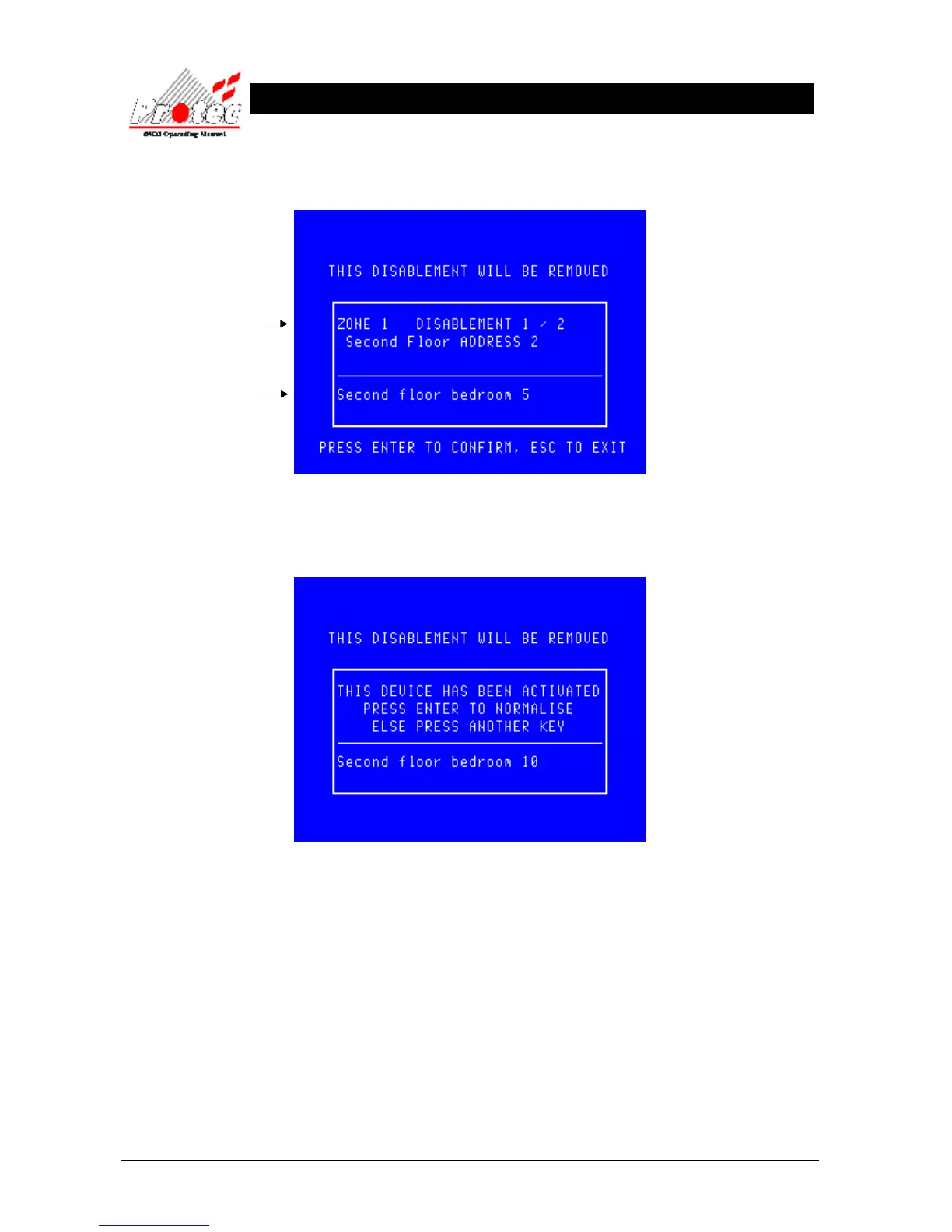
• Remove Disablement: While viewing the disablements , press the ENTER key on the device you require
normalising when it is being displayed. The display will then show the following :-
Pressing the ENTER key will Normalise the device currently being displayed.
If a disabled device activated while being disabled, when the device is selected for
normalisation the LCD will display the following warning message :-
• Exiting Option : Press ‘ESC’ then physically inspect the device and check for the cause of the
activation. Ie) Broken glass in the Break glass point, dust contamination within a smoke
sensor etc. This will return the display to the ‘Disablement menu’ and the device will
remain disabled.
• Selecting Option : Once the cause has been rectified, return to this menu and press the ‘ENTER’ key to
normalise the device. Since the system is aware that this device has been activated it will
perform a loop reset.
The location text will only be
displayed if text has been
specified for each device.
Details of the disabled
device.



 To Next Page