T
T
E
E
S
S
T
T
O
O
P
P
T
T
I
I
O
O
N
N
S
S
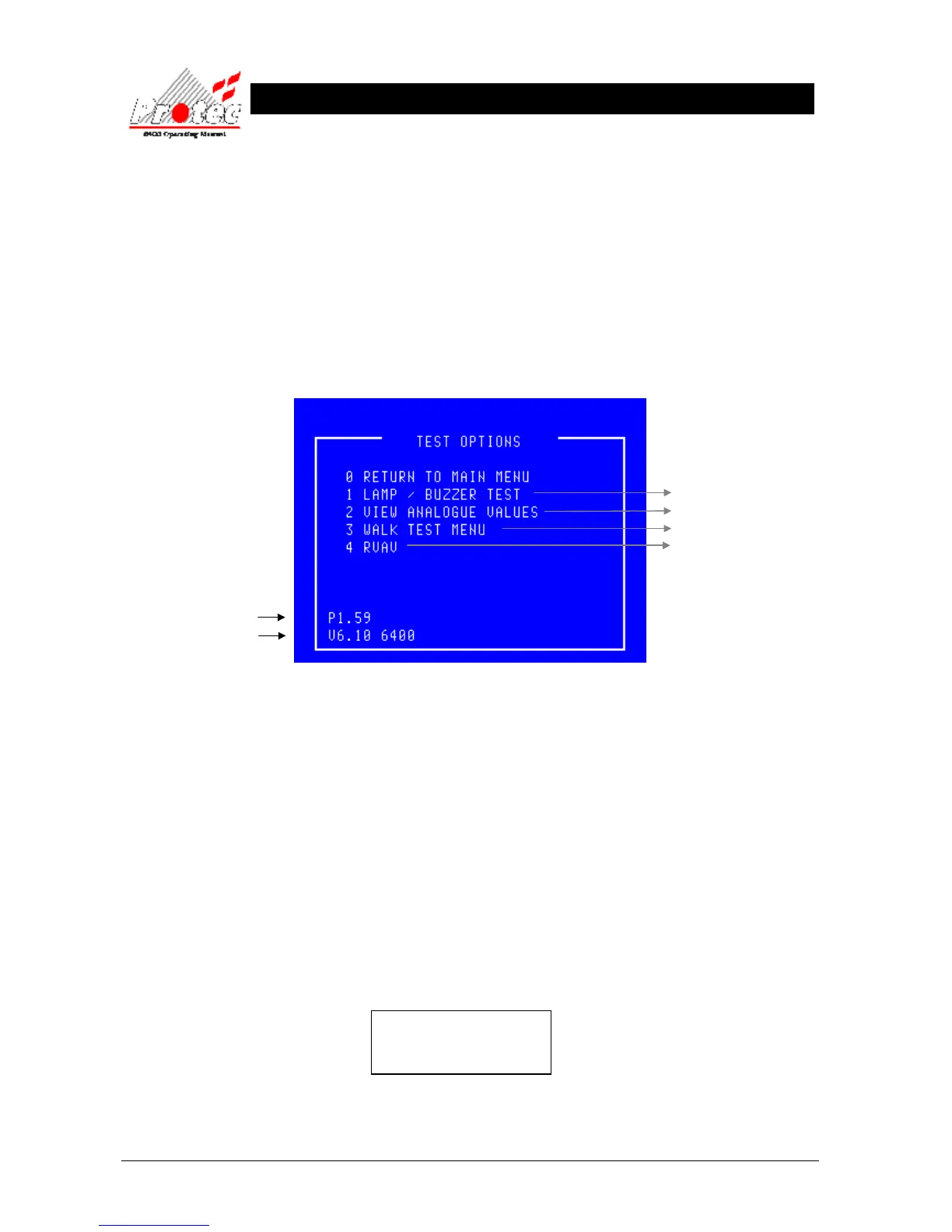
9.1 TEST OPTIONS
• Function : This option allows the operator to check the operation of the DCN LED indication
(Lamps), inspect the return ‘Analogue reading’ from any device on the network
and operate a one man test option ‘Walk test’.
• Selecting option : To select the ‘Test Options’ Menu press number ‘5’ from the ‘Main Menu’ options.
Once selected the display will show the following Menu options on the LCD :-
• Software versions : At the bottom left of the ‘Test options’ menu screen, two numbers are displayed. These
two numbers represent the version number of software which the system is currently
operating under. An operating system with suffix ‘A’ implies a General Alarm System.
• RVAV : RVAV is only available for ‘6000’ series loops.
• Exiting option : To exit the ‘Test options’ menu and return to the ‘Main menu’ press the ‘0’ or ‘ESC’ key .
9.2 LAMP TEST
• Function : This option allows the operator to test that ALL LED indications on the DCN and that the
LCD display functions correctly.
Note - The ‘Lamp test’ will only be performed on the DCN where the option was selected,
ALL other DCN displays will remain untested.
• Selecting Function : To select this option press the ‘1’ key while in the ‘Test options’ menu. Once selected All
the LEDs will illuminate horizontally and then vertically one row at a time. The display
will show the following indication during the test :-
WARNING !
Display will be blanked
for a short interval
On completion of the ‘Lamp test’ the LCD will return to the ‘Test options’ menu.
For further details



 To Next Page