7.7 PRINT HIGH ANALOGUE VALUES
• Function : This option allows the user to print the ‘Analogue values’ for any loop device on the
network that has a higher value than is considered ‘Normal’.
• Selecting option : To select this option press the ‘6’ key from the ‘Printer menu’ menu.
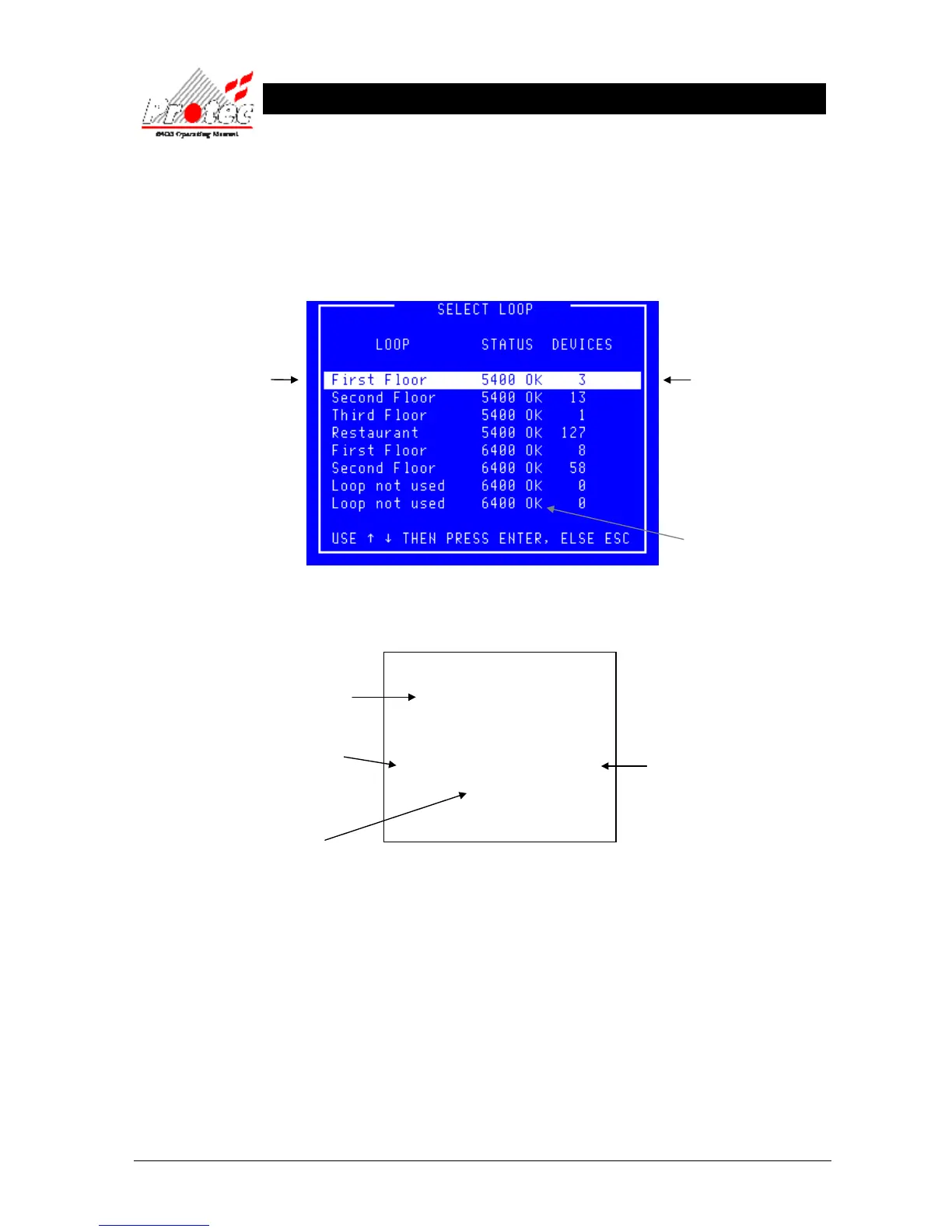
Once selected, the LCD will display the following ‘Select Loop’ menu :-
• Select Loop : Use the High-light bar to select the ‘Node & Loop’ number of the devices to print their
analogue data. Once selected, the display will return to the ‘Printer menu’ and the printer
will print-out a list of the high analogue data, for the loop selected in the following format :-
• Blank printout It is probable that no devices will be listed for the selected loop since all are considered
normal.
• Threshold levels For details on the analogue threshold levels, refer to section ‘13.1 Analogue values.’
• Exiting Option To abort the ‘Print high analogue values’ print-out, select option number
‘7’ Cancel printing’ from the ‘Printer menu’.
7.8 CANCEL PRINTING
• Function : This option allows the user to stop the printer from printing at any time.
• Selecting option : Selecting option ‘7’ from the ‘Printer menu’ will abort any current print-out.
***************************
List of high Analogue values
20 AUG 2006, 12:04:59
***************************
Node X Loop X
address 3 ION Value = xx
address 4 HEAT Value = xx
Indicates the address number
on the specified loop
Displays the Current Analogue reading
The date & time when the
list of high Analogue values
was printed.
Displays the Node and
Loop Number
or a text description if
the option has been
specified.
Displays the number of
devices on each loop.
Indicates the Loop status.
6400 OK = Loop healthy.



 To Next Page