12.3 ACCESS CODES
• Function : This option allows the ‘master’ user to set up to 32 individual codes for other users. This
menu option is offered only when the ‘chief’ user code has been entered.
• Selecting Option : To select this option press the ‘2’ key while in the ‘Advanced Options’ menu’.
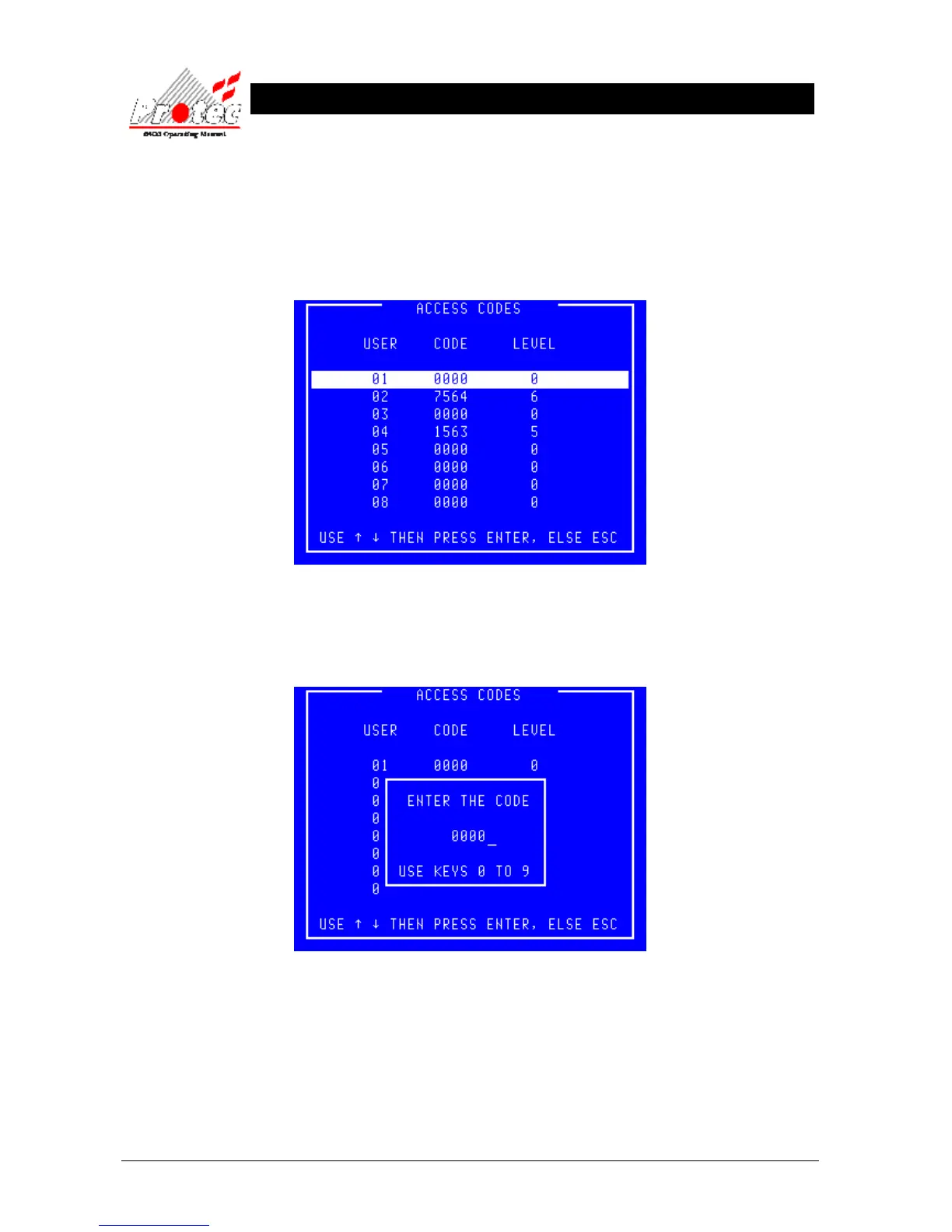
Once selected, the LCD will display the user code menu as shown below :-
• Exiting option : To EXIT the ‘User Codes’ menu and return to the ‘Main menu’ press the ‘ESC’ key.
• Selecting a code : Select a code to allocate by moving the highlight bar over the chosen code number and
press the Enter key. A box will appear on the display as shown below :-
• Exiting option : To abandon the allocation of a code and return to the ‘User codes’ menu press the Esc
key.
• Allocating a code : Use the ‘←’ to delete the previous code then enter the new code using the keys ‘0’ to ‘9’.
Press the Enter key when complete and the display will offer the opportunity to set the
level. Entering the code ‘0000’ removes an allocated code.



 To Next Page