2.7.1 VIEWING FAULT EVENT DETAILS.
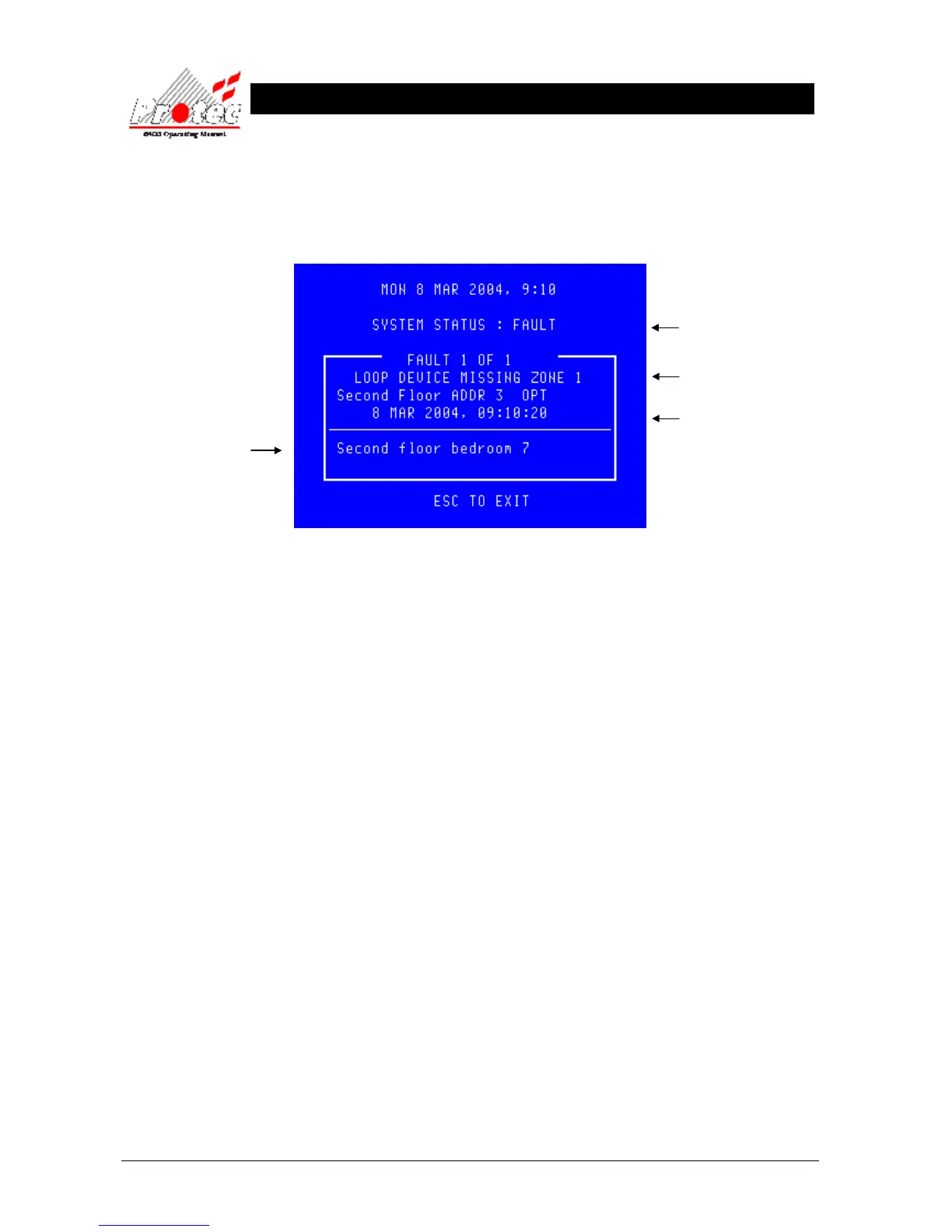
• Selecting option : To view the current fault events move the highlight bar using the ‘arrow keys’ onto the ‘X
faults to view’ (as shown in section 2.7 ), and then press the ‘ENTER’ button, this will then
prompt the following display indicating the current fault events on the system :-
• Other faults : Press ← or → to view other fault events.
• Exiting option : To EXIT ‘viewing the fault events’ press the ‘ESC’ button . This will return to the
normal screen options (see section 2.7).
2.7.2 MUTING THE ‘FAULT’ BUZZER
To mute the panel buzzer, press the ‘ACCEPT’ button. This will mute the panel buzzer. In the event of a further fault
occurring, the buzzer will resound and the ‘X faults to view’ will increment.
Indicates the system is in a
fault condition
Displays the fault description
Displays the date and time when
the fault event occurred
Displays the location text of
the fault (only displayed for
certain events)



 To Next Page