5.3 SETTING THE TIME
• Function : Allows the network ‘TIME’ to be altered.
• Selecting option : To alter the ‘TIME’, press the number ‘2’ key from the ‘Set date and time’ option.
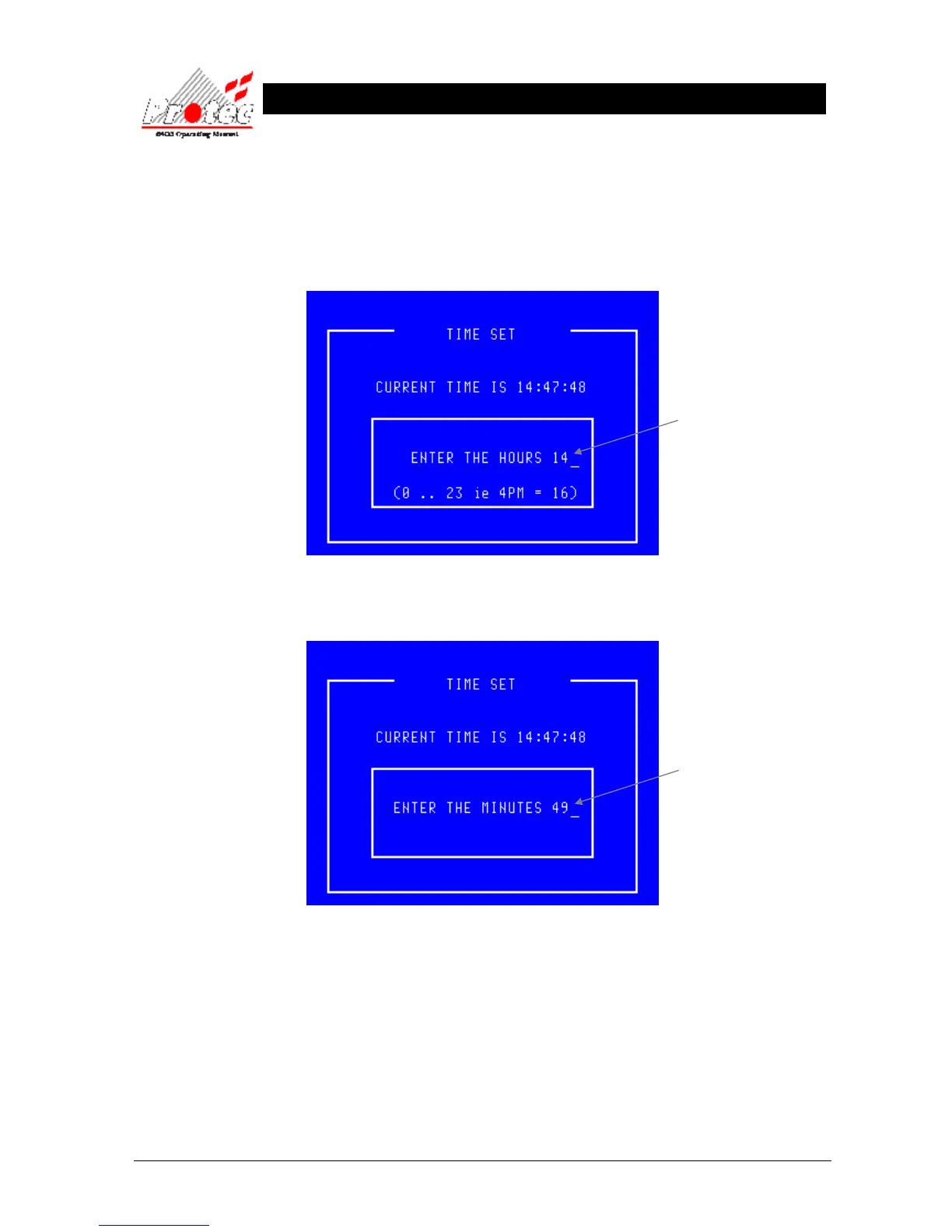
Once selected, the LCD will display the following :-
Once the correct ‘Hour’ has been entered, press the ‘ENTER’ key. This will then prompt
for the correct ‘Minutes’ to be entered as follows :-
Once the correct ‘Minutes’ have been entered, press the ‘ENTER’ key. The display will
then return to the ‘Set date and time’ menu options.
• Exiting option : The ‘Set Time’ option can be exited at any time by pressing the ‘ESC’ key. This
will return the screen to the ‘Set date and time’ menu options without updating the time.
• Time Sync : In order to maintain time synchronisation between the nodes, every seven days the DCN
at which the time was last set transmits its current time to all other nodes.
Use the ← key to delete the old Hour.
Then type the new Hour ( 0 ….. 23)
Use the ← key to delete the old Minutes.
Then type the new Minutes ( 0 ….. 59)



 To Next Page