2.8.1 VIEWING DISABLEMENT DETAILS
• Selecting option : To view the current disablements move the highlight bar using the ‘arrow keys’ onto the
‘X disablements to view’ (as shown above), and then press the ‘ENTER’ button. This will
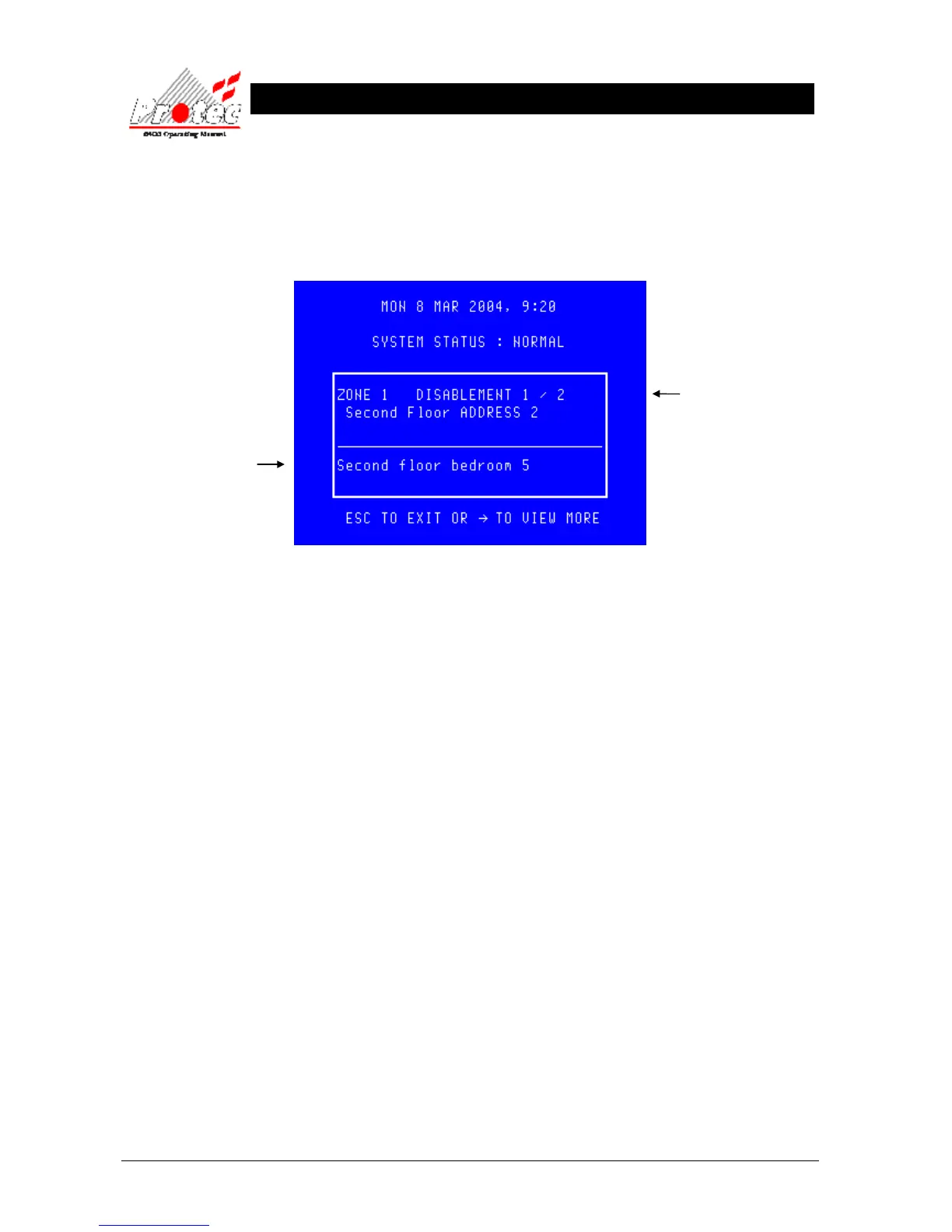
then prompt the following display indicating the current disablements on the system :-
• Other disablements :Use the → key to view any other disablements.
• Exiting option : To exit‘viewing the disablements’ press the ‘ESC’ button. This will return to the
normal screen options (see section 2.8)
2.8.2 MUTING THE ‘DISABLEMENT’ BUZZER
Press the ‘ACCEPT’ button to mute the panel buzzer. In the event of a further disablement the buzzer will resound
and the ‘X disablements to view’ will increment.
Displays the
disablement details
Displays the location text of
the disablement (does not
apply to some disablements)



 To Next Page