9.5 RVAV (Remote Visual Address Verification)
• Function : This option allows the user to visually verify the address of a device on any ‘6000’ series
loop.
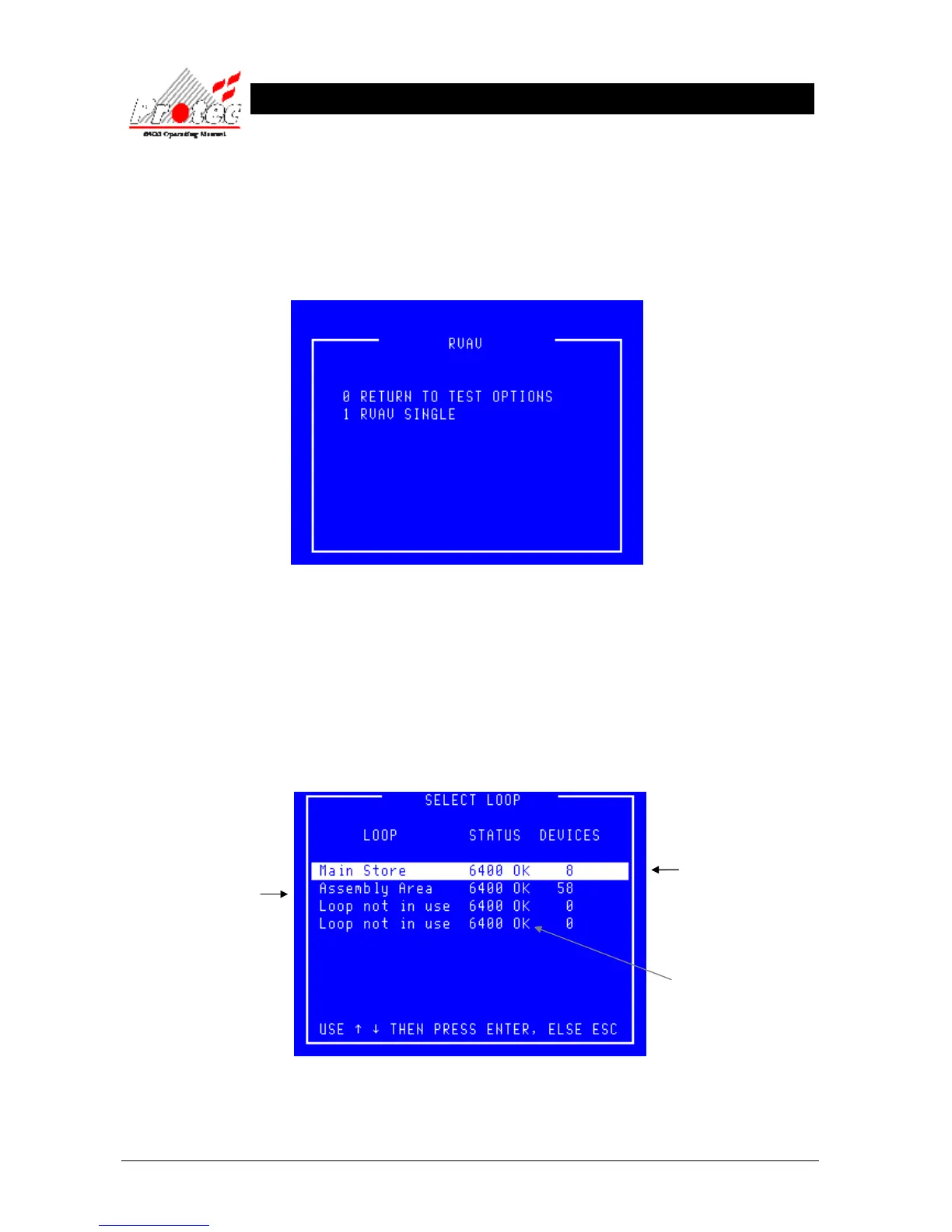
• Selecting Option : To select this option press the ‘4’ key while in the ‘Test Options’ menu. The following
menu will be displayed :-
• Exiting Option : To exit the ‘RVAV’ menu and return to the ‘Test Options’ menu press the ‘0’ or ‘Esc’ key.
9.5.1 RVAV SINGLE
• Function : This option allows the user to visually verify the address of a device on a loop.
• Selecting Option : To select this option press the ‘1’ key while in the ‘RVAV’ menu. The following menu
will be displayed.
Displays the Node and
Loop Number
or a text description if
the option has been
specified.
Indicates the Loop status.
6400 ok = Loop healthy.



 To Next Page