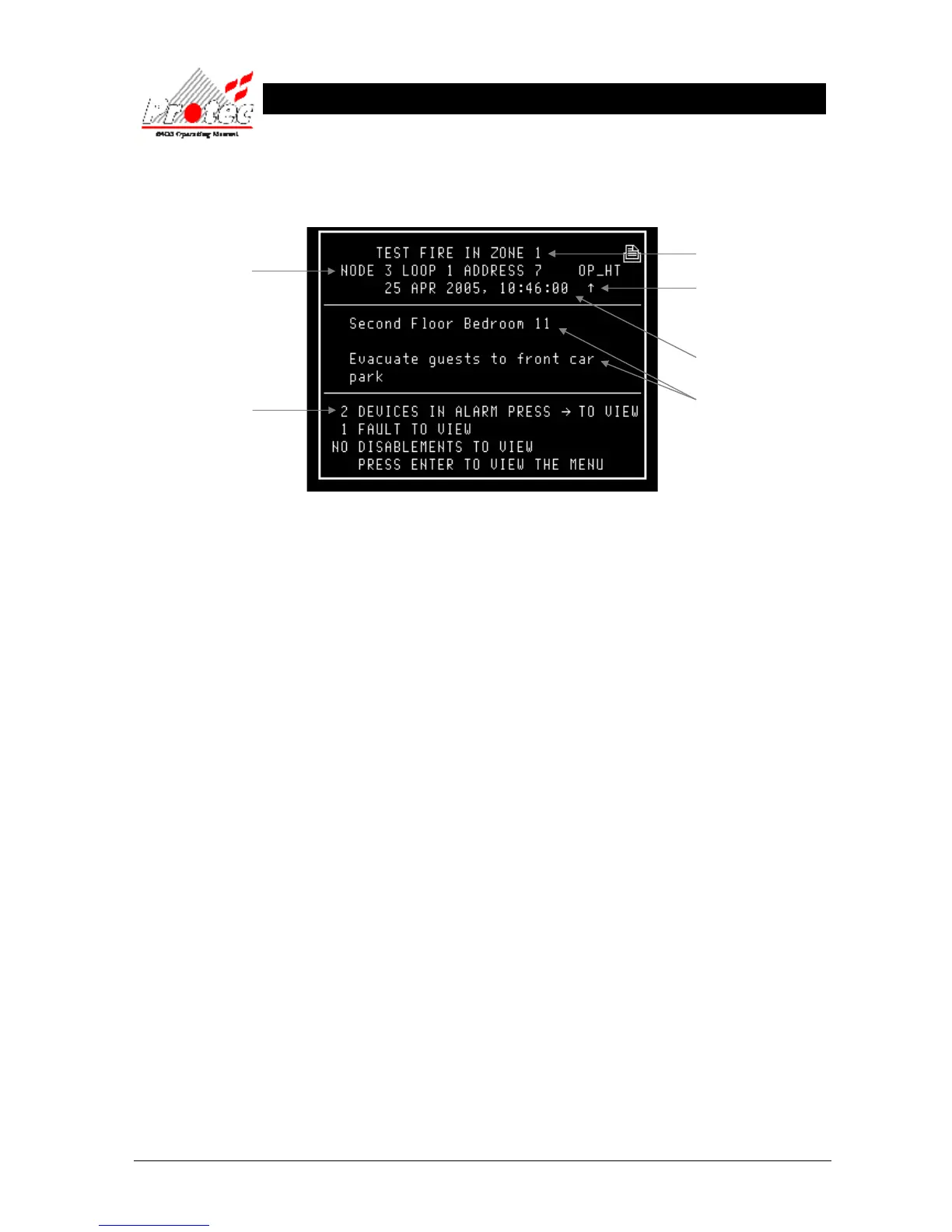
• Testing Loop : Once the ‘Zone walk test’ has been selected, the Loop devices in that zone can then be
tested. When a device is activated, the screen will display the following information and
then reset automatically :-
Any Alarm Outputs (Programmed) will activate with the exception of those programmed for
coincidence (assuming that the engineer option to disable outputs during test is not in use).
After predetermined time ( programmed by the Engineer and displayed in section 9.4 ) all outputs
will deactivate and the display will then return to the previous menu.
Displays the Node /
Loop & address location
of the device in alarm
Note - If text has been
assigned to the node, then the
text will be displayed rather
than the node & loop No
Location of device that has
alarmed (only if specified).
Displays the ‘Zone’ number in
which the fire has occurred
Displays the date & time of
the activation
Displays the number



 To Next Page