7.6 PRINT ADDRESS S/N
• Function : This option allows the user to print the address and serial numbers for all devices on any
‘6000’ series loop on the network.
• Selecting option : To select this option press the ‘5’ key from the ‘Printer menu’ menu.
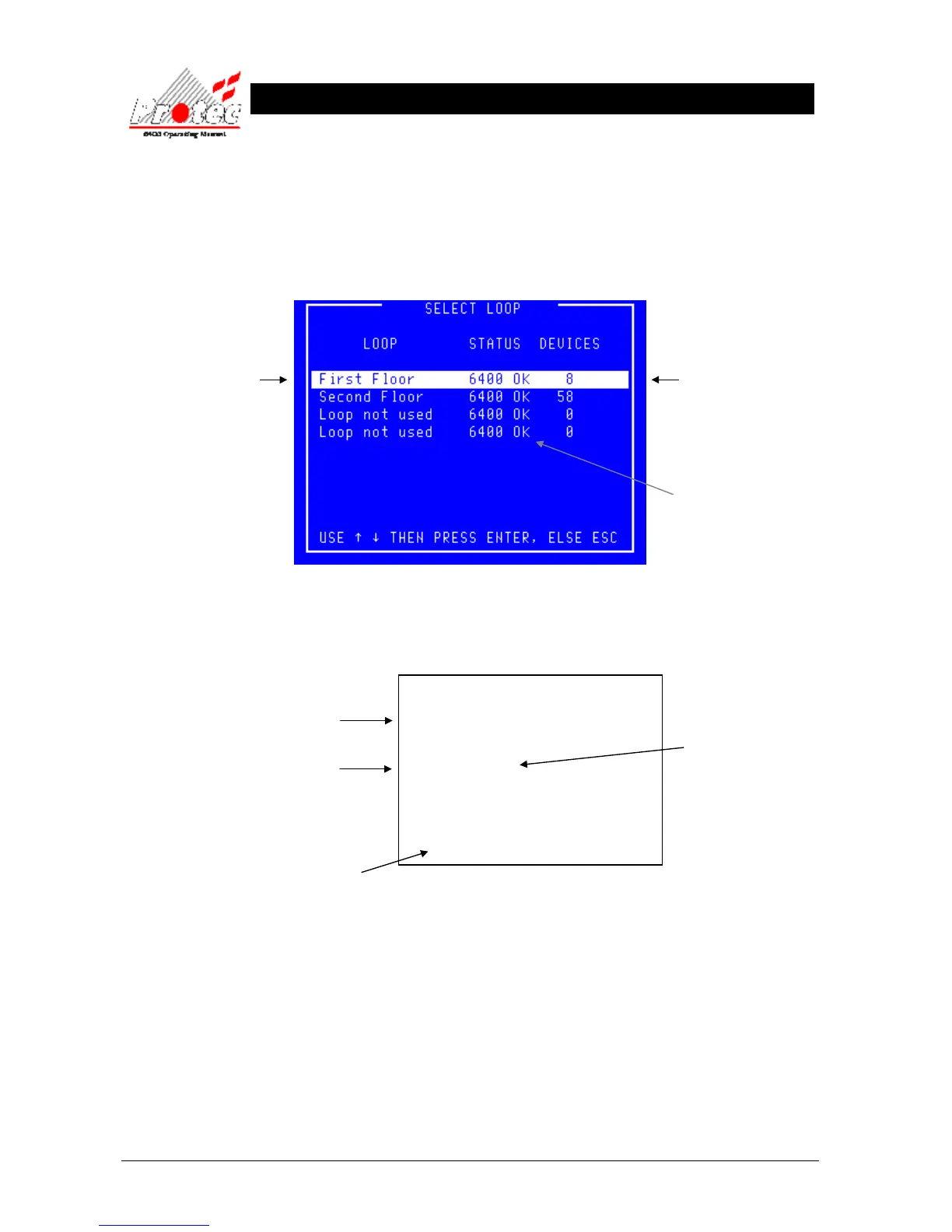
Once selected , the LCD will display the following ‘Select Loop’ menu :-
• Select Loop : Use the High-light bar to select the ‘Node & Loop’ number from which to print the address
and serial number data. Once selected, the display will return to the ‘Printer menu’ and the
printer will print-out a list of the device serial numbers and address data, for the loop
selected in the following format :-
• Exiting Option To abort the ‘Print address S/N’ print-out, select option number ‘7’ Cancel printing’ from
the ‘Printer menu’.
Displays the Node and
Loop Number
or a text description if the
option has been specified.
Displays the number of
devices on each loop.
Indicates the Loop status.
6400 ok = Loop healthy.
= No loop available.
***************************
List of device serial numbers
20 AUG 2006, 13:43:02
***************************
Node X Loop X
Add Ser Type Iso Ver Sns DNSns
029 5265C1 HEAT 001 005 OFC OFC
028 5265C7 HEAT 001 005 OFC OFC
021 3D0904 ION 002 004 OFC OFC
002 1E849A OP_HT 009 006 OFC HPO



 To Next Page