2.2 VIEWING FIRE / ALARM EVENTS
FIRE SIGNAL
On hearing the ‘FIRE ALARM’ signal :-
a) Evacuate the premises IMMEDIATELY.
b) Send for the fire brigade.
c) DO NOT re-enter the premises until authorised by the fire brigade.
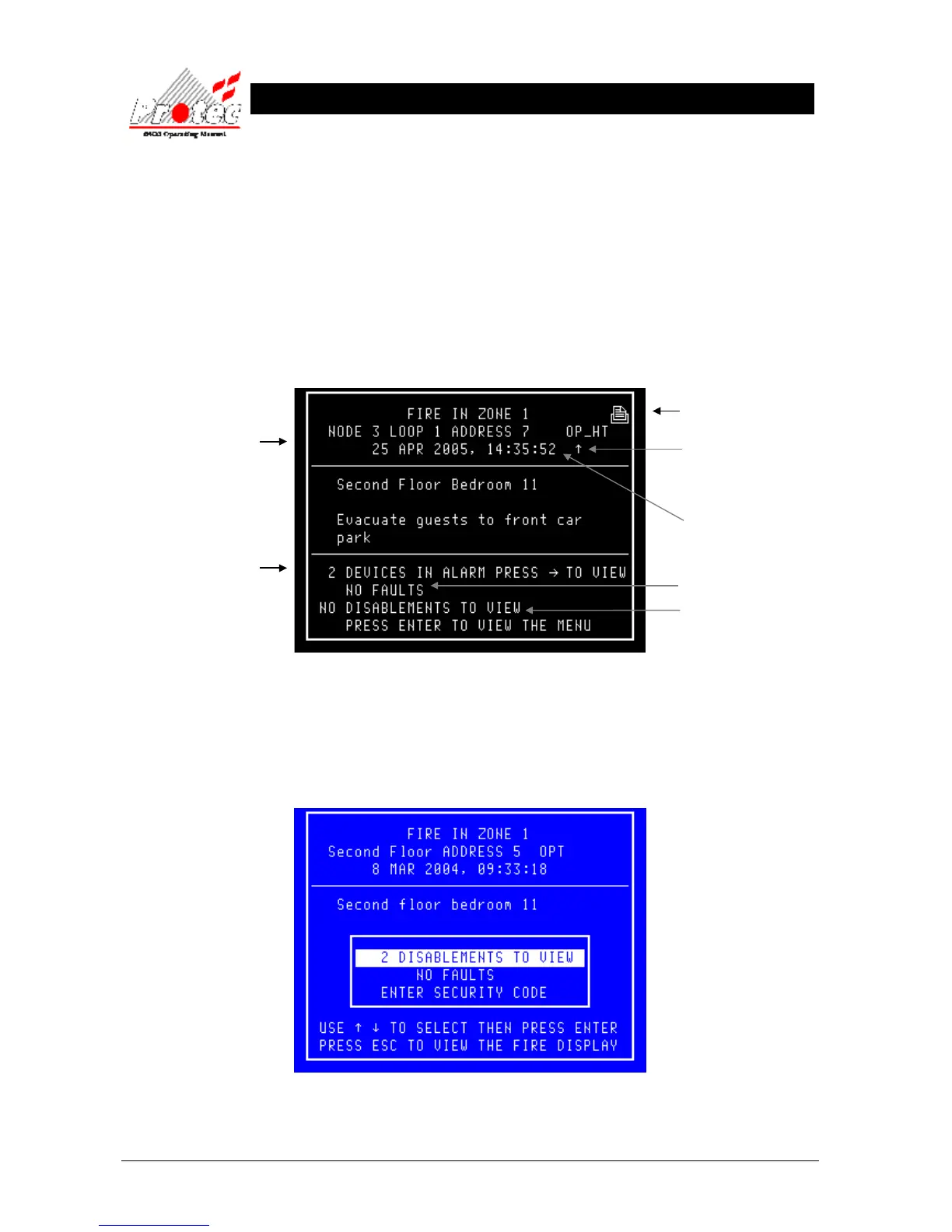
In the event of a fire activation occurring, the panel’s audible buzzer will fast pip. The ‘FIRE‘ lamp will illuminate
constantly and the ‘ZONE’ location lamp will illuminate intermittently. The panel will also display the location details
on the LCD display as follows :-
• Accept : Pressing the ‘Accept’ button will mute the panel buzzer. The buzzer will resound upon a further
activation. If a search time has been set up when the system was installed then pressing this button
will also start the search time.
• Menus : Pressing the ‘ENTER’ button will display the normal menu options, which will allow access to the
‘Main menu‘ or allow the display of any fault or disablements currently on the system as shown
below :-
• Exiting option : To return to the ‘FIRE’ display, press the ‘Esc’ key
Displays the Node /
Loop / address and type
of the device in alarm
Note - If text has been
assigned to the node,
then the text will be
displayed rather than the
node & loop No
Displays the ‘Zone’
number in which the fire
has occurred
Displays the date &
time of the activation
Displays the number of
fault events currently on
the system
Displays the number of
disablements currently
on the system
Displays the number
of Devices which are
currently in an alarm
condition
The arrow indicates the
sensor that has generated
the fire signal.



 To Next Page