2-23
VIBXPERT II 05.2012
Getting started - Basic settings
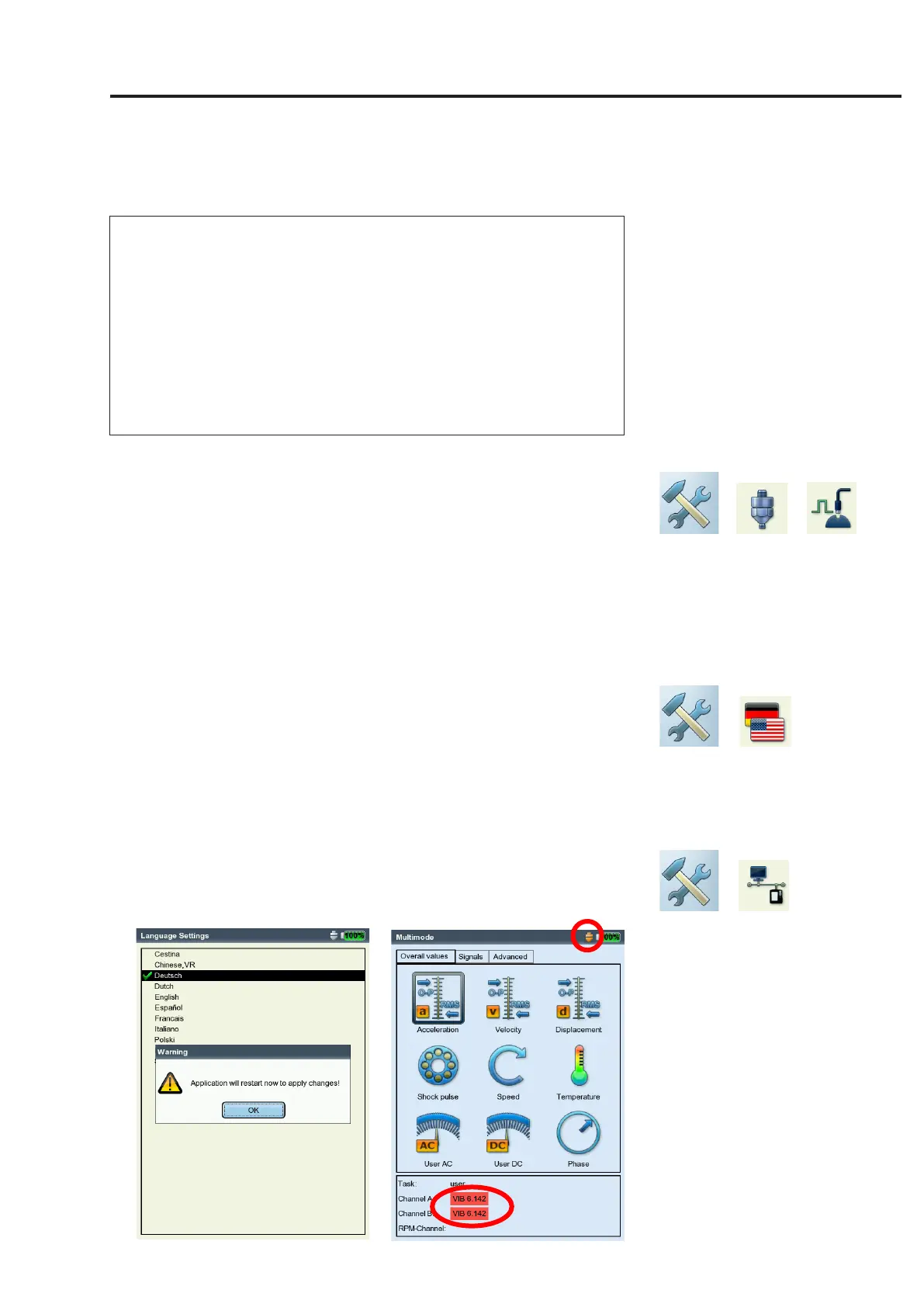
Left:
Dialog language
is changed to 'Deutsch' (German)
Right:
Default vibration sensor is enabled
Default sensor is active, when
• Channel A / Channel B is marked red in the task selection
screen
• the sensor icon at the top edge of the task selection screen is
orange
• the sensor setup cannot be opened in the measurement task
manager.
Use the default sensor for measuring or deactivate this option. Oth-
erwise, incorrect measurements may be the result.
Keyphaser
Hereyoucan extendthetimelimitsetforrpmmeasurements and
phase measurement to enable measurements on very low-speed ma-
chines(range:10...30s,default:10s).Incoast-downmeasurements
the time limit is automatically set in relation to the stop speed.
The 'Active edge' option is used to define whether the edge of the
incoming trigger mark or outgoing trigger mark on the shaft is to be
used as the reference signal.
Language
VIBXPERT includes 11 languages. The default setting is 'English'. To
change the language setting, proceed as follows:
• Clickon'Language'.
• Clickon'YourLanguage'(e.g.Espanol,Francais,...).
• PressMENUandclickon'OK'.
• Conrmtheresultingmessagetorestarttheapplication(seebe-
low).
Communication
Settingsfornetworkcommunication,seepage2-34.
Note


 To Next Page