2-33
VIBXPERT II 05.2012
Getting started - Data transfer
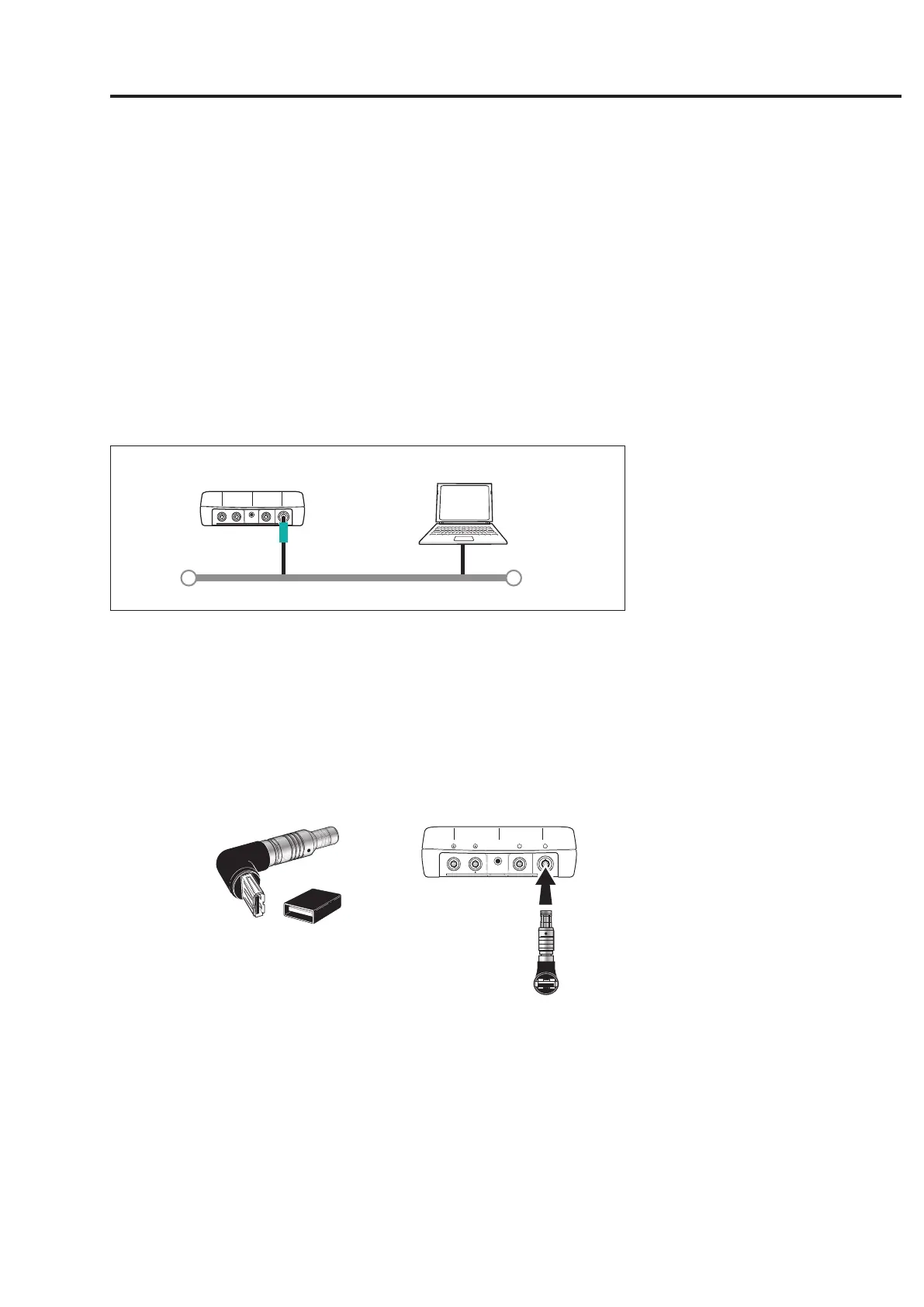
Network connection
Data transfer via an Ethernet network requires the following compo-
nents and information:
- Network connection
- EthernetcableforVIBXPERT(VIB5.331).
- PC with network interface card connected to the network/hub
- IP address and subnet mask of the PC in the network
network connection (lan):ConnecttheEthernetcableVIB5.331to
the communication port (green) and network socket.
LAN
VIB 5.331
Ethernet
Network (LAN)
USB pen drive
TosavePDFlestoaUSBpendrive,youneedthefollowingacces-
sories:
-ConnectingadapterforUSBpendrives(VIB5.330-MEM)
-USBpendriveforVIBXPERTII(VIB5.330-USB)
InthelemanagertheUSBashdriveisshownasanadditionaldi-
rectory next to ‘Results’ and ‘PDF’. You can move saved PDF files to the
USBpendrivewiththemenuoptions‘Cut’and‘Insert’.
VIB 5.330 MEM VIB 5.330-USB



 To Next Page