2-6 VisualMotion Tools for Diagnosing VisualMotion 9 Troubleshooting Guide
DOK-VISMOT-VM*-09VRS**-WA02-EN-P
Tasks Diagnostics
Selecting Diagnostics ⇒
⇒⇒
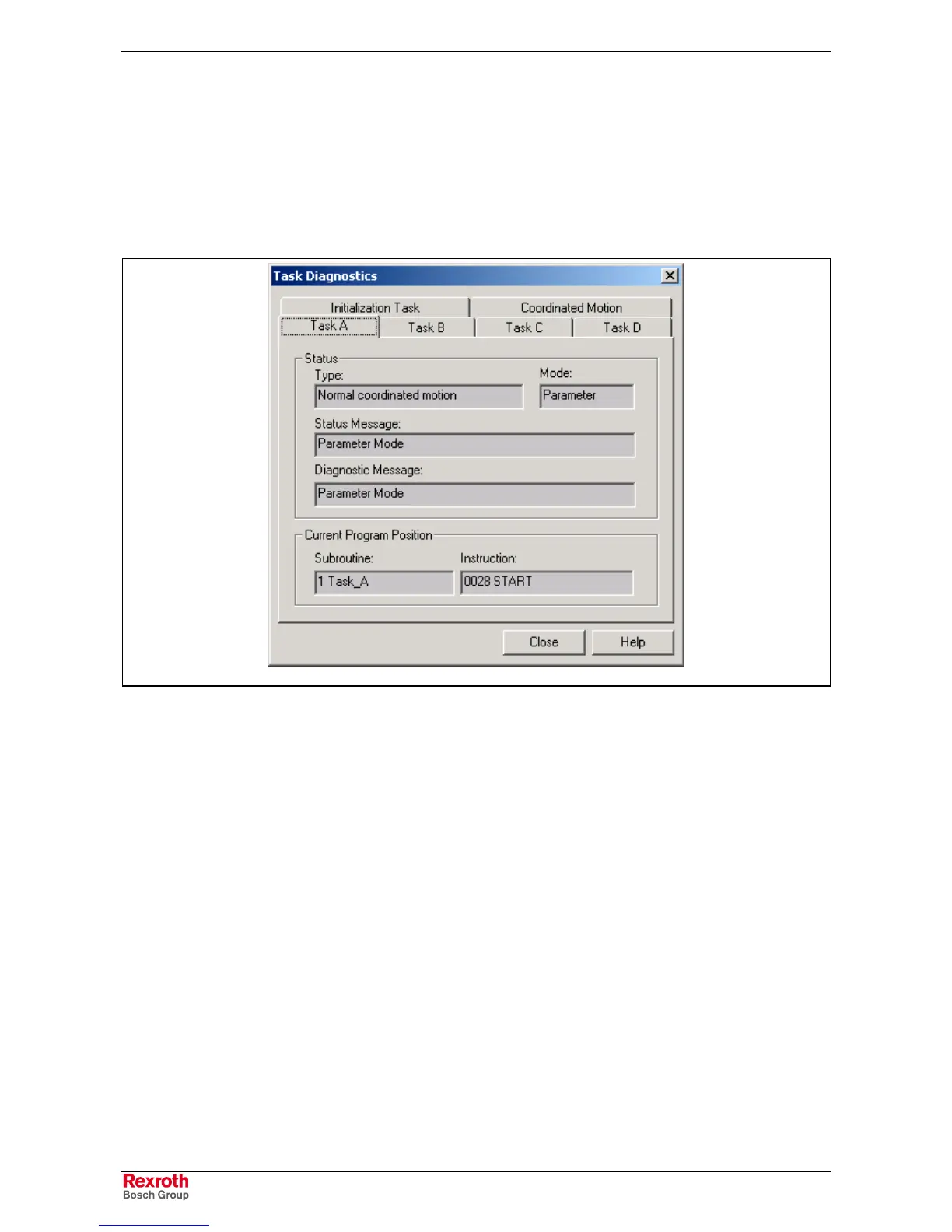
⇒ Task opens the Task Diagnostics window and
uploads data regarding all active VisualMotion tasks. Task letters are
displayed only if they contain an icon program that has been compiled and
downloaded to the control. All GPP9 programs will contain the
Initialization Task and Task A tabs. The Coordinated Motion tab is only
visible if any task contains a coordinated program. It displays the active
coordinated axes and their current X, Y, Z positions.
DiagnosticTask.tif
Fig. 2-8: Task Parameters
Status
This section indicates the type of motion programmed in the selected task
for the active program and the current control mode (Parameter,
Initialization, Manual or Automatic). Status and Diagnostic messages for
the selected task are also displayed.
Current Program Position
This section displays the subroutine and instruction executing and its
pointer. This display is useful when debugging in single-step mode. If a
program is running in automatic mode, the displayed instruction is the
instruction that was executing at the time that the SERCOS cycle
sampled instruction execution, which may appear to be random.



 To Next Page