Technical Bulletin PAGE: 8/11
Reissued:27-Mar-14
Model: CH-C1 Finisher SR4110
Connecting the Finisher D707
1. Open the front door of the finisher.
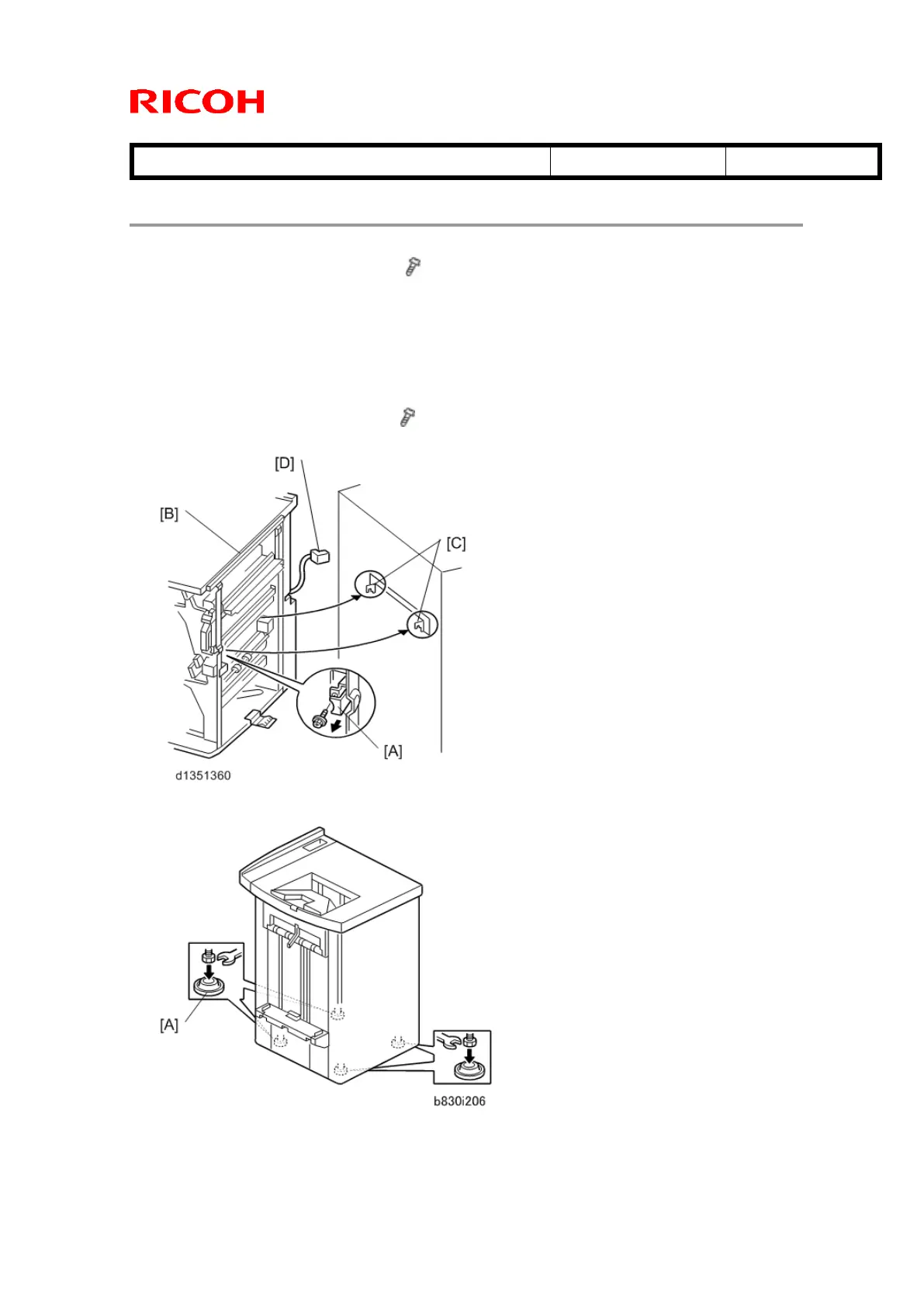
2. Pull out the locking lever [A]. ( x 1)
3. Align the finisher [B] with the joint brackets [C], then slowly push the finisher
onto the brackets.
4. Connect the finisher cable [D] to the copier
5. Push in the locking lever. [A]
6. Check that the top edges of the finisher are parallel with edges of the device
(or copier) to the right.
7. Fasten the locking lever [A]. ( x 1)
8. Close the front door.
9. Set the leveling shoes [A] (x4) under the feet.
10. Turn the nuts to adjust the height of the finisher until it is level.



 To Next Page