Technical Bulletin PAGE: 3/5
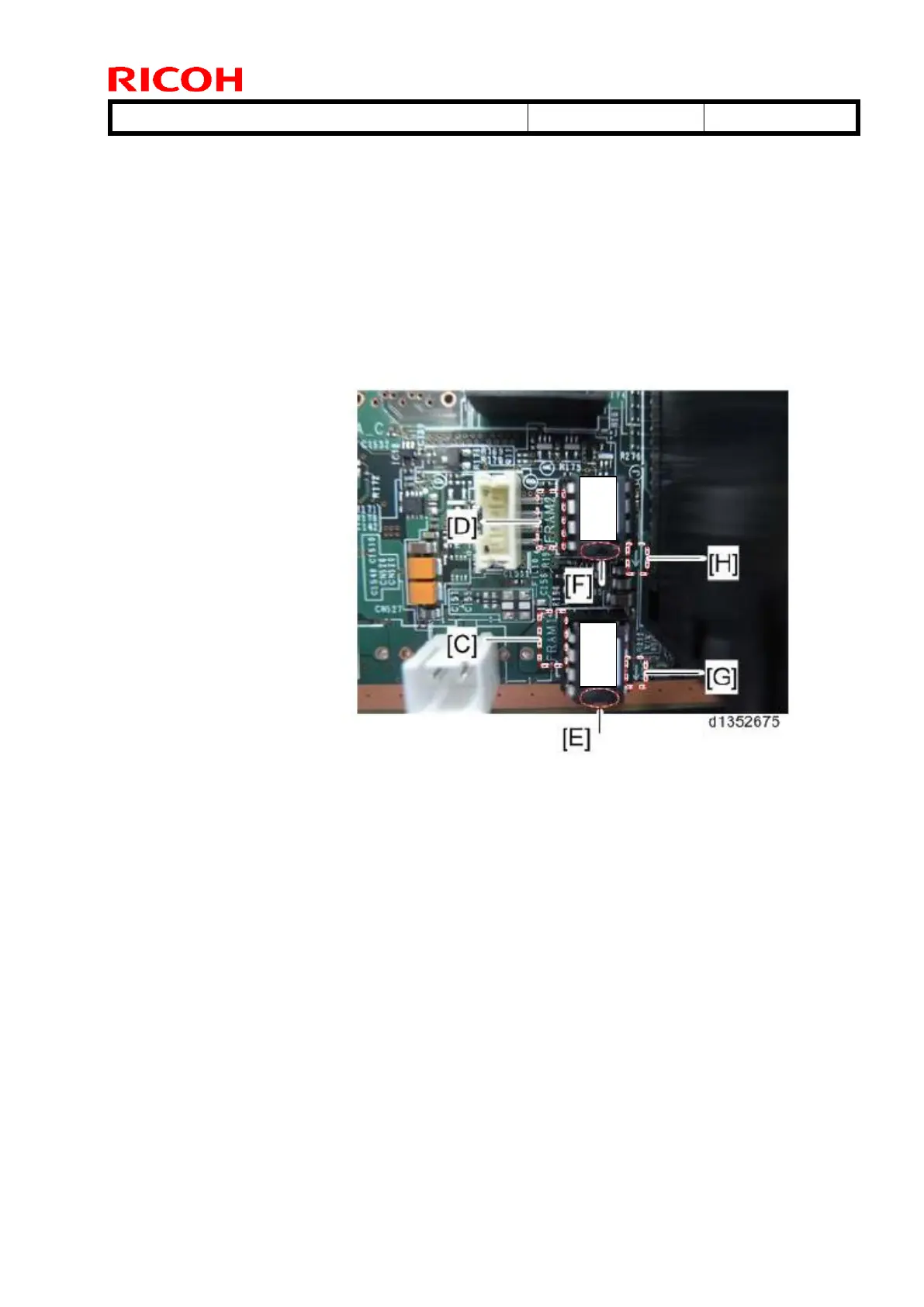
Install NVRAM "FRAM1/D138E" in the socket printed "FRAM-1" [C] on the controller
board. Install so that the indentation [E] on the NVRAM faces the direction indicated
with the arrow [G] printed on the controller board.
Install NVRAM "FRAM2/D138E" in the socket printed "FRAM-2" [D] on the controller
board. Install so that the indentation [E] on the NVRAM faces the direction indicated
with the arrow [H] printed on the controller board.
Work carefully to avoid mistakes when installing the NVRAM. Incorrect installation will
damage both the NVRAM and controller board.
13. Plug in the AC power cord, and then turn ON the main power switch.
IMPORTANT: DO NOT insert the SD card containing the NVRAM data that
you removed in Step 7 before turning on the main switch.
IMPORTANT: SC995-02 (Defective NVRAM) will appear when powering on
the main power switch, but ignore this SC. DO NOT turn off the main power
switch. Continue with this procedure.
14. Re-insert the SD card containing the NVRAM data that you removed in Step 7 back
into slot #2.
15. Download the old NVRAM data from the SD card onto the new NVRAM with SP5-825-
001 (NVRAM Data Download).
Note: This will take about 2 or 3 minutes.
IMPORTANT: After the download completes, the message "Completed. You
have to reboot." will appear, but ignore this message and press the “Exit”
button. DO NOT reboot at this moment.
SC870-11 (Address Book Data Error) will appear in the banner, but DO NOT
turn off the main power switch. Continue with this procedure.



 To Next Page