Updating the Firmware
M047 5-5 SM
System
Maintenance
Reference
5.2.3 MACHINE FIRMWARE UPDATE
Each program must be updated one a time. Follow the procedure below to update one
program.
1. Prepare a card that contains the required program.
2. If the machine is on, switch it off.
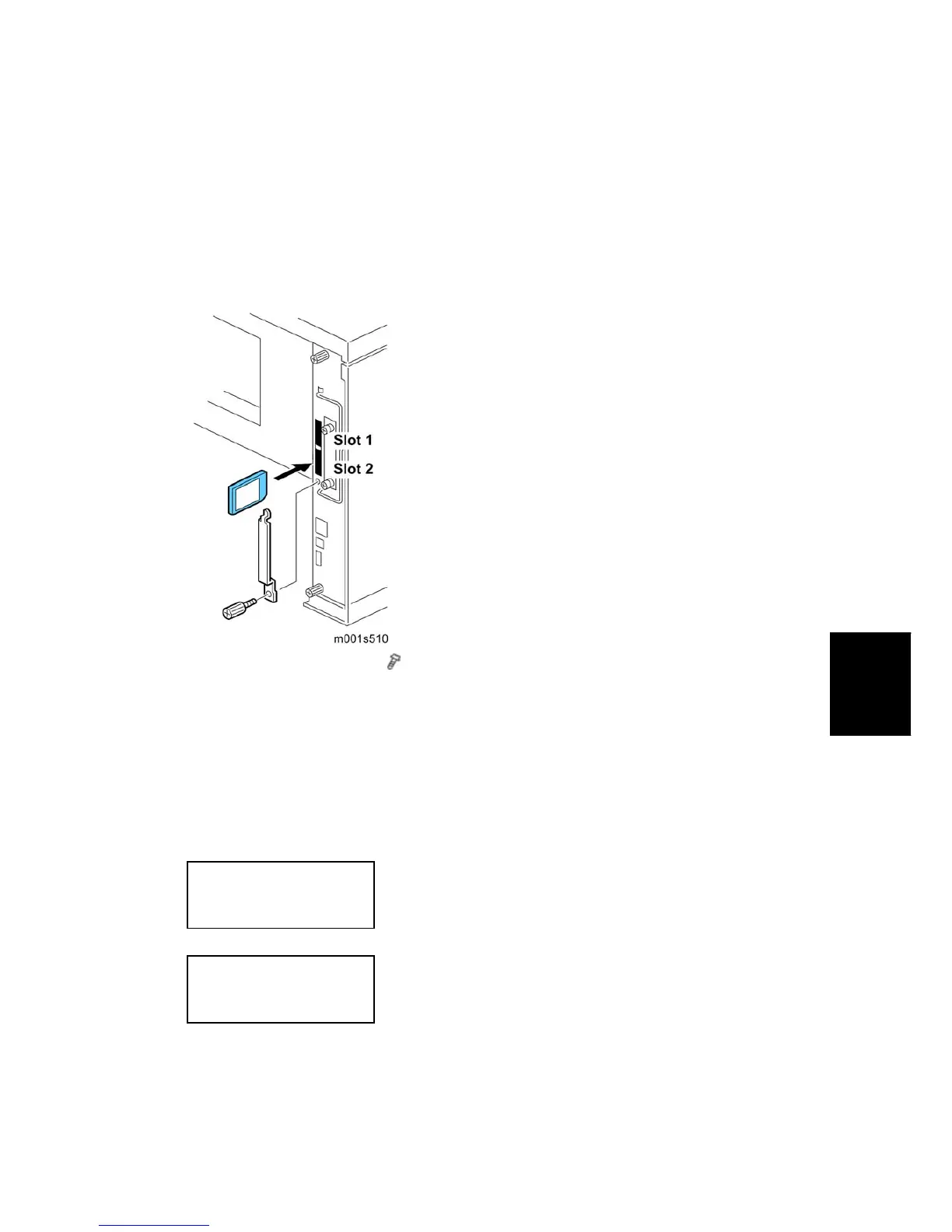
3. Remove the SD card cover (
x 1).
4. Insert the SD card into Slot 2.
5. Turn on the power.
6. "Please Wait" appears, then you will see "Preparing to Start Firmware Update....”
7. Firmware names are displayed on the LCD.
8. Scroll to the program to upgrade, then press [OK].
9. Press the [UPDATE] to start the upgrade.
Loading
*****************
Update done
xxxxxxxxx
10. "Update done" appears on the LCD after completing the firmware updating.
11. Turn off the power, remove the SD card from Slot 2, and turn on the power.


 To Next Page