Laser Unit
SM 4-16 M047
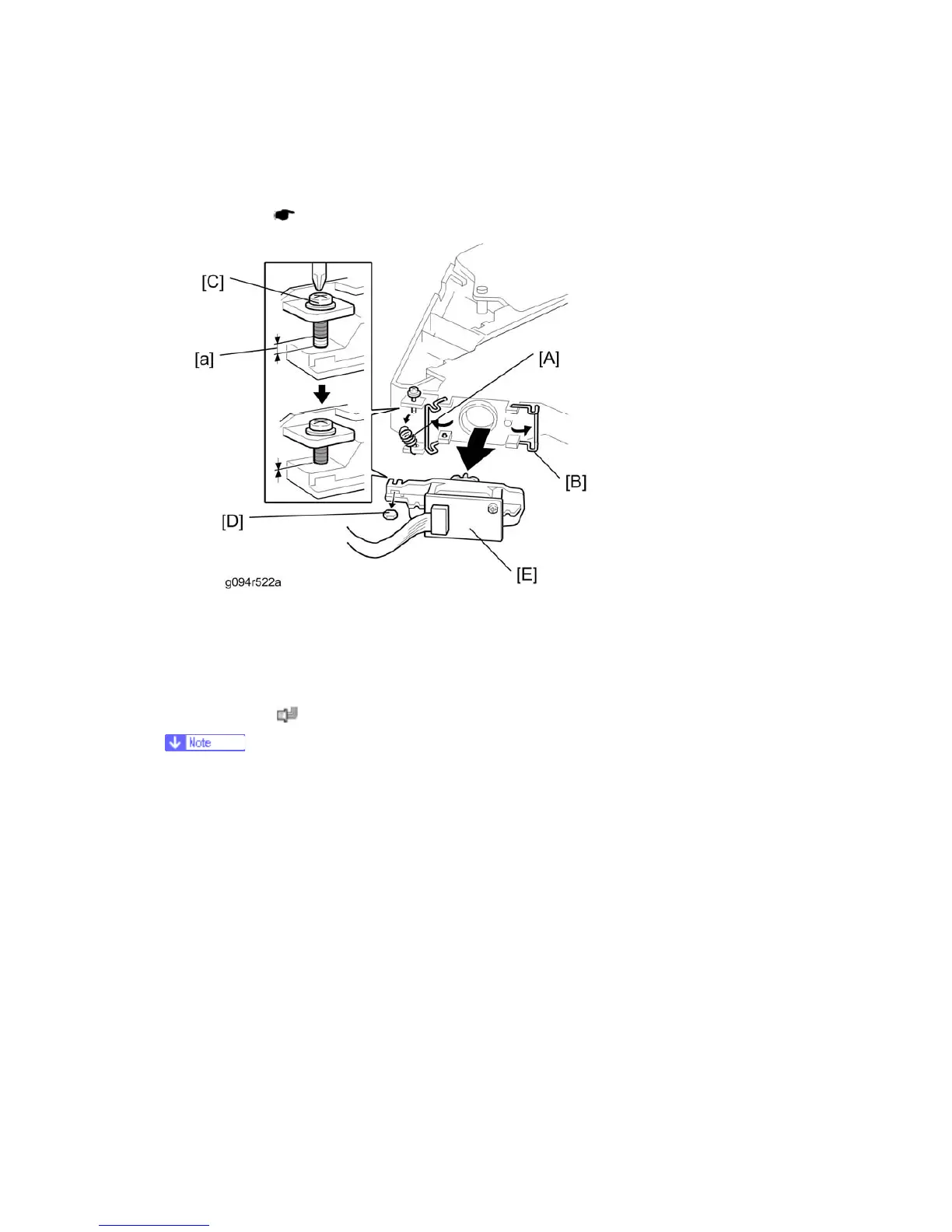
4.4.4 LASER DIODE UNIT
1. Laser Unit ( p.4-14)
2. Spring [A]
3. LD unit holders [B] (x 2)
4. Loosen the screw [C].
5. Nut [D]
6. LD Unit [E] (
x 1)
Do not remove the screws that secure the LD board.
Do not touch any variable resistors on the LD board.
When installing the LD Unit:
Tighten the screw [C] until the unpainted portion of the screw [a] is not visible.
After installing the LD unit, check the test pattern for the final adjustment (see the following
procedure).


 To Next Page