SP Tables
M047 3-8 SM Appendix
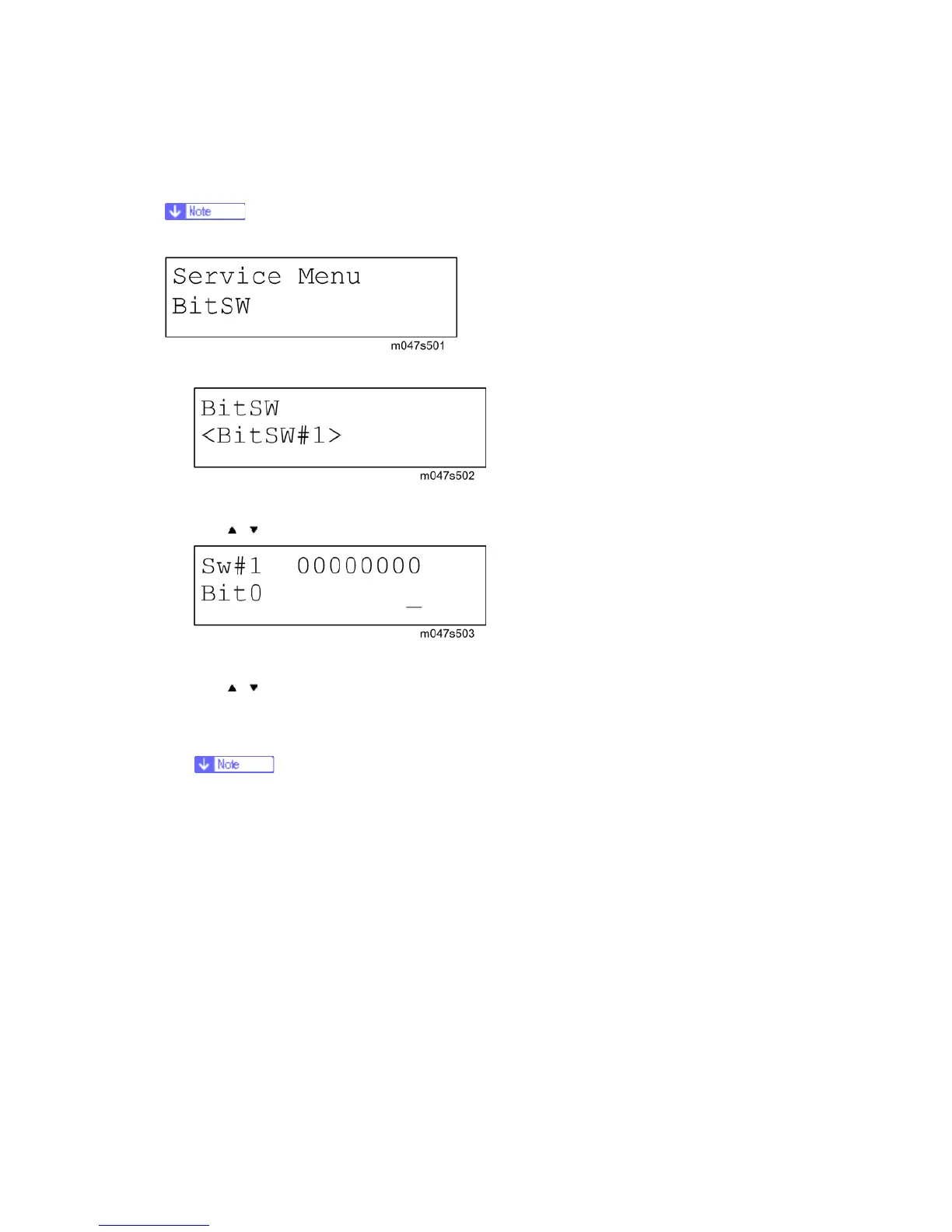
Bit Switch Programming
Currently, the bit switches are not being used.
1. Enter the SP mode, select "Service Menu", then press [Enter] twice.
2. Select #1, #2, #3, or #4 for the desired bit switch, then press [Enter].
[
] [ ]: Move to the next switch.
3. Adjust the bit switch using the following keys.
[
] [ ]: Move to the next bit.
[Escape]: Exit without saving changes.
[Enter]: Exit and save changes.
The left digit on the display is bit 7 and the right digit is bit 0.
4. Press [Enter] to save changes and exit.


 To Next Page