Laser Unit
M047 4-17 SM
Replacement
and
Adjustment
4.4.5 LASER BEAM PITCH ADJUSTMENT
1. Print out the following test patterns (A4 LEF or A3):
Select the test pattern "10.Stitch" with SP 5902-3.
After selecting a pattern, use SP 5902-1 to print one test pattern.
After completing the adjustment, reset SP 5902-3 to "NoPattern.”
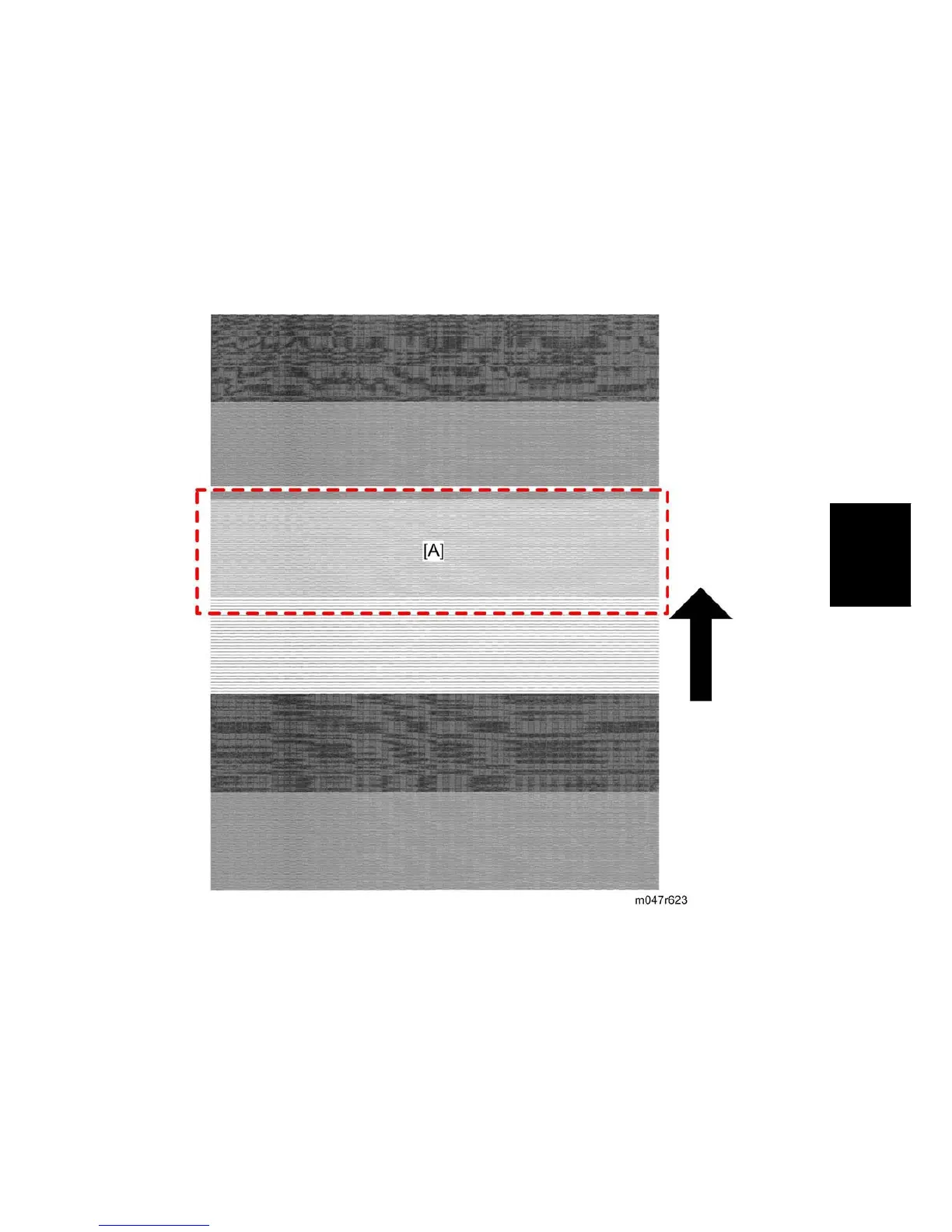
2. Check a test pattern. If the laser beam pitch is not correct, the images are as follows.
Third stripe [A] from the leading edge: Vertical black strips seem to appear.
3. Adjust the LD unit holder position: Tighten or loosen the screw [C] (see the previous
page) until the printout appears as follows.
Third stripe [A] from the leading edge: The thin lines are of uniform thickness (no
striping effect should appear on the printout).


 To Next Page