Paper Feed
SM 1 M347
M374
Paper Feed
Unit PB3090
1. REPLACEMENT AND ADJUSTMENT
1.1 PAPER FEED
Turn off the main power switch and unplug the machine before attempting any of
the procedures in this section.
1.1.1 PAPER FEED UNIT
1. Remove the paper tray unit from the main unit.
2. Pull out the paper tray.
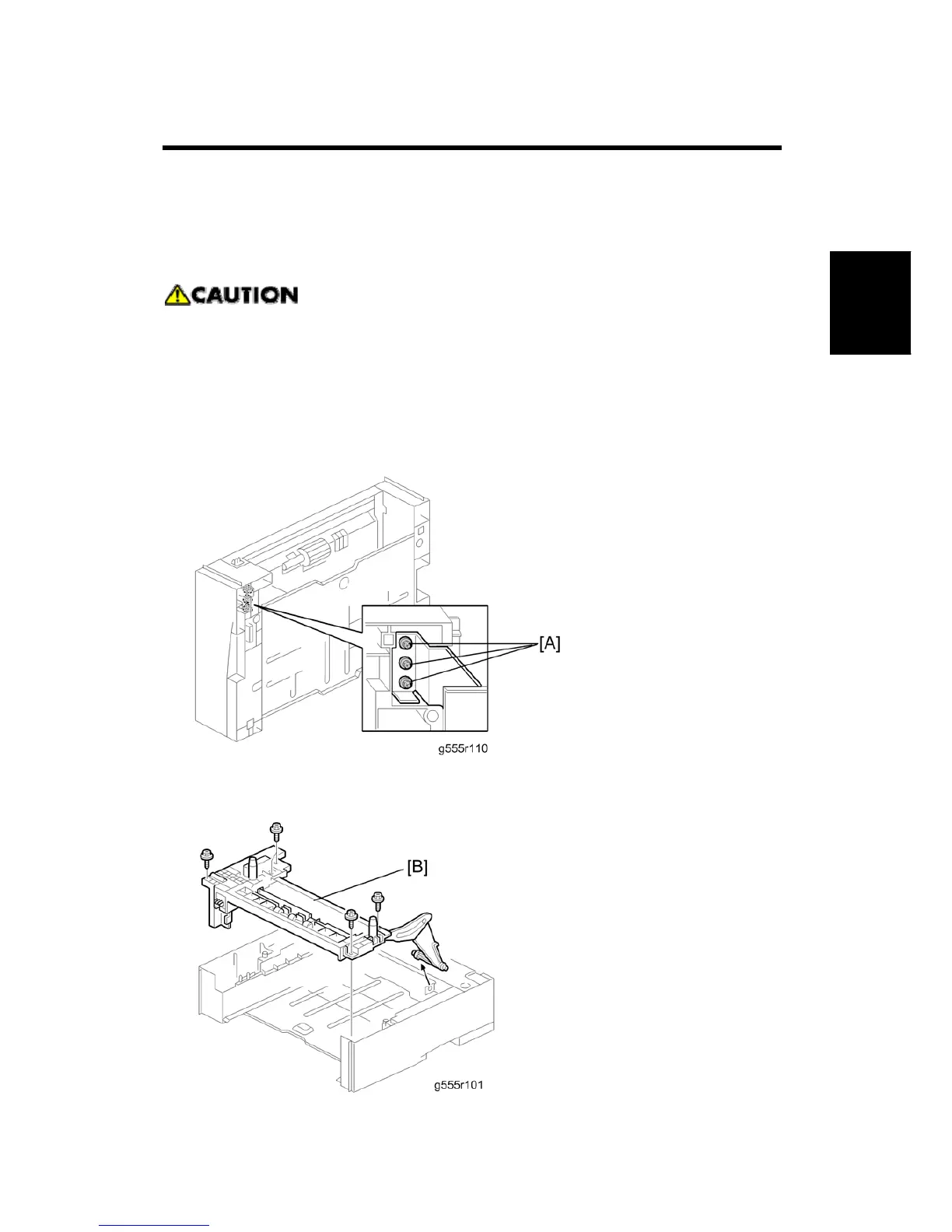
3. Turn the paper tray unit over and remove the three sliver screws [A] first. Do not
remove the other screws from this side.


 To Next Page