Exterior Covers
SM 4-10 M047
4.3.7 RIGHT COVER
To remove the right cover, separate the machine from the optional paper feed unit
first.
1. Upper cover (
p.4-6)
2. Left cover (
p.4-8)
3. By-pass tray (
p.4-7)
4. Front door (
p.4-9)
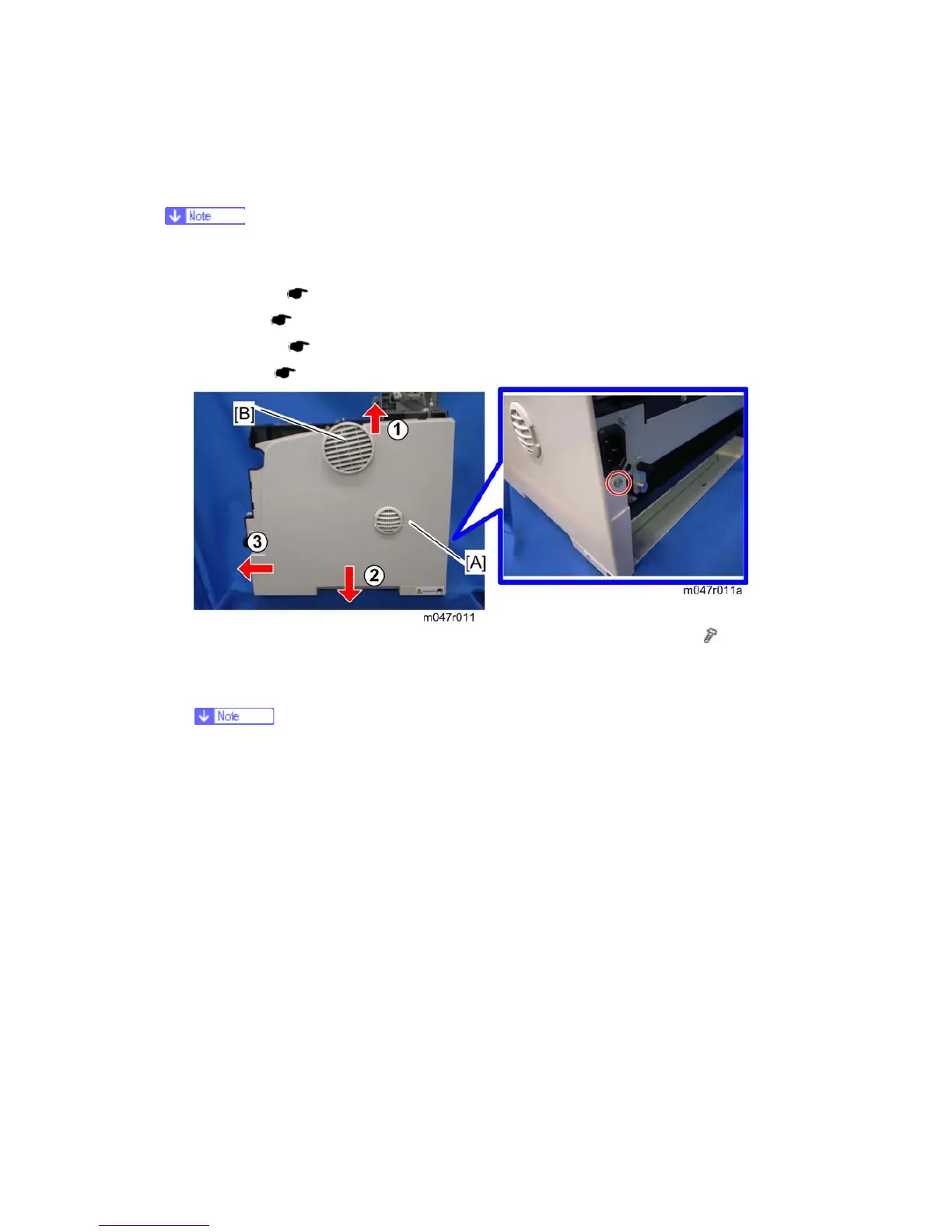
5. Lift the right cover [A], and then pull the top edge of the right cover slightly (
x 1, 3
tabs)
6. Slide the right cover to the front with pulling down the right cover (4 tabs).
The fan cover [B] falls after detaching the right cover form the machine. It is
because that the fan cover is held only by the right cover.


 To Next Page