Paper Feed
SM 4-30 M047
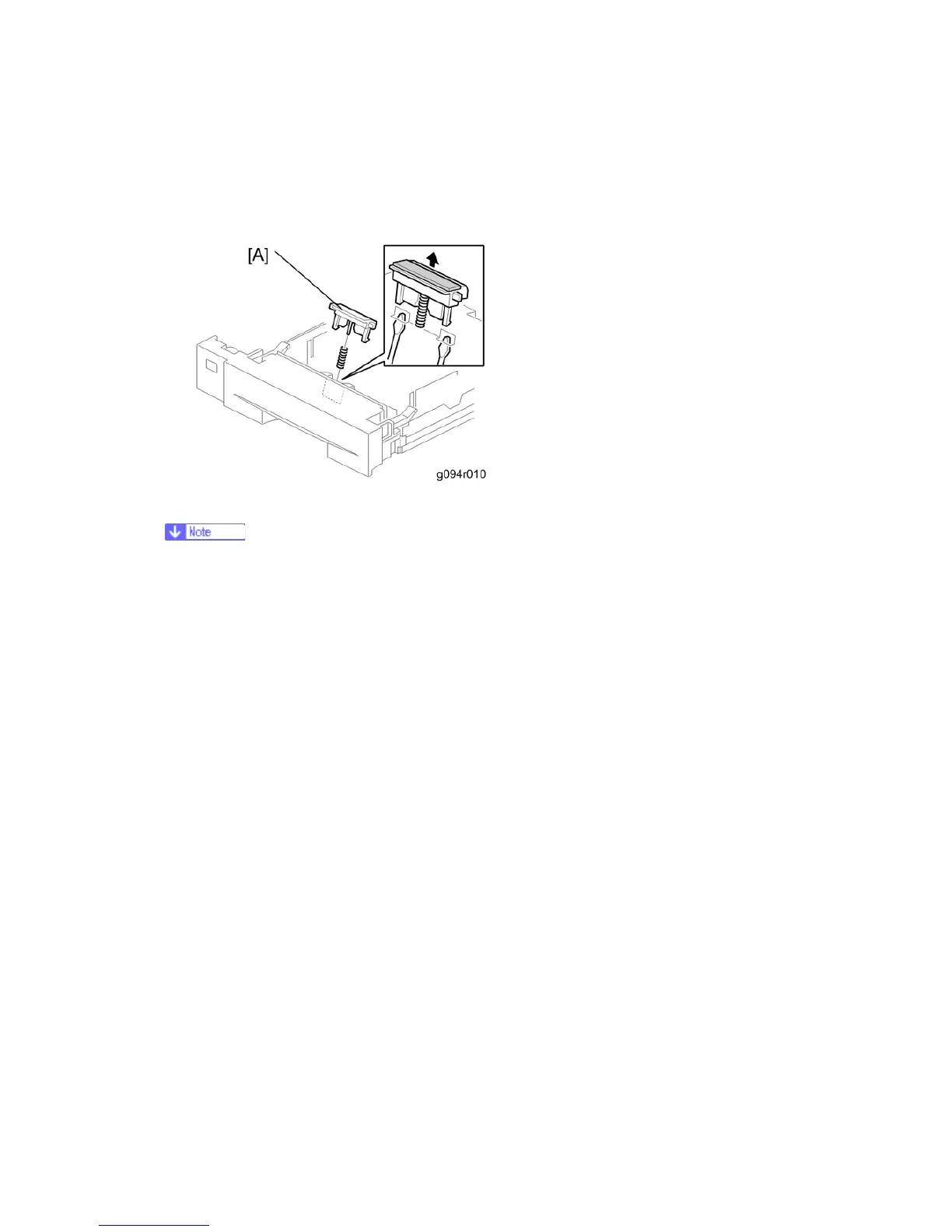
4.7.2 FRICTION PAD
1. Pull out the paper tray.
2. Friction pad [A] (2 hooks, 1 spring)
Remove the paper tray unit from the machine before removing the friction pad.
When reinstalling the friction pad follow this order
1. Replace the spring.
2. Insert the right side of the friction pad first followed by the left side.
3. Gently push the friction pad down into the slot and then pull forward very slightly.


 To Next Page